Prepare a receipt for rent actually paid, with the tenant, landlord, rented address, month and amount shown together. Review the payment details and acknowledgement area before sharing it with the landlord or employer. Use the rent period covered by the payment, even when the transfer happened in a different month. Keep security deposits, utilities and maintenance separate from rent unless the agreement clearly includes them. The preview brings the rented property, parties and amount together for review; the landlord’s actual acknowledgement and the supporting payment record remain part of the complete rental file. Start with the rent receipt generator and monthly receipt format.
The record and the example used here
A rent receipt acknowledges payment for a rental period. The payment date and month covered can differ: September rent might be paid on 5 September. Record both instead of changing the rental period to fit a payroll deadline.
The local walkthrough uses Template 1: tenant Aarav Sample, landlord Meera Sample, Flat 12, Example Residency, Pune, September 2026 rent of ₹18,000 paid by UPI on 5 September 2026. No security deposit, maintenance or utilities are included.
Employee Name is the tenant-name field in this layout. The editor does not determine HRA entitlement. The detailed HRA guide covers documentation and tax-period questions separately from these creation steps.
How should you read a sample rent receipt?
In a sample rent receipt, start with who paid whom, for which premises and for what period. A house rent receipt sample should not leave the rental month to be inferred from the signature date. Compare the entered amount with the actual payment, then check how it appears in words and figures where the layout prints both. The example is illustrative; replace its names and amount rather than carrying sample details into a real acknowledgement.
Before you start: prepare and reconcile the details
Gather the rent agreement and payment evidence before completing the receipt. Check the landlord’s name against the agreement and use the rented property address, not the tenant’s permanent address. If rent changed during the year, use the amount and period that apply to this payment rather than repeating an old receipt unchanged.
A receipt date records when rent was acknowledged; the rental month describes what the payment covers. These can differ when rent is paid late or in advance. For a shared property, record the actual payer and agreed allocation. Do not issue several receipts each claiming the full rent for the same payment.
Fields and sample values
| Field | Purpose | Sample value | When it applies |
|---|---|---|---|
| Employee Name | Tenant whose payment is recorded. | Aarav Sample | Enter the actual tenant despite the employee-oriented label. |
| Rent House Address | Identify the rented premises. | Flat 12, Example Residency, Pune | Include enough detail to distinguish the property. |
| Landlord Name | Person receiving the rent. | Meera Sample | Match the rental and payment records. |
| Choose Date | Date associated with the receipt/payment. | 5 September 2026 | Review separately from the rental month. |
| Month | Period covered by this receipt. | September | One monthly receipt in this walkthrough. |
| Currency / Rent Amount | Rent received in the selected currency. | INR; ₹18,000 | Enter manually; exclude an unlabelled deposit. |
| Payment Method | How the rent was paid. | UPI | The label does not verify a settled transfer. |
| Signature Type / Signature URL | Visual signature area. | Built-in sample graphic in the preview | A graphic is not the landlord’s acknowledgement. |
| PAN No | Landlord PAN field in supported layouts. | Actual landlord-supplied PAN, if required | Available in Template 4; absent from Template 1. |
Follow the editor step by step
Work through these stages in order. The screenshots show the actual editor running on localhost with illustrative details. Open a screenshot at full size when you need to read a field label; compare the values with your own source record.
1. Select Template 1
Choose Template 1 for the simple monthly receipt. The selector has five layouts; registration-style records serve a different purpose from a rent-payment receipt.
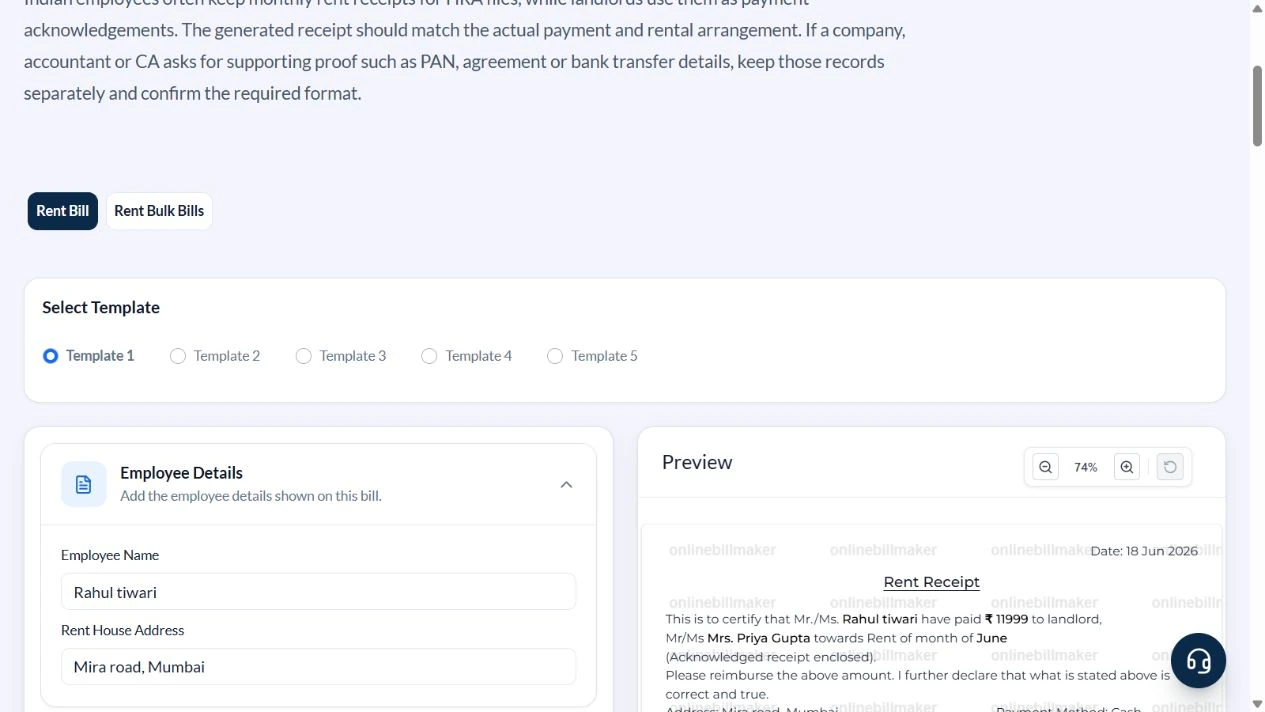
2. Identify the tenant and property
Under Employee Details, enter Aarav Sample and Flat 12, Example Residency, Pune. Read the address in the preview to catch missing flat or locality details.
3. Enter the landlord, month and payment
Expand Landlord Details. Enter Meera Sample, set Choose Date to 5 September 2026, select September and INR, enter 18000 in Rent Amount and choose UPI.
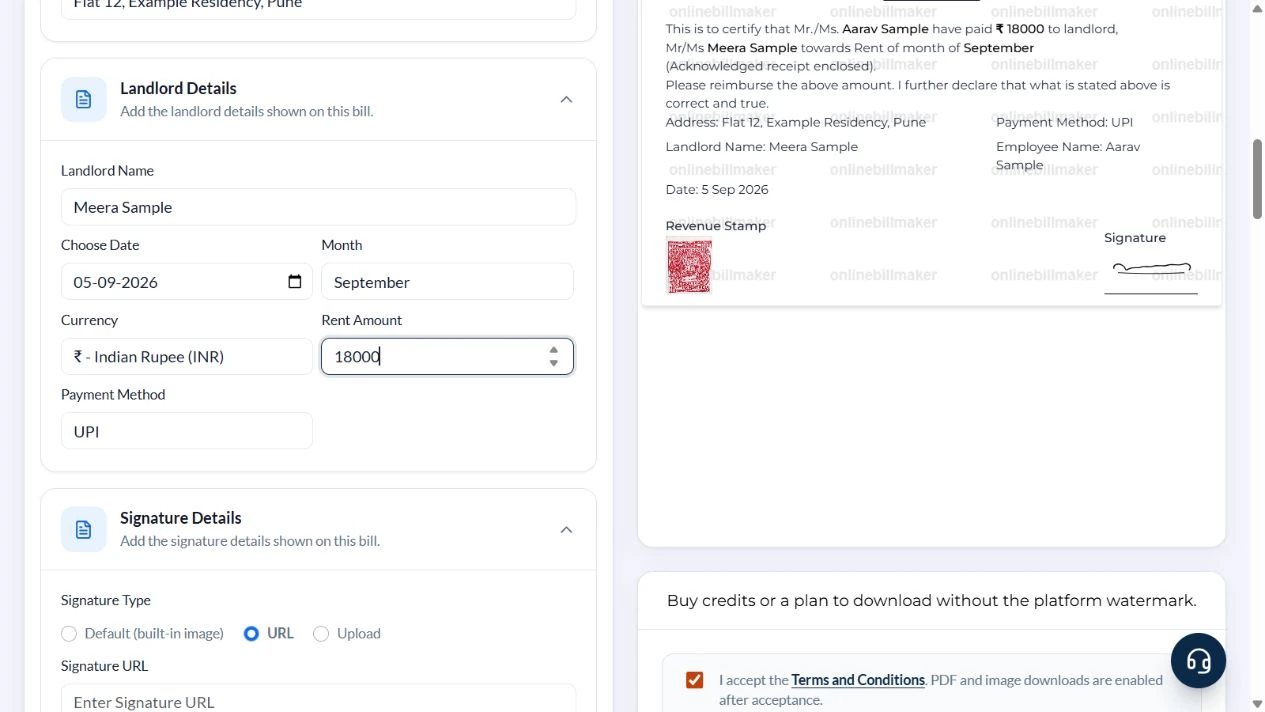
4. Review the receipt and signature area
Check 5 Sep 2026, September, ₹18000 and both names in the preview. The built-in signature and stamp artwork are sample graphics. They do not establish that the landlord signed or that any stamp requirement is met. Obtain actual acknowledgement where required.
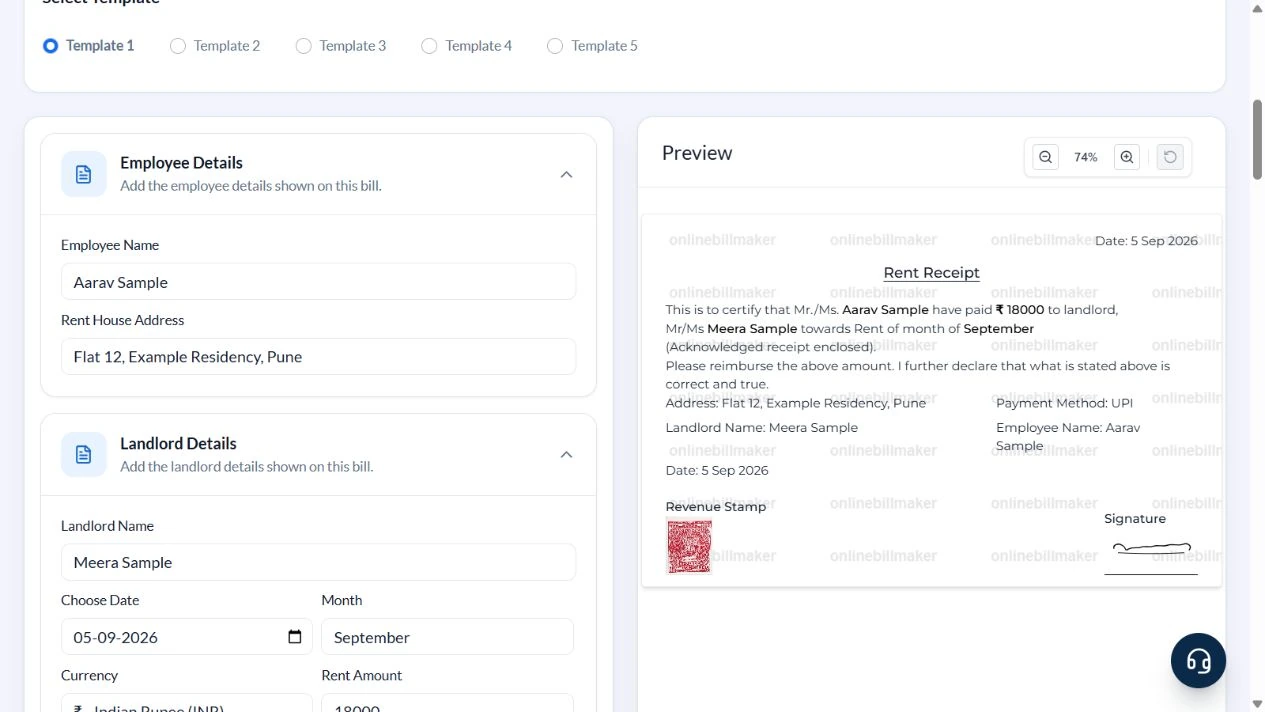
5. Review the download-access prompt
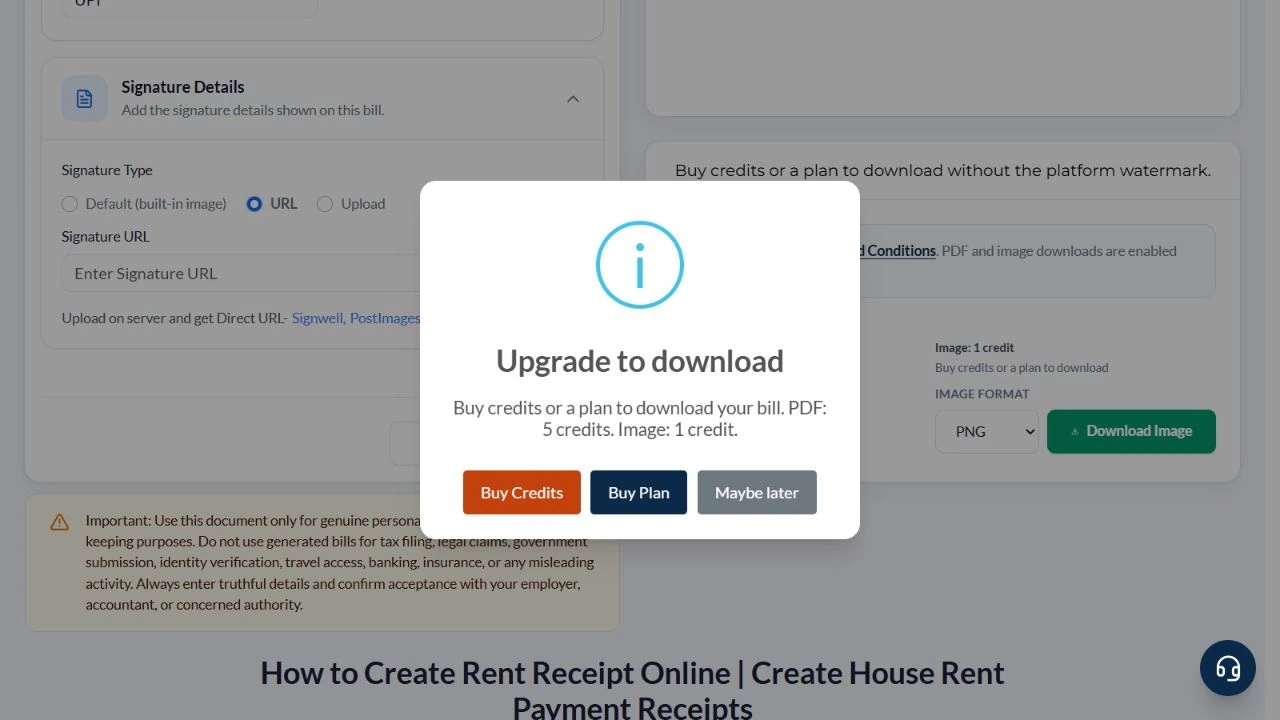
Selecting Download PDF in this guest walkthrough opened Upgrade to download with Buy Credits and Buy Plan. No purchase was made and no exported file was produced. With eligible access, choose PDF or a supported image format and inspect the saved file before sharing.
After downloading: inspect the file before sharing
If you complete an eligible download, open the saved PDF or image and compare it with the preview. Check the first and last lines, long addresses, amounts, dates and any acknowledgement area. Confirm that every intended page is present and readable at the size the recipient will use. Keep the source record and payment evidence with the final file so the document can be reconciled later.
If you spot an error, return to the editor and correct the source field before generating the replacement. Use a clear file name with the document reference and period so an older draft is not accidentally sent as the final copy.
One September receipt for ₹18,000
| Item | Basis | Result |
|---|---|---|
| Rental period | September 2026 | One month |
| Rent received | Monthly amount entered | ₹18,000 |
| Deposit and other charges | Excluded from this receipt | ₹0 |
| Payment | UPI on 5 September 2026 | ₹18,000 |
Three monthly payments of ₹18,000 total ₹54,000, but entering ₹54,000 does not create three monthly receipts. A Rent Bulk Bills tab is available for multiple entries; each still needs its own period and amount. This walkthrough covers the single monthly receipt.
What does a rent receipt for HRA establish?
A rent receipt for HRA records the landlord’s acknowledgement, but it does not by itself establish exemption eligibility. Check the applicable tax year, regime and employer process, then reconcile the rent with the tenancy and payment records. An HRA rent receipt format should use the same parties and period as the supporting agreement. The separate HRA guide linked below explains the reviewed rules and the evidence to gather for the relevant income period.
What should you check before printing or correcting it?
A rent receipt form PDF should remain legible after printing, including the property address and acknowledgement area. Check whether a revenue stamp is required for your payment and circumstances rather than treating a decorative image as compliance. When correcting a receipt, obtain the recipient’s approval and keep the revised copy with the evidence. A blank rent receipt template is a starting layout, not proof that any payment has occurred.
Troubleshooting and final checks
- Do not confuse payment date with the month for which rent was paid.
- Record a security deposit separately from monthly rent.
- Replace sample PAN or signature details in any layout that includes them.
- Do not assume a built-in signature image establishes acknowledgement.
- Check employer evidence requirements before submitting a payroll claim.
Editing and previewing are free. Downloads require sign-in and either an active plan or enough purchased credits: 5 credits for a PDF and 1 credit for an image. There are no free download credits. Free users see the platform watermark in the preview. Signed-in users with a credit balance or an active plan can choose a download format and preview without the watermark. Compare download credits and plans.
A prepared receipt alone does not prove payment or tax eligibility. Retain payment evidence and obtain acknowledgement from the actual recipient.