
Prepare a supporting travel summary with boarding and drop points, journey dates, passenger details and fare. Keep the original tickets and payment evidence with it; a filled template does not establish LTA eligibility. Make the travel period, route and passenger count easy to compare with the source tickets. Enter the fare actually supported by the journey records, review taxes or cancellation notes, and keep accommodation or unrelated expenses distinct. Use this summary to organise the file for your employer; eligibility and the accepted evidence depend on the applicable rules and the facts of the claim. Start with the lta supporting travel record template.
The record and the example used here
The LTA template organises journey details for a personal or employer travel file. Payroll must assess any claim under the rules for the relevant period, the employee’s tax regime and the employer’s process. This tutorial explains the form, not the amount of an allowable exemption.
Template 1 of two layouts is demonstrated with one illustrative traveller, Aarav Sample, travelling from Mumbai to Pune on 15 September 2026, 08:00 to 12:00. The sample fare is ₹1,000 and the references DEMO-LTA-001 and DEMO01 are deliberately fictional.
A journey summary cannot replace evidence that the journey occurred. The record does not reserve a seat, validate a PNR, establish a cancellation right or approve reimbursement.
What should you prepare before making an LTA record?
For a leave travel allowance claim, first gather the original tickets, payment evidence and the employer’s required form. An LTA travel receipt can help organise the facts, but it cannot supply missing evidence that the journey occurred. Check the passenger names and travel dates before entering them. Keep personal planning notes separate from records issued by the carrier so the reviewer can identify the source of each detail.
Before you start: prepare and reconcile the details
Build the travel file around the actual journey and passengers, then ask payroll which evidence is required for the relevant period. Booking a trip, paying for it and completing it are separate events. Preserve ticket confirmations, cancellation changes and payment evidence so the summary can be checked against what actually happened.
The passenger count is descriptive in the demonstrated layout; it does not automatically multiply the fare. Establish whether the entered Trip Amount is for the whole party or one traveller. Keep that basis consistent with the source, and separate expenses that do not belong in the supported fare rather than treating the whole holiday budget as one travel amount.
Fields and sample values
| Field | Purpose | Sample value | When it applies |
|---|---|---|---|
| Location / Landmark | Identify the boarding point. | Mumbai – sample boarding point; Example bus stand | Do not confuse the city with the exact pickup point. |
| Reporting Date / Departure Time | State when the journey starts. | 15 September 2026; 08:00 | Copy the actual booking’s date and local time. |
| Dropping Address / Date / Time | Describe the arrival separately. | Pune – sample drop point; 15 September; 12:00 | Overnight journeys may end on a later date. |
| Passenger Name, Age, Gender / No of Person | Describe the traveller and count. | Aarav Sample – illustrative traveller; 1 | Include only details needed for the travel file. |
| Travel Name / Type / Seat No | Label operator, journey type and seat reference. | Sample Travels – NOT A TICKET; One Way; A1 – sample | These entries do not create reservations. |
| Ticket No / PNR No | Connect a real record to its source evidence. | DEMO-LTA-001; DEMO01 in this sample | Auto-generated values are not provider-issued numbers. |
| Trip Amount / Tax (%) | Enter total fare and the included-tax percentage. | ₹1,000; 0% for this arithmetic illustration | The tool extracts included tax; it does not add the percentage on top. |
| Cancellation Details | Record only known source terms. | Not recorded in this example | Zero shown in a sample does not guarantee free cancellation. |
Follow the editor step by step
Work through these stages in order. The screenshots show the actual editor running on localhost with illustrative details. Open a screenshot at full size when you need to read a field label; compare the values with your own source record.
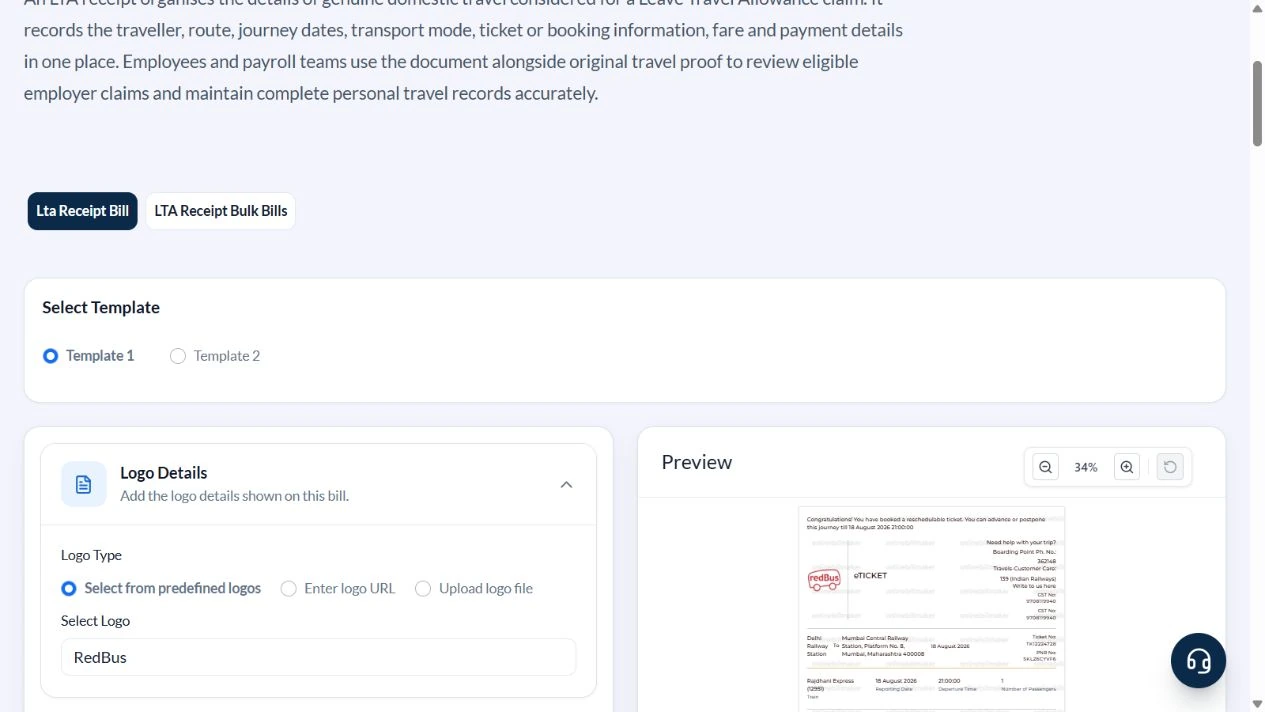
1. Choose the travel-record layout
Open LTA Receipt and select Template 1. In Logo Details choose Select One to omit a logo. A provider logo is optional and cannot validate the travel record.
2. Enter both ends of the journey
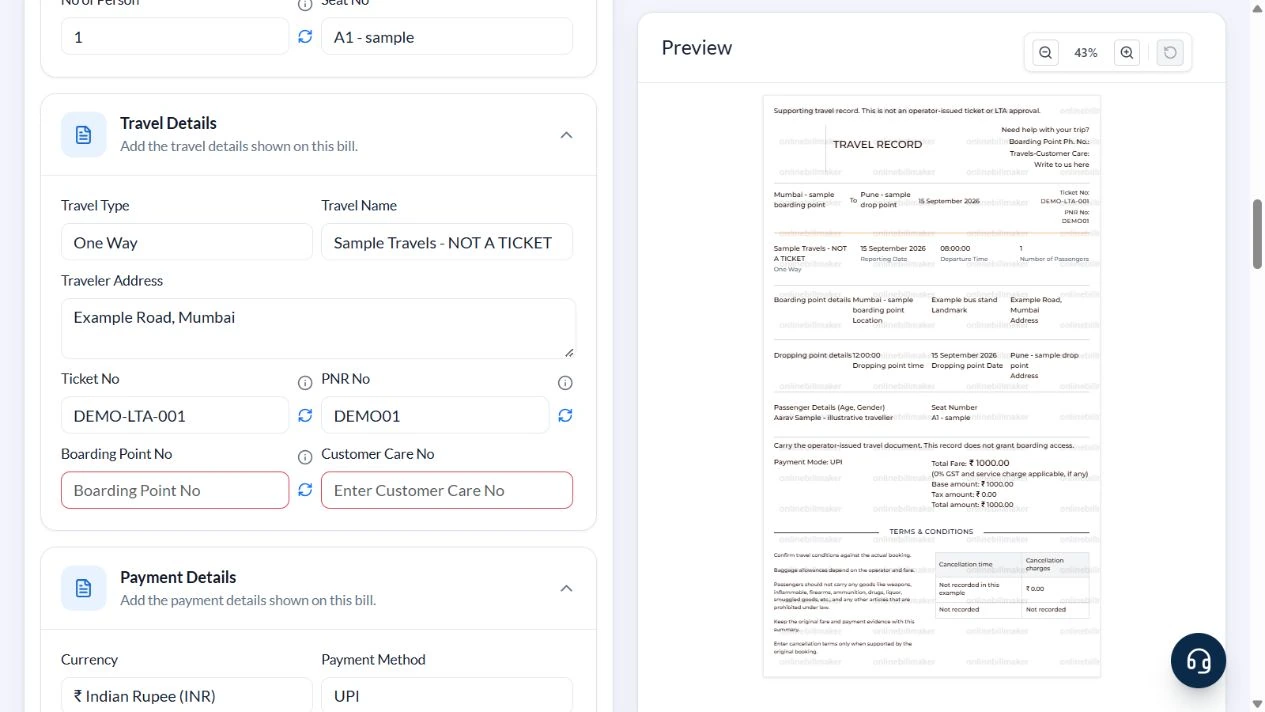
Open Boarding Point Details and Drop Point Details. Use the Mumbai and Pune sample points, date 15 September 2026 on both sides, departure 08:00 and arrival 12:00. Check that an old default has not left the arrival a month later.
3. Set traveller and fare information
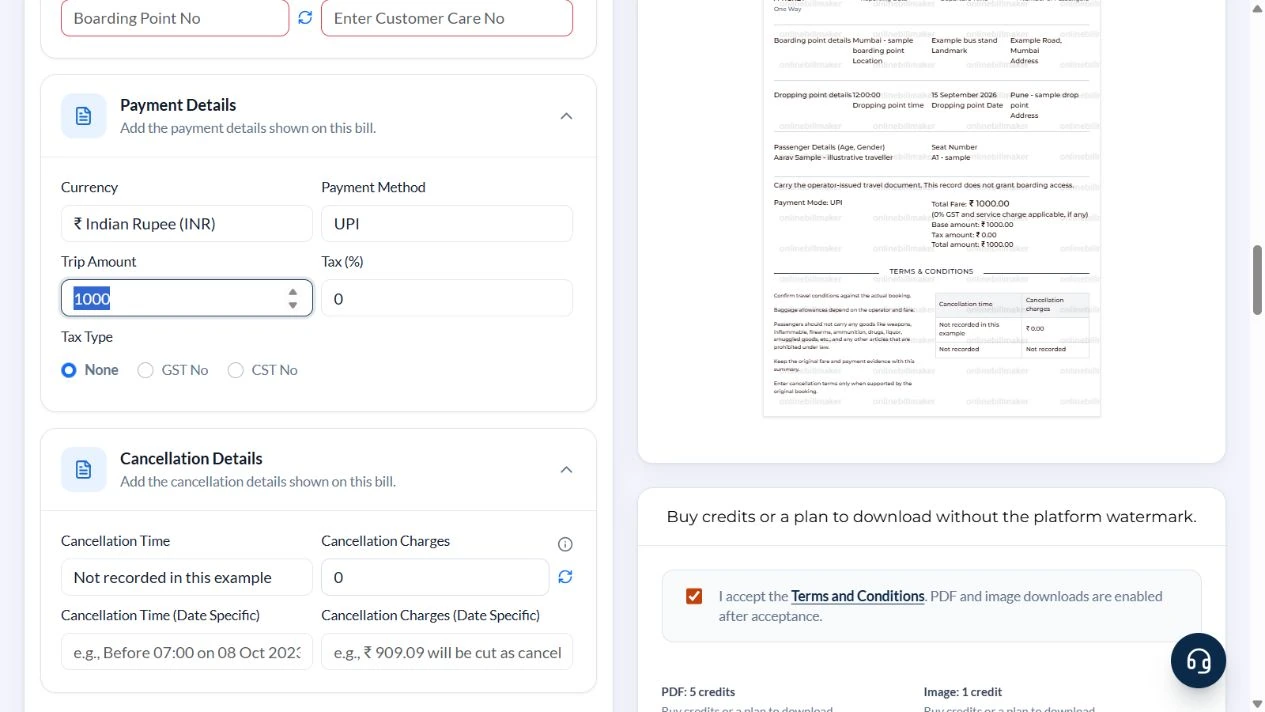
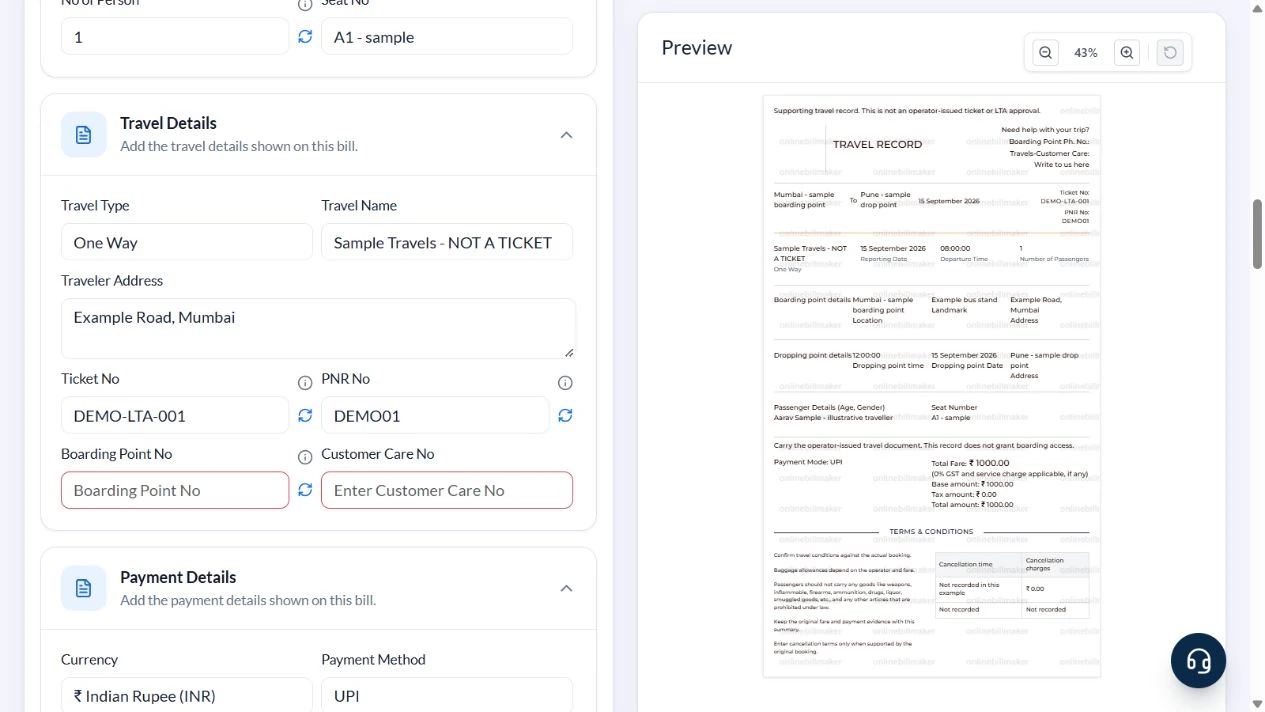
Open Passenger Details and Travel Details. Enter Aarav Sample – illustrative traveller, one person, A1 – sample, Sample Travels – NOT A TICKET and One Way. Use DEMO-LTA-001 and DEMO01. In Payment Details choose INR, UPI, Trip Amount 1000, Tax (%) 0 and Tax Type None.
4. Check the summary and remove old cancellation defaults
Use Not recorded in this example for Cancellation Time, zero for the numeric charge, and clear the date-specific cancellation fields. Check the TRAVEL RECORD preview: one traveller, same-day dates, ₹1,000 base, ₹0 tax and ₹1,000 total. Confirm no default GST/CST number appears when Tax Type is None.
5. Review the output stage
PDF and image controls appear below the travel record. Review the current access requirements before using them. This walkthrough captured the controls only; no purchase or exported file was verified.
After downloading: inspect the file before sharing
If you complete an eligible download, open the saved PDF or image and compare it with the preview. Check the first and last lines, long addresses, amounts, dates and any acknowledgement area. Confirm that every intended page is present and readable at the size the recipient will use. Keep the source record and payment evidence with the final file so the document can be reconciled later.
If you spot an error, return to the editor and correct the source field before generating the replacement. Use a clear file name with the document reference and period so an older draft is not accidentally sent as the final copy.
One traveller, one ₹1,000 fare
| Item | Basis | Result |
|---|---|---|
| Departure | Mumbai; 15 September 2026, 08:00 | Sample journey start |
| Arrival | Pune; 15 September 2026, 12:00 | Same-day arrival |
| Trip Amount | Total entered for the journey | ₹1,000 |
| Included tax | 0% used only for this example | ₹0 |
| Base and total | ₹1,000 ÷ (1 + 0/100) | ₹1,000 |
The passenger-count field is descriptive; it does not multiply the fare. Enter the correct overall Trip Amount. Where a verified included-tax rate applies, base equals total divided by 1 plus the rate, and tax is the difference. This is fare arithmetic, not an eligibility calculation.
How do you reconcile the route and fare?
When learning how to create an LTA receipt, compare the reporting point, destination and travel reference with the original ticket. An LTA fare breakdown should explain the entered base amount and any tax assumption used in the example. Do not treat all listed charges as automatically eligible for a claim. Resolve discrepancies with the issuer or employer before preparing a final supporting copy.
What does the downloadable record establish?
An LTA receipt PDF download preserves the details entered into the template. It does not issue a carrier ticket or decide an LTA reimbursement claim. Check the saved copy for clipped names and inconsistent dates, and keep it with the original documents. If the employer requires a particular LTA claim receipt format, compare those requirements with the available fields rather than assuming every layout meets them.
Troubleshooting and final checks
- Remove old travel dates, operator names and cancellation terms rather than leaving conflicting defaults.
- Do not enter a per-person fare as the total when the source booking covers several people.
- Arrival time alone does not show whether the journey crosses midnight; check both dates.
- A zero cancellation entry in a sample is not a policy promise.
- Keep an employer claim amount separate from the total trip cost.
Editing and previewing are free. Downloads require sign-in and either an active plan or enough purchased credits: 5 credits for a PDF and 1 credit for an image. There are no free download credits. Free users see the platform watermark in the preview. Signed-in users with a credit balance or an active plan can choose a download format and preview without the watermark. Compare download credits and plans.
LTA acceptance and tax eligibility are not established by this template. Retain original travel and payment documents and follow the employer’s review process.