Create a price offer with a defined scope, itemised charges and an expiry date. Explain what is included, what costs extra and how the customer should confirm acceptance. Add your business and client details, describe each product or service, and show quantities, units, rates and applicable adjustments. Use the terms area for payment milestones, delivery expectations and exclusions. Review the total and validity before sharing so the customer can compare the offer and understand what accepting the quotation would include. Start with the quotation maker for itemised price offers.
The record and the example used here
A quotation describes proposed work and prices before the customer agrees. It is different from a payment receipt and the final invoice. Written acceptance and any advance are handled outside this editor.
The walkthrough chooses Template 2 · Clean Professional Quotation for Sample Design Studio – DEMO and Sample Retail Desk – DEMO in Pune. SAMPLE-Q-001 is dated 2 October 2026 and valid through 16 October 2026.
Ten design hours at ₹1,000 receive a 10% line discount. Four content-setup hours at ₹500 receive no discount. The ₹11,000 discounted subtotal has illustrative 18% GST, split into ₹990 CGST and ₹990 SGST in the selected intra-state mode, giving ₹12,980. The assumed rate is not a classification of the service.
How do you make a quotation the customer can assess?
When learning how to make a quotation, start with the requested scope and identify the work that the price covers. A quotation sample should explain the unit of charge, delivery assumptions and expiry date rather than displaying only a total. Compare each priced item with the customer’s brief. If a requirement is still undecided, state the assumption clearly and agree any change before treating it as included work.
Before you start: prepare and reconcile the details
Write the scope before entering the price. For a service, identify deliverables, included revisions and any work that will be charged separately. For goods, describe the variant, quantity and delivery basis. A specific scope lets the customer evaluate the offer and reduces later disagreements about what the quoted amount covers.
Set a validity date that reflects your actual offer and explain any conditions affecting delivery. Keep payment milestones separate from a statement that payment has already occurred. If the client requests a change, create a clearly identified revised quotation and retain the accepted version with its approval evidence before preparing the final invoice.
Fields and sample values
| Field | Purpose | Sample value | When it applies |
|---|---|---|---|
| Company details / Client / Estimate for | Address the offer to the correct parties. | Sample Design Studio – DEMO; Sample Retail Desk – DEMO | Optional contacts and tax identifiers can be cleared or hidden. |
| Quotation number / date / Valid until date | Reference and limit the offer. | SAMPLE-Q-001; 2–16 October 2026 | Check the visible formatted date after entry. |
| Mode / GST transaction type / Currency | Set tax display and currency. | national; Intra-state; INR | The selection does not determine whether GST actually applies. |
| Item / Service description / Quantity / Unit / Rate | Price the agreed scope. | 10 Hours × ₹1,000 for landing-page design | Use a separate row for content setup. |
| Discount / GST | Apply item-level percentage inputs. | 10% discount on design; 18% illustrative GST | Discount is applied before tax. |
| Payment terms / Shipping / delivery terms | Explain milestones and timing. | 50% on acceptance; 50% on delivery; 7 working days | These are entered terms, not a payment collection or schedule. |
| Notes / Terms and conditions / Authorized signatory | State revisions, exclusions and approval process. | Two review rounds; excludes hosting and extra pages | Leave signatory blank until appropriately authorised. |
Follow the editor step by step
Work through these stages in order. The screenshots show the actual editor running on localhost with illustrative details. Open a screenshot at full size when you need to read a field label; compare the values with your own source record.
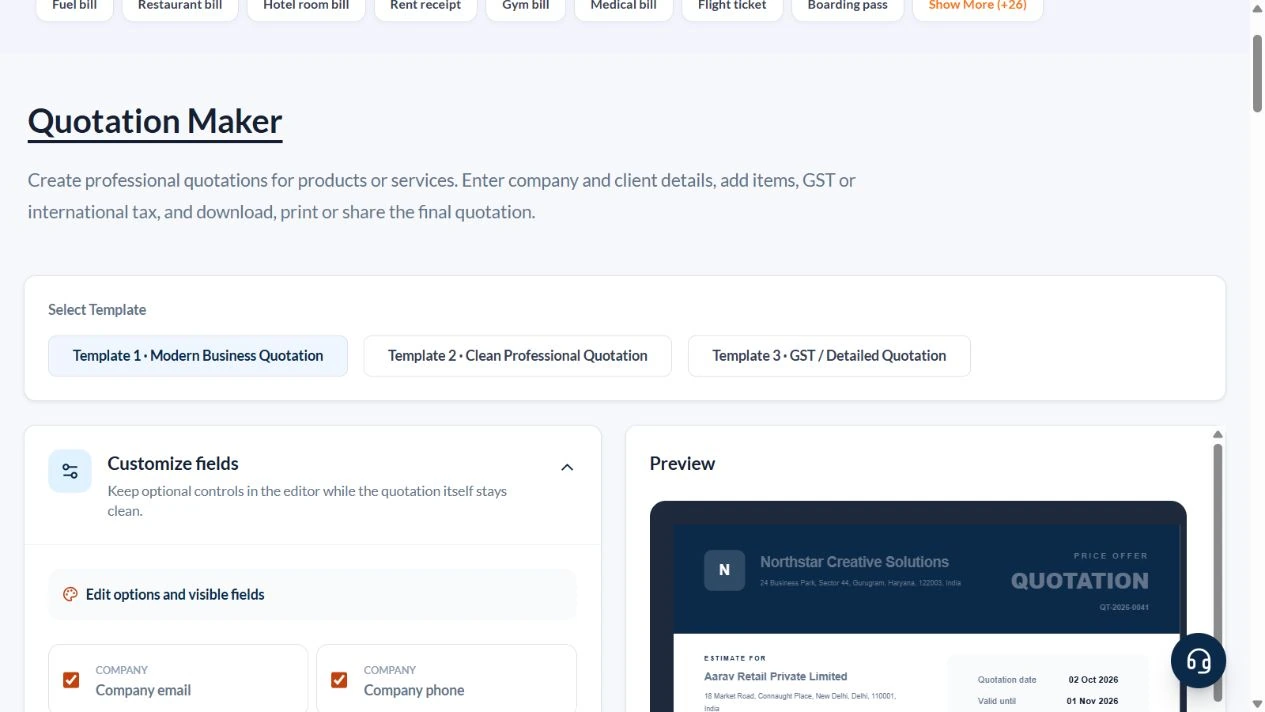
1. Choose the clean quotation layout
Select Template 2 · Clean Professional Quotation. Open Client / Estimate for, Quotation details, Products and services, and Notes, terms and signatory.
2. Set the parties, number and validity
Enter Sample Design Studio – DEMO and Sample Retail Desk – DEMO, both in Pune, Maharashtra, India. Clear sample contact details, GSTIN and PO number. Set SAMPLE-Q-001, reference SAMPLE-BRIEF-001, quotation date 2 October and validity 16 October 2026. Keep national mode, Intra-state and INR.
3. Price two services with a line discount
Keep two rows and remove the unused third row. First enter Landing-page design – two review rounds, Quantity 10, Unit Hours, Rate 1000, Discount 10 and GST 18%. Second enter Content setup – supplied copy, Quantity 4, Unit Hours, Rate 500, Discount 0 and GST 18%. Set Shipping / additional charges to zero.
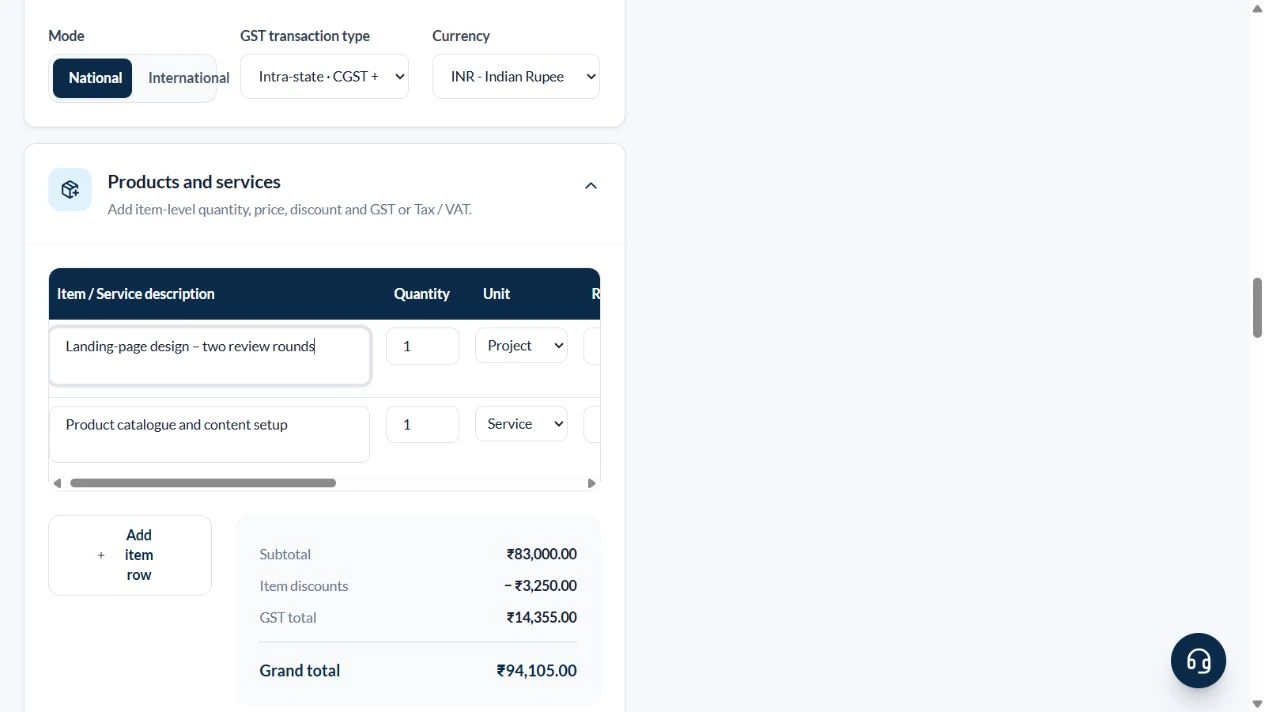
4. Define scope and review the ₹12,980 offer
In Notes include two review rounds and exclude hosting, domain, paid images and extra pages. Enter payment terms of 50% after written acceptance and 50% on delivery, with no payment received. Use digital delivery within seven working days after approval and required content. State that scope changes require a revised quote. Check validity, ₹1,000 discount, ₹990 CGST, ₹990 SGST and ₹12,980 total.
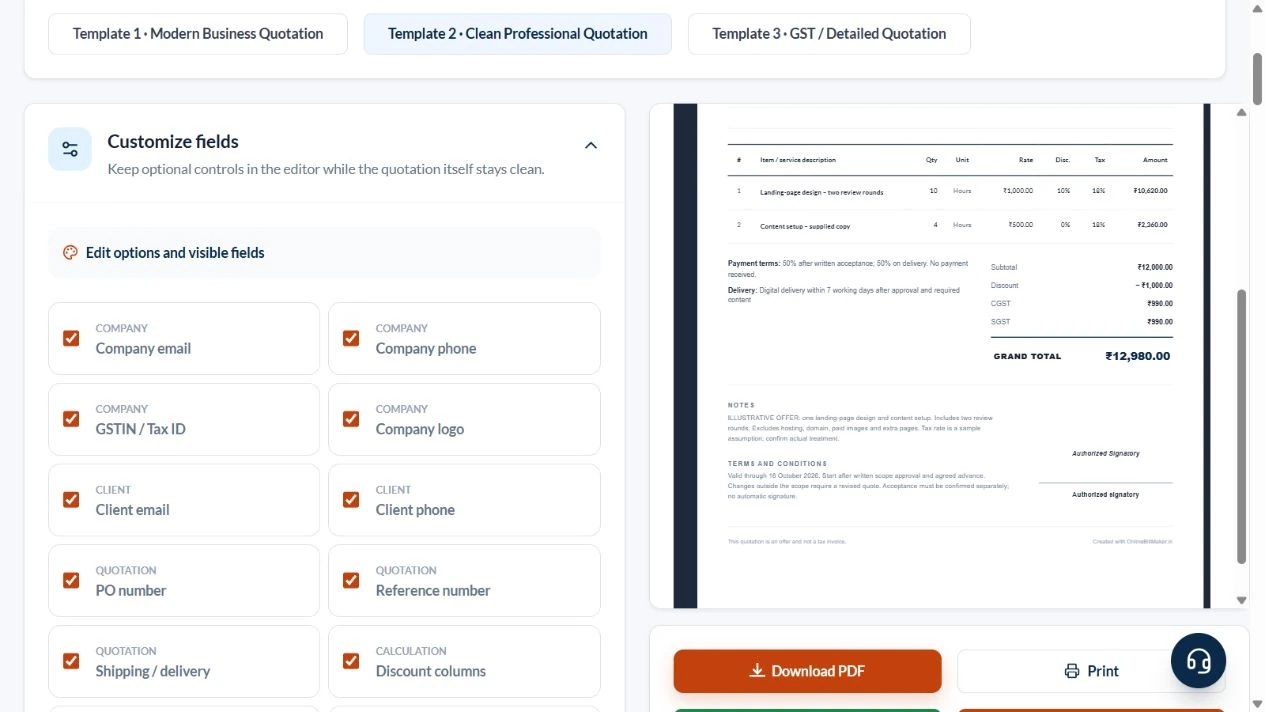
5. Review download and sharing actions
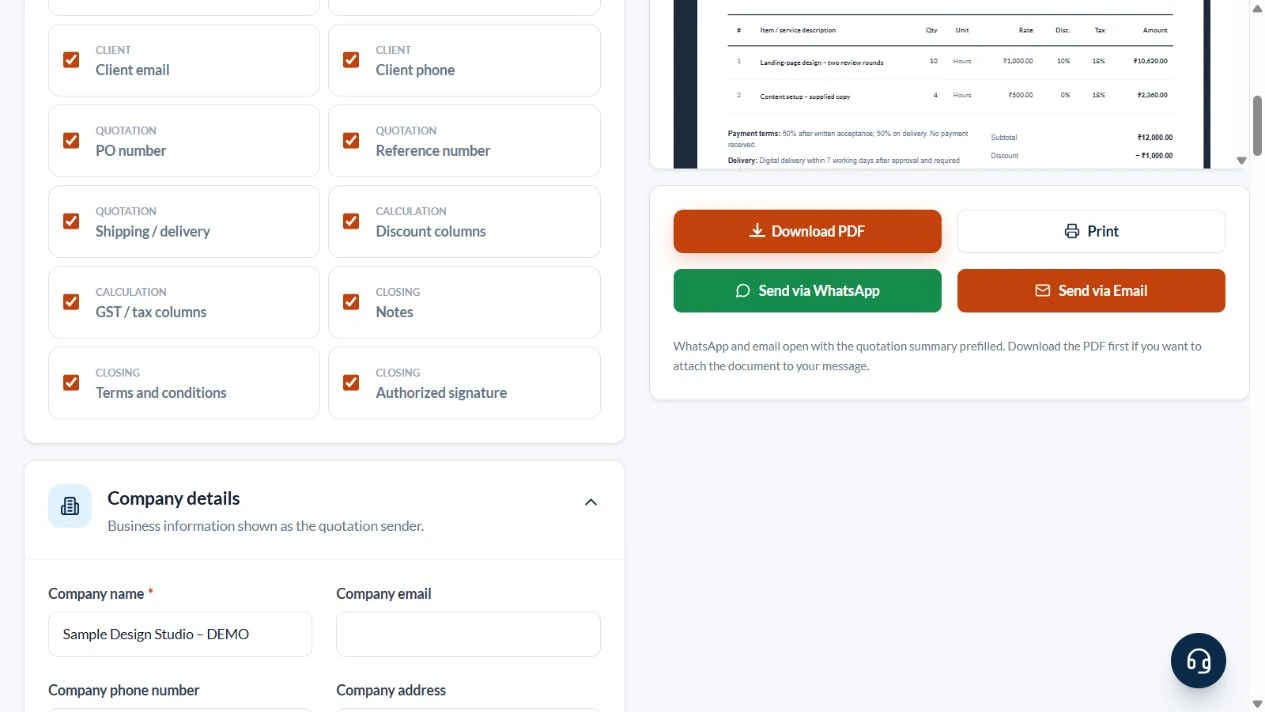
The actual actions are Download PDF, Print, Send via WhatsApp and Send via Email. The editor says sharing opens a prepared summary and the downloaded PDF must be attached separately. No message was sent, purchase made or exported file inspected in this walkthrough.
After downloading: inspect the file before sharing
If you complete an eligible download, open the saved PDF or image and compare it with the preview. Check the first and last lines, long addresses, amounts, dates and any acknowledgement area. Confirm that every intended page is present and readable at the size the recipient will use. Keep the source record and payment evidence with the final file so the document can be reconciled later.
If you spot an error, return to the editor and correct the source field before generating the replacement. Use a clear file name with the document reference and period so an older draft is not accidentally sent as the final copy.
Design and content offer: ₹12,980
| Item | Basis | Result |
|---|---|---|
| Design before discount | 10 hours × ₹1,000 | ₹10,000 |
| Design discount | ₹10,000 × 10% | −₹1,000 |
| Content setup | 4 hours × ₹500 | ₹2,000 |
| Discounted subtotal | ₹10,000 − ₹1,000 + ₹2,000 | ₹11,000 |
| Illustrative GST | ₹11,000 × 18% | ₹1,980 |
| Grand total | ₹11,000 + ₹1,980 | ₹12,980 |
| Example half-payment milestone | ₹12,980 × 50%, calculated separately | ₹6,490 |
The row totals include tax: design ₹10,620 and content ₹2,360. Together they equal ₹12,980. The payment-term text does not automatically create an advance receipt or mark either ₹6,490 milestone as paid.
How should an offer explain exclusions and revisions?
A quotation letter template should help the customer understand the offer, not bury the scope in vague terms. Use the notes for revision limits, supplied materials and excluded services where relevant. In a sample quotation letter, check that the written terms agree with the item table and validity date. A separate cover message should not quietly promise more work than the priced document contains.
How do you check a quotation example before sending?
An example quotation template is useful for tracing discounts and taxes to the final offer. Verify that a percentage field has not been given a currency amount, and compare any advance milestone with the stated total. A quote example template should keep an offer distinct from a payment acknowledgement. After the customer accepts, follow your actual order, payment and invoice process instead of marking the sample as paid.
Troubleshooting and final checks
- Do not confuse an hourly quantity with one fixed-price project.
- Do not type ₹1,000 into Discount when the field expects 10%.
- Align the date field and written validity terms.
- State revision limits and excluded services before sharing the price.
- Confirm the applicable tax treatment instead of treating the selected mode as professional advice.
Editing and previewing are free. Downloads require sign-in and either an active plan or enough purchased credits: 5 credits for a PDF and 1 credit for an image. There are no free download credits. Free users see the platform watermark in the preview. Signed-in users with a credit balance or an active plan can choose a download format and preview without the watermark. Compare download credits and plans.
A quotation is an offer; the tool does not establish acceptance, collect payment or issue a final tax invoice.