Create a supplies receipt that makes pack sizes and quantities easy to check. Use one line per product and state whether the rate is for a piece, box, ream or pack. Identify the buyer and supplier, enter a receipt reference, and list office or school supplies with their actual selling units. Review quantities, rates and any supported tax fields before sharing. Clear descriptions for notebooks, pens, files, paper and other supplies help the purchaser reconcile the bill with the delivery and avoid confusing individual pieces with bulk packs. Start with the stationery bill generator for office and school supplies.
The record and the example used here
Office purchases often mix individual products with packs. A quantity of two paper packs means 1,000 sheets only when each pack contains 500 sheets; the bill should state that size rather than leave the buyer to infer it.
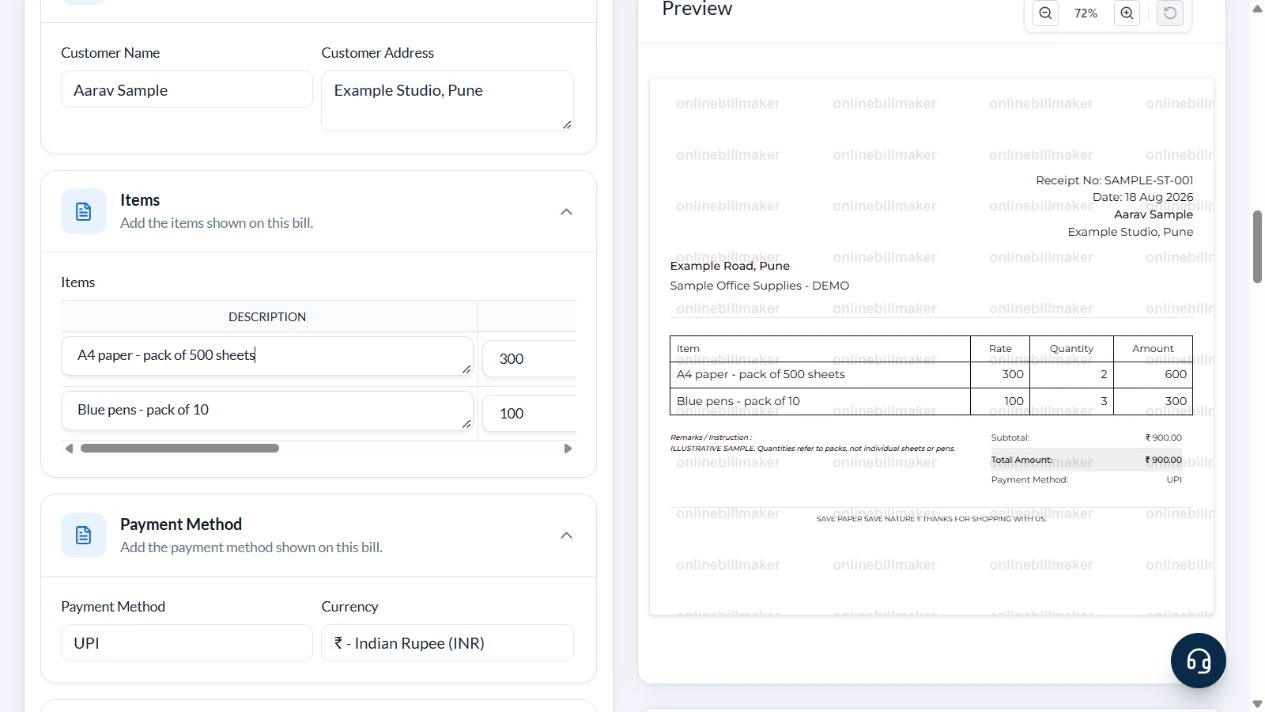
This example uses Template 1 of two layouts at the existing /stationary-bill address. The visible document uses the correct term stationery. Sample Office Supplies – DEMO bills Aarav Sample at Example Studio, Pune on 18 August 2026, receipt SAMPLE-ST-001.
Two 500-sheet paper packs at ₹300 plus three ten-pen packs at ₹100 total ₹900. The sample clears GSTIN and uses Tax % zero for arithmetic, not as a claim about the tax treatment of stationery.
What should a stationery invoice sample show?
A stationery invoice sample should let the reviewer identify each product and understand its quantity. For example, one box of pens and twelve individual pens can represent the same physical count but require different unit prices. Check a sample stationery bill by comparing its descriptions and units with the original purchase list, then confirm that the quantity and price refer to the same unit.
Before you start: prepare and reconcile the details
A stationery order often mixes reams, boxes, bundles and individual pieces. Define the selling unit in each description before entering the price and quantity. For example, a box of ten pens at one box price should not also use ten as the quantity unless ten boxes were actually supplied.
Check the received items against the purchase request or delivery note. Similar notebook sizes and paper specifications can have different prices. Include enough specification to identify the product without adding unrelated catalogue text. Record any short supply or subsequent return in the appropriate follow-up record rather than presenting undelivered quantities as completed purchases.
Fields and sample values
| Field | Purpose | Sample value | When it applies |
|---|---|---|---|
| Stationery Name / Stationery Address | Name and locate the supplier. | Sample Office Supplies – DEMO; Example Road, Pune | Use the actual seller for a real purchase. |
| Receipt Number / Stationery Bill Date | Reference the purchase. | SAMPLE-ST-001; 18 August 2026 | A locally generated number does not retrieve a shop record. |
| Customer Name / Customer Address | Identify the purchasing person or business. | Aarav Sample; Example Studio, Pune | Keep the procurement recipient clear. |
| Description | Name the product and pack size. | A4 paper – pack of 500 sheets | This layout has no separate unit field. |
| Price / Quantity | Enter price per pack and number of packs. | ₹300; 2 packs | Do not enter 1,000 sheets as Quantity at a pack price. |
| Tax Type / GST No / Tax % | Control tax details. | GST number blank; 0 in this sample | Use actual applicable particulars, not defaults. |
| Remark | Add a relevant purchasing note. | Quantities refer to packs, not individual sheets or pens. | Do not retain an unsupported warranty promise from default text. |
| Payment Method | Label how the bill was paid. | UPI | This selection does not verify payment. |
Follow the editor step by step
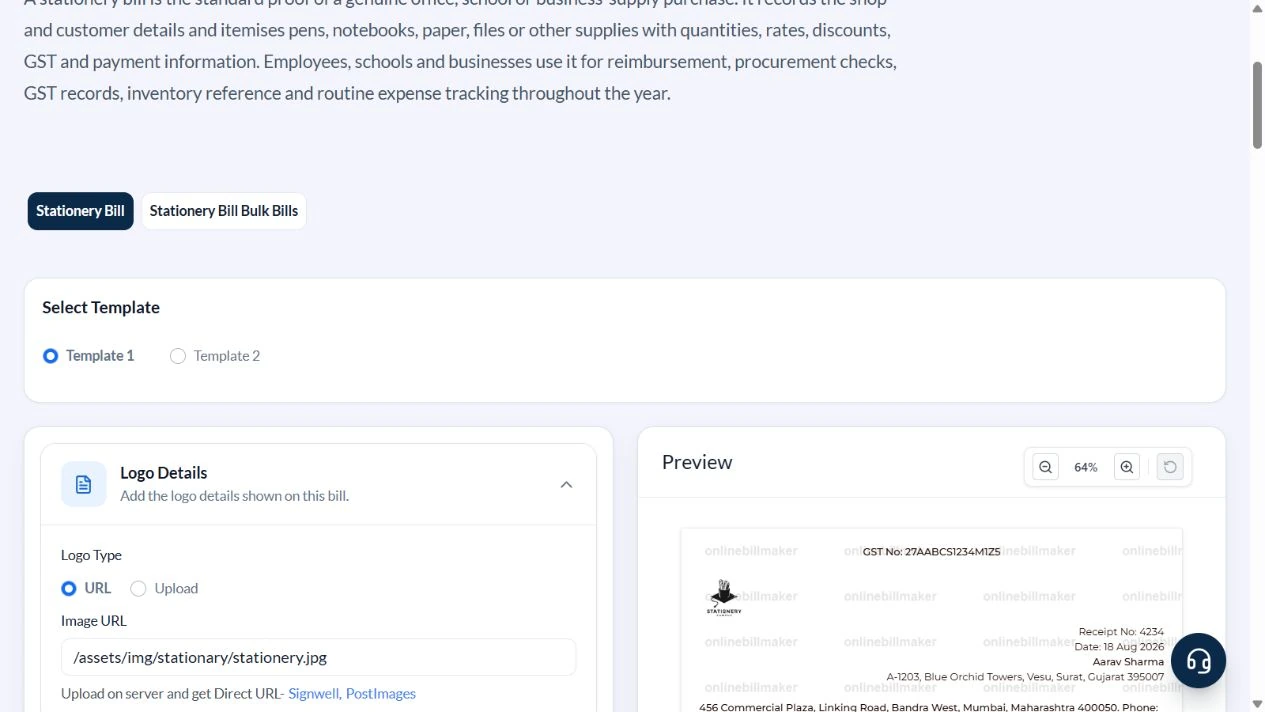
Work through these stages in order. The screenshots show the actual editor running on localhost with illustrative details. Open a screenshot at full size when you need to read a field label; compare the values with your own source record.
1. Select the itemised stationery layout
Choose Template 1. Expand Stationery Details, Tax & GST Details, Customer Details, Items, Payment Method and Remarks.
2. Enter supplier, customer and receipt reference
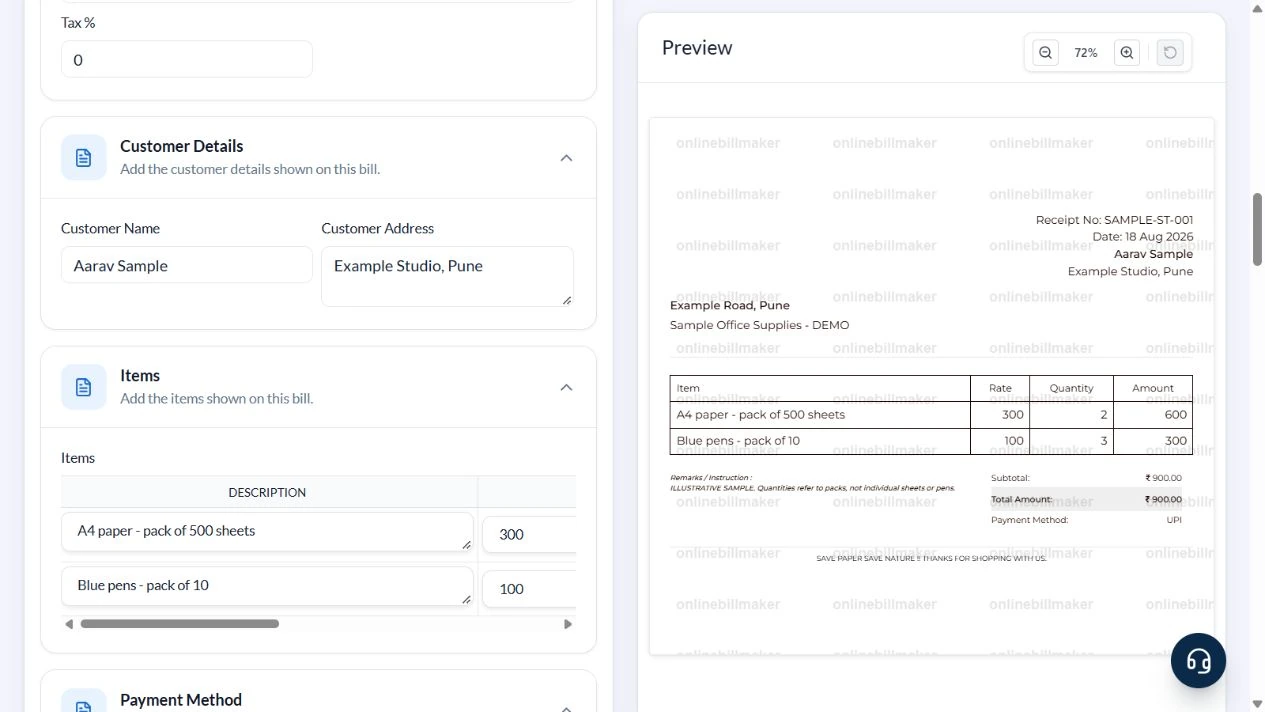
Use Sample Office Supplies – DEMO, Example Road, Pune, SAMPLE-ST-001 and the illustrated date 18 August 2026. Enter Aarav Sample and Example Studio, Pune. Clear the default logo and GST number for this sample.
3. Price the packs rather than their contents
Keep two item rows and remove the three unused defaults. Enter A4 paper – pack of 500 sheets, Price 300, Quantity 2; then Blue pens – pack of 10, Price 100, Quantity 3. Set Tax % to zero and choose UPI. Replace the warranty default with the sample note about pack quantities.
4. Check the ₹900 receipt
Read the ₹600 paper line, ₹300 pen line and ₹900 subtotal and total. Confirm that the reference, buyer address and pack-size note fit in the preview.
5. Inspect the download options
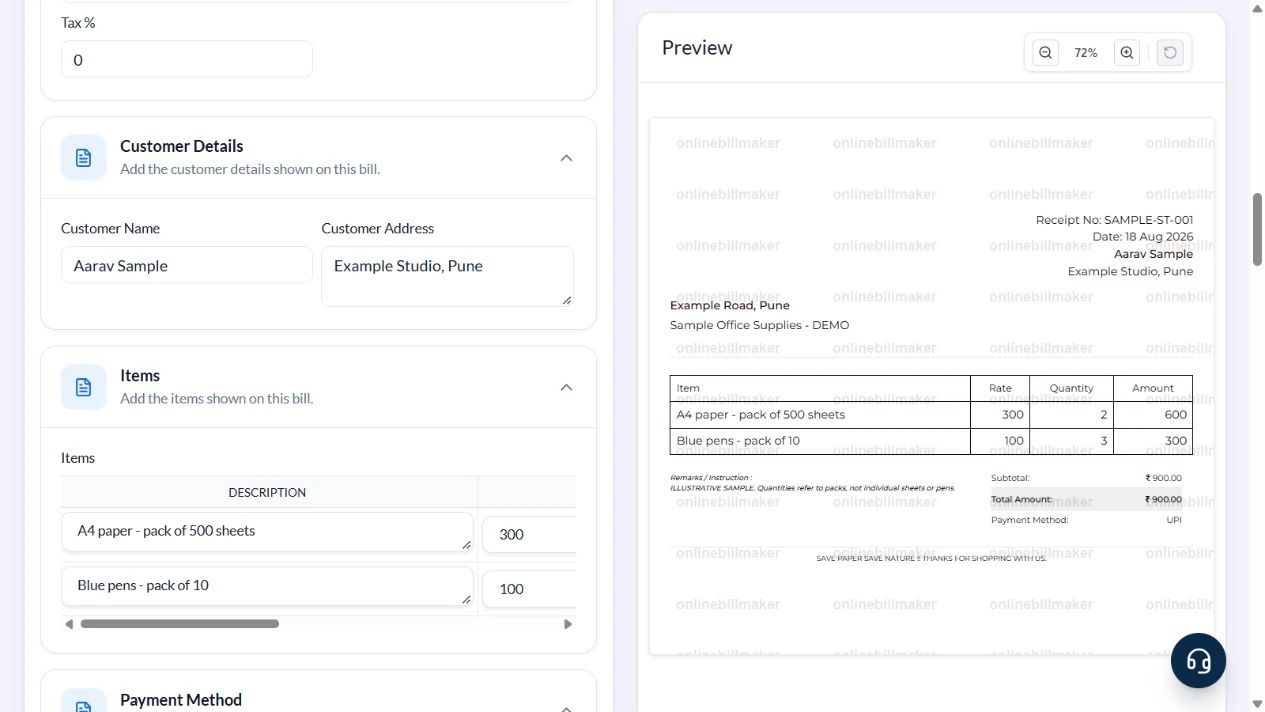
Review PDF or image format and current access requirements. No purchase or exported-file inspection was performed in this walkthrough.
After downloading: inspect the file before sharing
If you complete an eligible download, open the saved PDF or image and compare it with the preview. Check the first and last lines, long addresses, amounts, dates and any acknowledgement area. Confirm that every intended page is present and readable at the size the recipient will use. Keep the source record and payment evidence with the final file so the document can be reconciled later.
If you spot an error, return to the editor and correct the source field before generating the replacement. Use a clear file name with the document reference and period so an older draft is not accidentally sent as the final copy.
Two kinds of packs: ₹900
| Item | Basis | Result |
|---|---|---|
| Paper | 2 packs × ₹300 | ₹600 |
| Paper quantity check | 2 × 500 sheets | 1,000 sheets |
| Pens | 3 packs × ₹100 | ₹300 |
| Pen quantity check | 3 × 10 pens | 30 pens |
| Bill total | ₹600 + ₹300; sample tax zero | ₹900 |
The sheet and pen counts help check the delivery, but they are not multiplied into the bill a second time. Template 1 has no separate discount input; keep any agreed net price and its explanation consistent.
How do you reconcile an office supplies purchase?
An office stationery invoice should separate the item descriptions from the arithmetic. For a stationery bill calculation, multiply each agreed quantity by its corresponding unit price and check tax as represented in the selected layout. Keep a purchase or approval reference in the supported remark area when useful. Do not use an unrelated invoice field to imply authorisation that has not been obtained.
How should the final stationery record be checked?
When learning how to create a stationery bill, compare the final preview with the original purchase list and payment record. An editable stationery receipt is useful for layout corrections, especially where a long item wraps across lines. Inspect the saved PDF before filing it with the office supplies records. A later correction should remain distinguishable from the earlier copy so the same purchase is not recorded twice.
Troubleshooting and final checks
- Do not confuse a pack quantity with the number of items inside it.
- Delete unused default rows and warranty claims.
- Do not describe a manually entered net price as an automatic discount.
- Check long product descriptions at the final printed size.
Editing and previewing are free. Downloads require sign-in and either an active plan or enough purchased credits: 5 credits for a PDF and 1 credit for an image. There are no free download credits. Free users see the platform watermark in the preview. Signed-in users with a credit balance or an active plan can choose a download format and preview without the watermark. Compare download credits and plans.
The receipt records entered supplies and payment details; it does not verify delivery or maintain an inventory.