Build an itemised grocery receipt with clearly named units. Keep kilograms separate from pieces and packs so the quantity and unit price explain every line total. List each grocery product with its quantity, unit and actual selling price, then compare the subtotal and tax treatment with the purchase record. Include a useful date, store reference and payment method. A clear grocery bill should show whether a price is for one item, a packaged unit or a measured weight, making later expense checks and returns easier. Start with the mart bill generator for grocery items and quantities.
The record and the example used here
A grocery receipt is easiest to check when each description states what one unit means. Rice priced per kilogram and soap priced per bar can share a table, but their quantities are not interchangeable.
The example uses Template 1 of four layouts, Sample Grocery – DEMO on Example Road, Pune, and Aarav Sample. Bill 178240 is dated 18 August 2026 at 20:58. UPI is the payment label and SAMPLE-MART-001 is an illustrative reference.
The soap price is manually reduced from ₹35 to ₹30 per bar. There is no separate discount input in this demonstrated layout. Tax % is set to zero solely to show the item arithmetic; this does not say that all groceries are tax-exempt.
How do you check a grocery bill sample?
A grocery bill sample should make the quantity and price for each item easy to trace. In a sample grocery receipt, check whether a multi-pack is listed as one purchased unit or several items. The calculation can be numerically correct while using the wrong quantity convention. Compare the source bill and the preview row by row before accepting the total.
Before you start: prepare and reconcile the details
Record the selling unit before entering quantities. For loose produce, a rate per kilogram requires a quantity in kilograms; 500 grams becomes 0.5 kg. For a packaged product, the quantity usually counts packs and the description should show their size. Avoid mixing a per-pack price with the package weight as quantity.
If an item was returned or removed before checkout, update the bill to match the actual purchase. Keep promotions and discounts consistent with the source and the fields available in the selected layout. Review different tax treatments line by line where applicable rather than applying one familiar percentage without checking the items.
Fields and sample values
| Field | Purpose | Sample value | When it applies |
|---|---|---|---|
| Mart Name / Mart Address | Identify the shop. | Sample Grocery – DEMO; Example Road, Pune | Replace the default store before sharing. |
| Invoice Number / Bill Date / Bill Time | Identify this shopping record. | 178240; 18 August 2026; 20:58 | Check date and time against the purchase. |
| Description | Name the item and pricing unit. | Rice – per kg | Use pack sizes for packaged goods. |
| Price / Qty | Unit price multiplied by units bought. | ₹60 × 2.5 kg | Decimal quantities are supported in the demonstrated row. |
| FSSAI No / GST No | Display issuer particulars where applicable. | Blank in the sample | Do not use generated placeholders as actual registrations. |
| Tax % / Tax Structure | Control a combined rate and display split. | 0 for this arithmetic illustration | A single bill-level rate does not classify a mixed grocery basket. |
| Payment Method / Transaction ID | Label the payment record. | UPI; SAMPLE-MART-001 | The reference is not checked with a bank. |
Follow the editor step by step
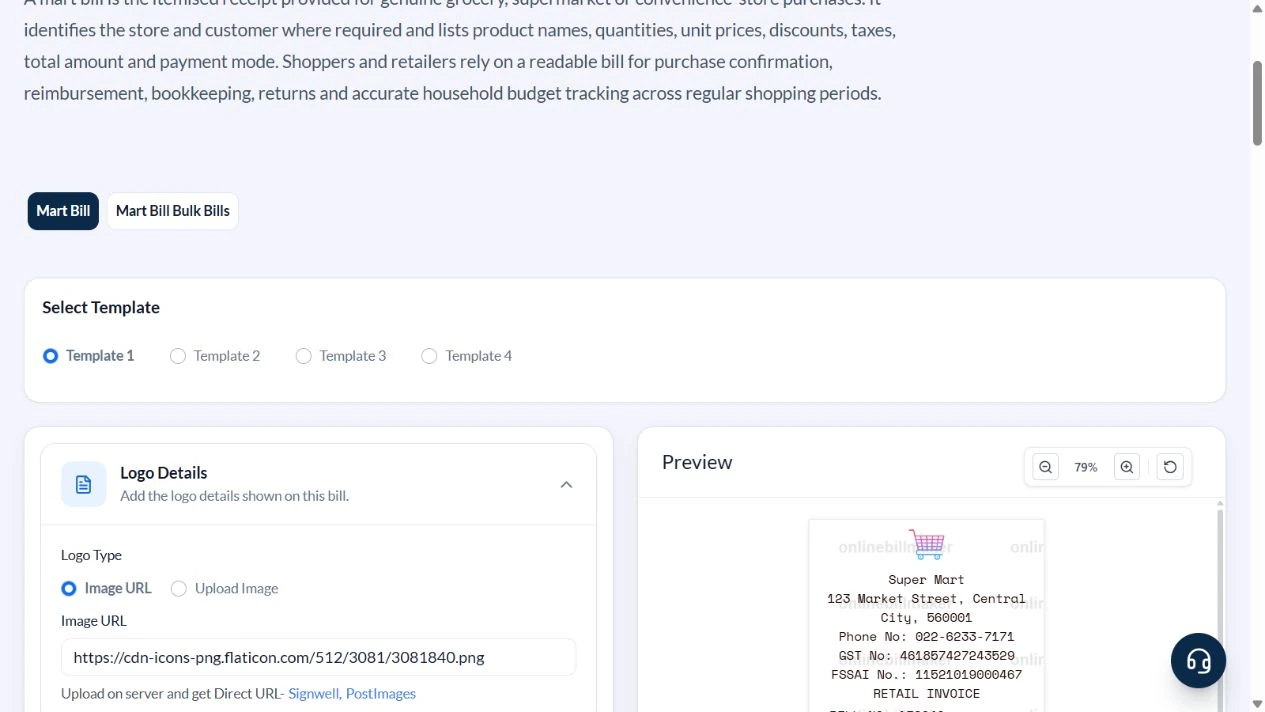
Work through these stages in order. The screenshots show the actual editor running on localhost with illustrative details. Open a screenshot at full size when you need to read a field label; compare the values with your own source record.
1. Choose the grocery receipt layout
Select Template 1 and expand Mart Details, Billing Details, Order Details and Payment Details.
2. Replace the store and customer defaults
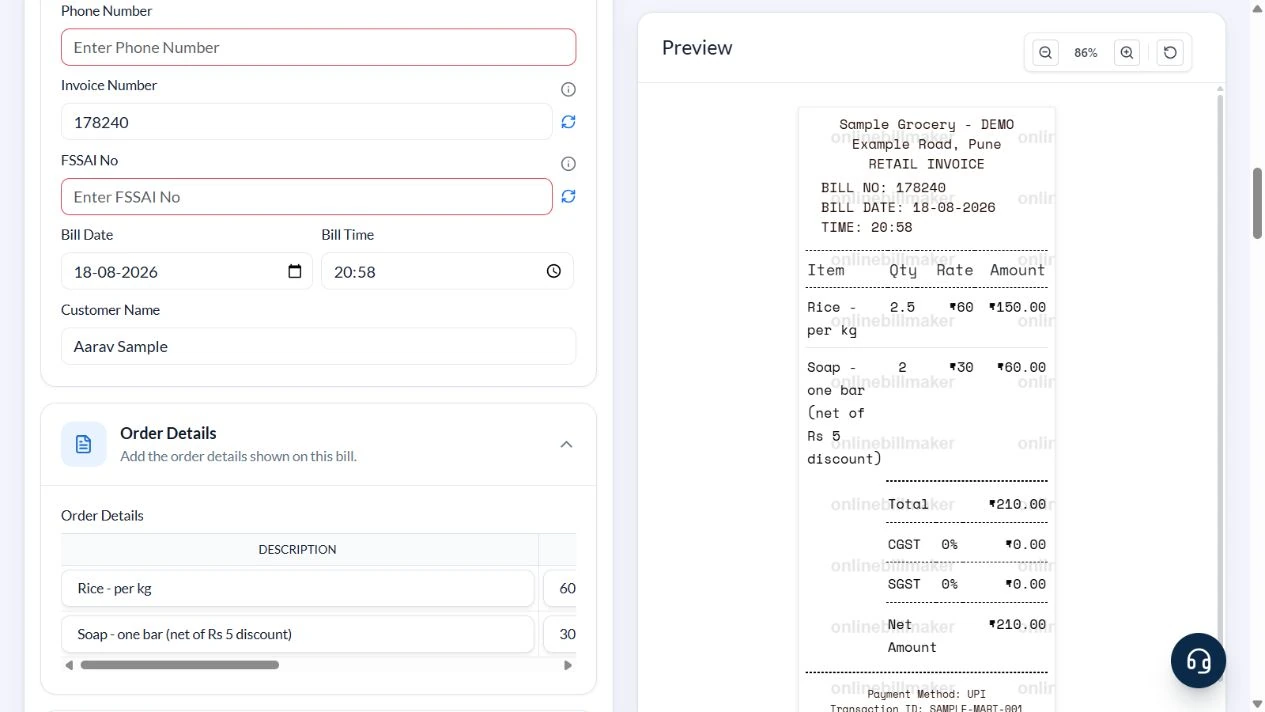
Enter Sample Grocery – DEMO, Example Road, Pune and Aarav Sample. Clear the sample phone, FSSAI number, GST number and logo URL. Keep bill 178240 and the demonstrated date and time only for this illustrative example.
3. Enter rice by weight and soap by piece
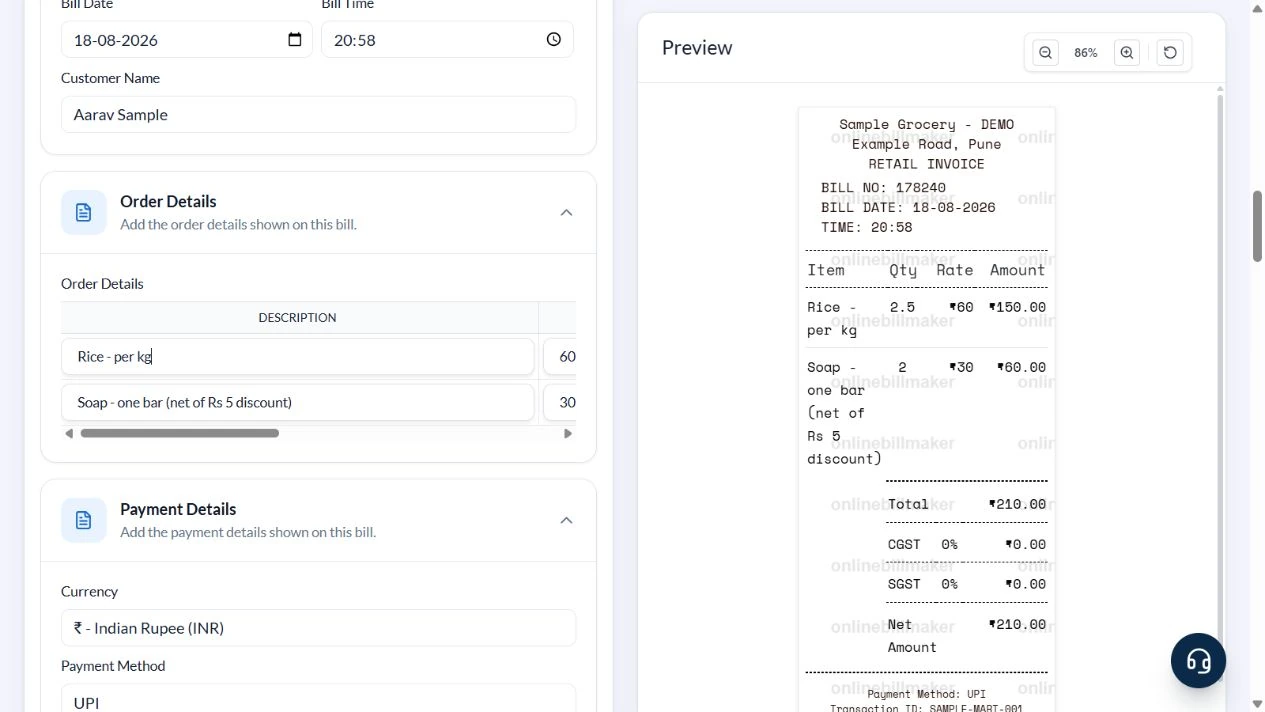
Replace the first item with Rice – per kg, Price 60 and Qty 2.5. Replace the second with Soap – one bar (net of Rs 5 discount), Price 30 and Qty 2. Set Tax % to zero for this example, choose UPI and enter SAMPLE-MART-001.
4. Reconcile ₹150 plus ₹60
Check the rice line at ₹150 and soap line at ₹60. The preview total and net amount are both ₹210. Zero tax lines are shown by this layout. Confirm the store, customer and payment reference.
5. Review the export controls
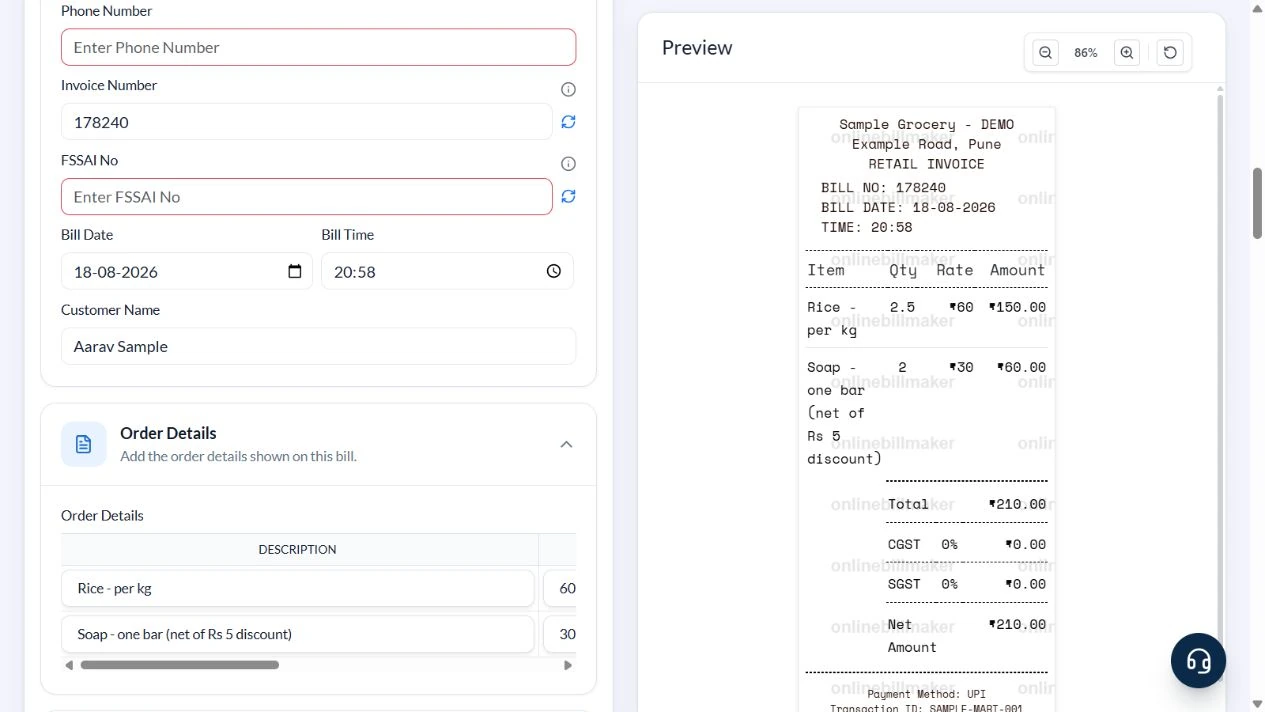
PDF and image controls show the applicable credit costs. The walkthrough captured this stage without buying access or examining a downloaded file.
After downloading: inspect the file before sharing
If you complete an eligible download, open the saved PDF or image and compare it with the preview. Check the first and last lines, long addresses, amounts, dates and any acknowledgement area. Confirm that every intended page is present and readable at the size the recipient will use. Keep the source record and payment evidence with the final file so the document can be reconciled later.
If you spot an error, return to the editor and correct the source field before generating the replacement. Use a clear file name with the document reference and period so an older draft is not accidentally sent as the final copy.
Mixed units with a manually reduced soap price
| Item | Basis | Result |
|---|---|---|
| Rice | 2.5 kg × ₹60/kg | ₹150 |
| Soap list price | ₹35 per bar | ₹35 |
| Soap net price | ₹35 − ₹5 agreed discount | ₹30/bar |
| Two soap bars | 2 × ₹30 | ₹60 |
| Receipt total | ₹150 + ₹60; sample tax zero | ₹210 |
The tool multiplies the entered net soap price by quantity. It does not calculate or separately display the ₹10 combined discount. Keep that reduction clear in the description or use a layout with a dedicated adjustment field when required.
How should item units and tax be reviewed?
A grocery receipt with quantity and price needs consistent units throughout the calculation. Keep the unit price separate from the line total, and verify the relevant tax setting against the actual transaction. A supermarket receipt tax breakdown is useful only when the entered treatment is correct; do not apply an example rate to every product by default. Check any registration details with the source record.
What should you check before keeping the final copy?
When learning how to create a grocery bill, finish by checking the shop, date, item list and payment reference together. An editable grocery receipt makes it easier to correct a description before sharing, but the store’s original remains the source for the purchase. Review the saved file at normal size and keep each transaction clearly named so similar shopping dates do not become duplicate expense claims.
Troubleshooting and final checks
- Do not enter 2500 when the price is per kilogram and the purchase is 2.5 kg.
- Do not enter a full pack price and then use the number of pieces inside the pack as Qty.
- Review tax treatment item by item for a real mixed basket; one flat sample rate is not a classification rule.
- Remove unused default registration numbers.
Editing and previewing are free. Downloads require sign-in and either an active plan or enough purchased credits: 5 credits for a PDF and 1 credit for an image. There are no free download credits. Free users see the platform watermark in the preview. Signed-in users with a credit balance or an active plan can choose a download format and preview without the watermark. Compare download credits and plans.
A generated receipt does not verify a store purchase or a registration number.