Use a general bill for a straightforward sale or service that needs a clear item breakdown. Name the work and pricing unit precisely; choose a specialised document when additional particulars are essential. Enter the seller, customer, date and invoice reference, then describe each product or service with its pricing unit. Review quantities, rates and the selected tax treatment before checking the final amount. This flexible format works best when the record can be explained clearly with an item table; use a dedicated template when payroll, rent, transport or other specialised details are needed. Start with the general bill generator for itemised goods and services.
The record and the example used here
A general bill works well for an itemised repair, small sale or simple service record. It is not a substitute for a payroll statement, prescription, operator-issued ticket or a tax invoice with particulars this layout cannot show.
Template 1 of three layouts is used for Sample Repair Desk in Pune and customer Aarav Sample. Two hours of chair-repair labour at ₹250 plus one replacement caster at ₹150 total ₹650. The illustrative record is dated 18 August 2026.
The sample leaves all item tax percentages at zero to isolate quantity and rate. This does not classify repair services or parts as exempt.
How do you read an invoice example?
An invoice example shows the relationship between the parties, description, quantity, price and amount due. Start with the business and customer names, then trace each line to the supporting order or agreement. A sample invoice can be useful for learning layout, but its reference and payment status are illustrative. Your real record should use the details and numbering process appropriate to the transaction.
Before you start: prepare and reconcile the details
Decide what is being billed before choosing a description. A service such as cleaning may be priced per visit, hour or completed job; those units are not interchangeable. State the basis in the item text so the quantity and rate can be understood without a separate conversation.
Check whether the document requests payment or acknowledges money already received. A payment-method label does not by itself establish settlement. Keep the seller’s own reference, the customer’s order reference and any transfer ID distinct. Review the selected tax setting after changing layouts, because a general format is not a substitute for checking required invoice particulars.
Fields and sample values
| Field | Purpose | Sample value | When it applies |
|---|---|---|---|
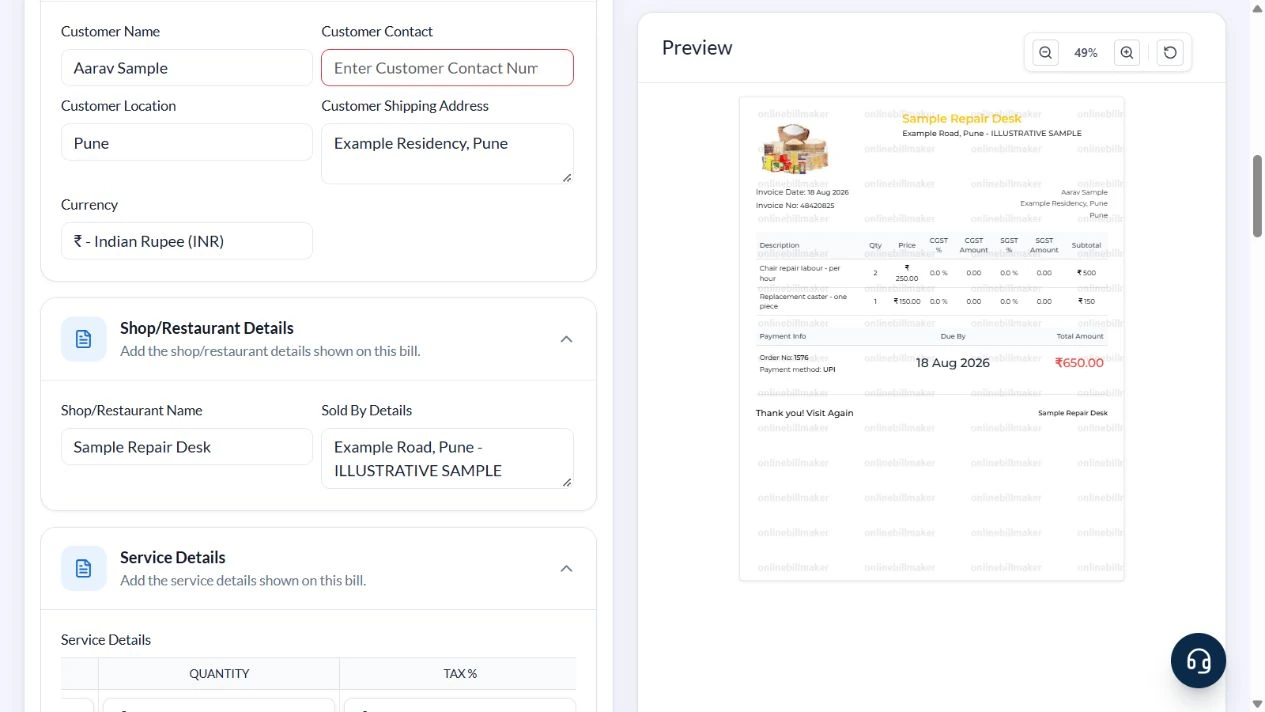
| Customer Name / Location / Shipping Address | Identify the customer and destination. | Aarav Sample; Pune; Example Residency | A service address may be more useful than unnecessary contact details. |
| Shop/Restaurant Name / Sold By Details | Identify the seller despite the broad field labels. | Sample Repair Desk; Example Road, Pune | The label can describe a repair business, not only a shop. |
| Description | State what was supplied and its unit. | Chair repair labour – per hour | Avoid a line that only says miscellaneous. |
| Price / Quantity | Set unit charge and number of units. | ₹250 × 2 hours | Another row can use pieces rather than hours. |
| Tax % | Enter the applicable combined row rate. | 0 for this arithmetic sample | The preview splits a nonzero row rate into CGST and SGST. Use a more suitable template for other required tax treatment. |
| Invoice No / Order Number | Generated local references. | 48420825; 1576 in this captured example | These inputs are read-only; their adjacent generation buttons create new references. |
| Date / Payment Method | Record date and payment label. | 18 August 2026; UPI | Template 1 repeats Date under Due By; there is no separate due-date input. |
Follow the editor step by step
Work through these stages in order. The screenshots show the actual editor running on localhost with illustrative details. Open a screenshot at full size when you need to read a field label; compare the values with your own source record.
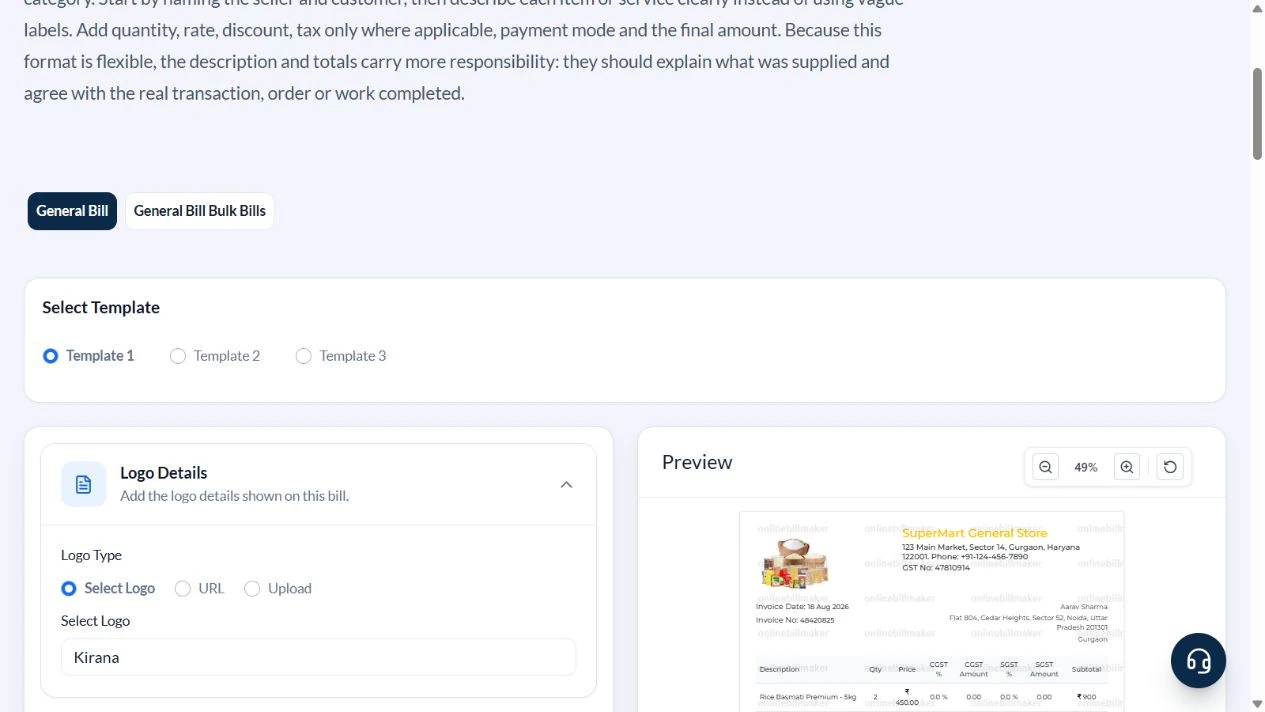
1. Select the general itemised layout
Open General Bills and select Template 1. Expand Customer Details, Shop/Restaurant Details, Service Details and Payment Details.
2. Identify the repair business and customer
Enter Sample Repair Desk, Sold By Details Example Road, Pune – ILLUSTRATIVE SAMPLE, customer Aarav Sample and Example Residency, Pune. Clear the default contact number. Review the generated invoice and order references instead of trying to type into their read-only inputs.
3. Keep labour and parts on separate rows
In Service Details remove the unused grocery defaults. Enter Chair repair labour – per hour, price 250, quantity 2; and Replacement caster – one piece, price 150, quantity 1. Set both row Tax % values to zero for this example. Choose UPI and Tax Type None.
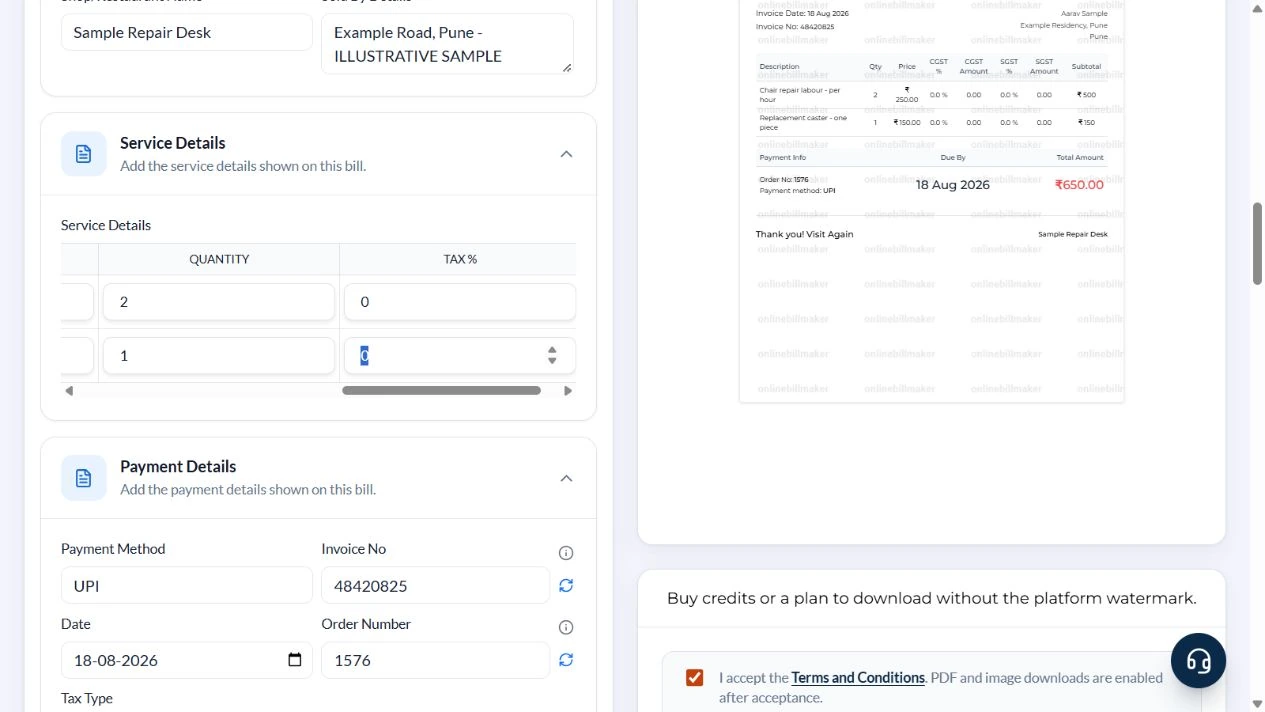
4. Check the ₹650 total and date labels
The preview shows ₹500 labour and ₹150 part, total ₹650, with invoice 48420825 and order 1576 in this captured session. Check the date, customer and seller. The same Date appears under Due By, so use another layout if a distinct payment deadline is required.
5. Review the output stage
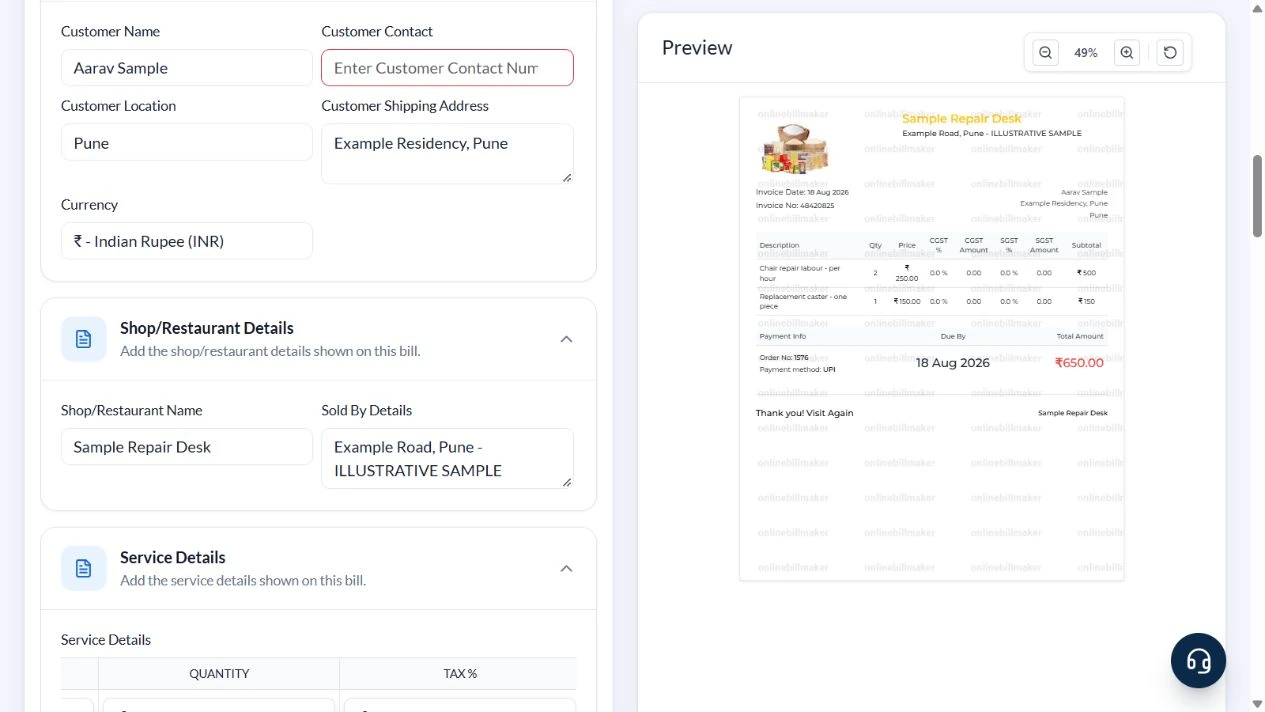
The PDF and image options display their current credit costs. This walkthrough captured the controls without purchasing access or inspecting an exported file.
After downloading: inspect the file before sharing
If you complete an eligible download, open the saved PDF or image and compare it with the preview. Check the first and last lines, long addresses, amounts, dates and any acknowledgement area. Confirm that every intended page is present and readable at the size the recipient will use. Keep the source record and payment evidence with the final file so the document can be reconciled later.
If you spot an error, return to the editor and correct the source field before generating the replacement. Use a clear file name with the document reference and period so an older draft is not accidentally sent as the final copy.
Two hours of labour and one part: ₹650
| Item | Basis | Result |
|---|---|---|
| Chair repair labour | 2 hours × ₹250/hour | ₹500 |
| Replacement caster | 1 piece × ₹150 | ₹150 |
| Sample tax | 0 entered for this illustration | ₹0 |
| Total | ₹500 + ₹150 | ₹650 |
Quantity must match the unit named in Description. There is no dedicated discount field in this demonstrated layout; do not use Tax % to represent a discount. If the transaction needs more detailed adjustments, use a format that can state them separately.
How do invoices and payment receipts differ?
When considering invoice vs receipt, ask whether the document explains a charge or acknowledges money received. A payment receipt template needs payment facts that can be supported. An itemised invoice may be correct before payment has occurred, so do not mark it paid merely because a payment method is available in the form. Keep the bank or cash acknowledgement evidence with the appropriate record.
What should you review before sending an invoice?
To create an invoice online, enter the source details, inspect the preview and then check the saved file. A small business invoice should make the goods or services, amounts and relevant references easy for the customer to understand. If a correction changes the transaction rather than just the layout, follow the appropriate business process and identify the revised document clearly. Keep the earlier version where your record policy requires it.
Troubleshooting and final checks
- Remove all unrelated default rows.
- Do not put an entire labour charge in Price and then multiply it by the hours again.
- Generated references do not retrieve an actual shop order.
- Check required tax particulars before using a general layout for a taxable business supply.
Editing and previewing are free. Downloads require sign-in and either an active plan or enough purchased credits: 5 credits for a PDF and 1 credit for an image. There are no free download credits. Free users see the platform watermark in the preview. Signed-in users with a credit balance or an active plan can choose a download format and preview without the watermark. Compare download credits and plans.
A general bill records entered details; it does not establish a completed job, verify a payment or replace a specialised document.