Prepare a contribution acknowledgement with a clear donor, recipient and amount. Keep the purpose and payment evidence together; receipt formatting does not establish tax deductibility. Record the organisation, donor, date, purpose and contribution amount from the actual transaction. Use the correct payment mode and authorised recipient details, then compare figures and words in the preview. Keep any registration or tax-related information accurate and supported; a donation acknowledgement documents the contribution but does not create registration, approval or an entitlement to a deduction. Start with the donation receipt generator for contribution records.
The record and the example used here
A donation receipt records a contribution received by an organisation. It is useful for matching donor records to the recipient’s accounts, but a generated document alone does not establish any tax deduction.
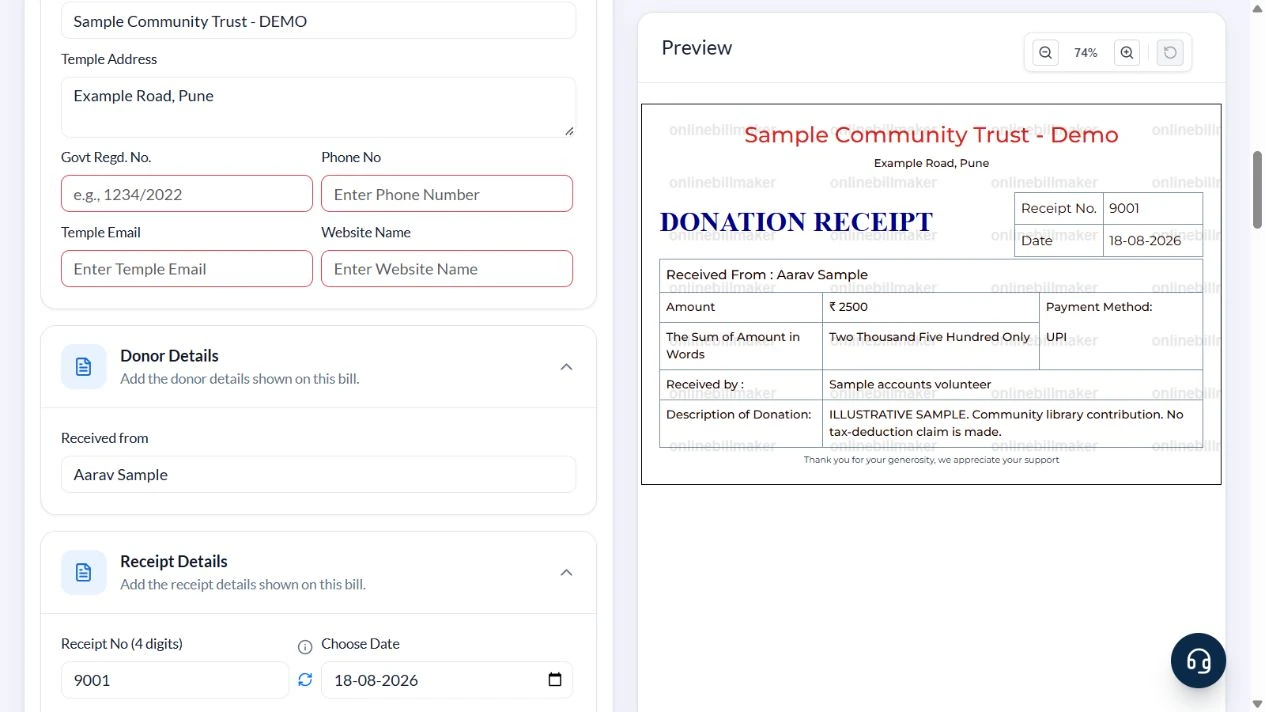
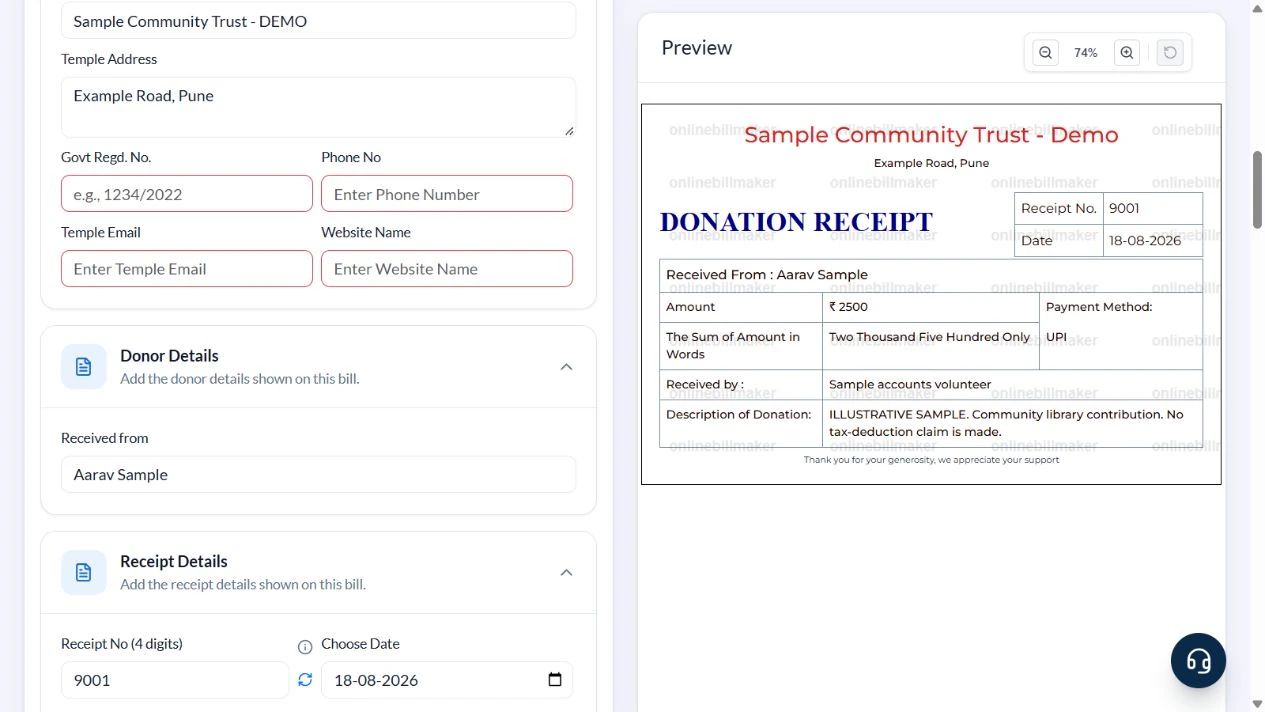
Template 1 of two layouts is demonstrated. Its section is called Temple Details, though the entered recipient is Sample Community Trust – DEMO on Example Road, Pune. Aarav Sample contributes ₹2,500 for a community library on 18 August 2026, receipt 9001, payment mode UPI.
The sample deliberately clears registration, contact, website and logo defaults. It makes no claim about charity approval, statutory certificates or eligibility under a tax provision. Those require current, transaction-specific verification from the recipient and relevant records.
How should an organisation review the format?
A donation receipt format for NGO use should identify the receiving organisation accurately and use labels appropriate to its records. A charitable trust receipt format has the same need for truthful donor, amount and payment information. Review the actual preview rather than assuming every layout is suitable because it says receipt. Clear an irrelevant default or choose another record format where the available fields do not fit.
Before you start: prepare and reconcile the details
Confirm whether the contribution is money or goods before choosing a format. A money receipt should state the amount actually received. An in-kind donation needs an accurate description and an appropriate acknowledgement process; do not invent a cash value simply to fill an amount field.
Use the recipient organisation’s genuine name and any applicable registration details, checked by an authorised person. A decorative heading, stamp or number does not establish tax eligibility. Keep the transaction reference and purpose with the donor record, and follow the organisation’s actual process for issuing, correcting or replacing acknowledgements.
Fields and sample values
| Field | Purpose | Sample value | When it applies |
|---|---|---|---|
| Temple Name / Temple Address | Identify the recipient in this layout. | Sample Community Trust – DEMO; Example Road, Pune | The field label does not verify the type or status of the organisation. |
| Govt Regd. No. | Display an actual registration if appropriate. | Blank in the sample | A registration number must not be invented or inferred from a template. |
| Received from | Name the donor. | Aarav Sample | Avoid collecting unnecessary identity information. |
| Receipt No (4 digits) / Choose Date | Reference this acknowledgement. | 9001; 18 August 2026 | Use the recipient’s actual numbering scheme for a real record. |
| Amount / Currency | Record the contribution. | 2500; INR | The amount in words follows the entered value. |
| Payment Method / Received by | Describe payment and receiving person. | UPI; Sample accounts volunteer | No payment-status verification occurs. |
| Description | Explain the contribution’s purpose. | Community library contribution – ILLUSTRATIVE SAMPLE | The example explicitly makes no tax-deduction claim. |
Follow the editor step by step
Work through these stages in order. The screenshots show the actual editor running on localhost with illustrative details. Open a screenshot at full size when you need to read a field label; compare the values with your own source record.
1. Select the simple donation acknowledgement
Choose Template 1. Expand Temple Details, Donor Details, Receipt Details and Donation Details.
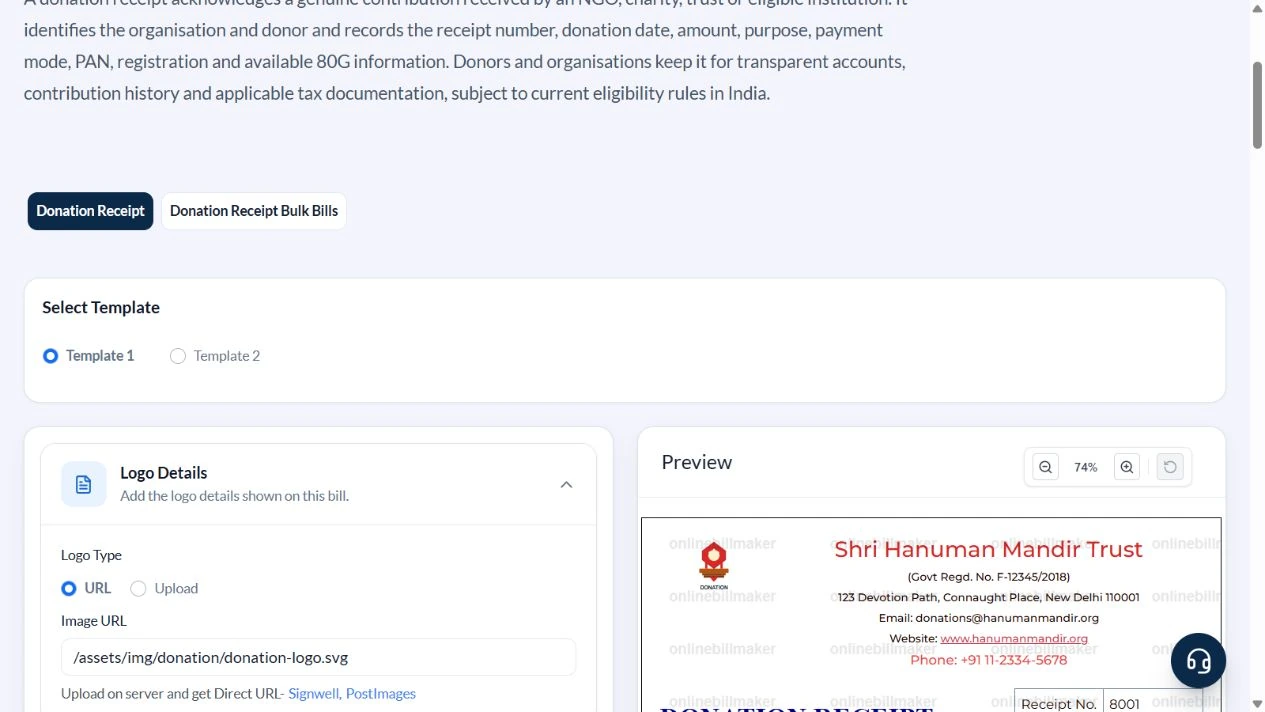
2. Identify the recipient without keeping default credentials
Enter Sample Community Trust – DEMO and Example Road, Pune. Clear Govt Regd. No., Phone No, Temple Email, Website Name and Image URL. The recipient name is title-cased in the preview.
3. Record the donor, amount and purpose
Use Aarav Sample in Received from, 9001 in Receipt No, 18 August 2026 for the sample date, UPI and Sample accounts volunteer in Received by. Enter Amount 2500. Describe it as ILLUSTRATIVE SAMPLE. Community library contribution. No tax-deduction claim is made.
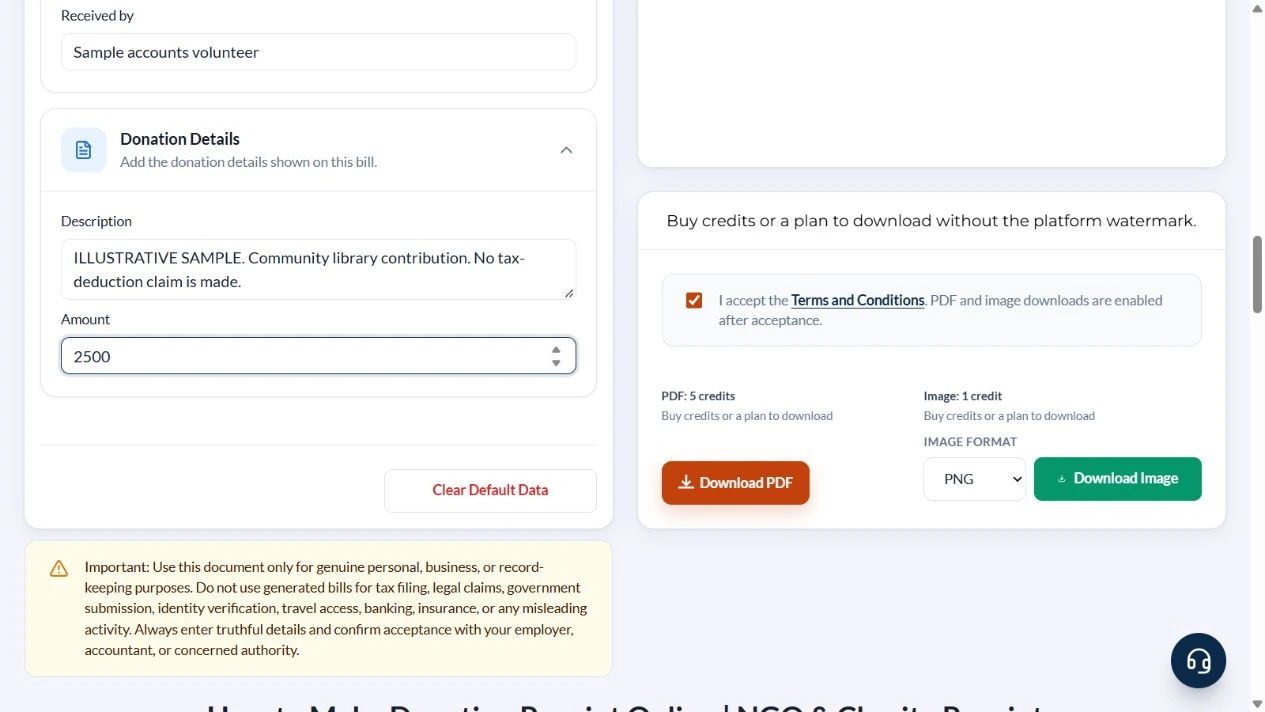
4. Check the acknowledgement sentence
Verify the donor, recipient, ₹2,500 amount and Two Thousand Five Hundred Only wording. Confirm no cleared registration or contact default has reappeared.
5. Inspect the download options
Review the available PDF and image options. This walkthrough did not make a donation, purchase download access or inspect an exported document.
After downloading: inspect the file before sharing
If you complete an eligible download, open the saved PDF or image and compare it with the preview. Check the first and last lines, long addresses, amounts, dates and any acknowledgement area. Confirm that every intended page is present and readable at the size the recipient will use. Keep the source record and payment evidence with the final file so the document can be reconciled later.
If you spot an error, return to the editor and correct the source field before generating the replacement. Use a clear file name with the document reference and period so an older draft is not accidentally sent as the final copy.
One contribution, one acknowledgement
| Item | Basis | Result |
|---|---|---|
| Donor | Aarav Sample | Illustrative identity |
| Recipient | Sample Community Trust – DEMO | Community library purpose |
| Amount received | One payment | ₹2,500 |
| Payment mode | UPI selected as a label | Not independently verified |
| Amount in words | Calculated from 2500 | Two Thousand Five Hundred Only |
There is no deduction or benefit calculation here. Keep the original payment reference separately because Template 1 has no dedicated transaction-ID field. If a donor needs a statutory certificate or other tax documentation, obtain it through the recipient’s authorised process.
Is an acknowledgement the same as a tax certificate?
Creating an 80G donation receipt layout here does not establish eligibility for a tax deduction or issue a required certificate. Confirm the recipient’s status, the applicable requirements and the organisation’s authorised documents separately. A donation tax receipt template is not evidence that the donor is entitled to a deduction simply because a tax-related label or registration number is entered.
How do you verify the final donation record?
For a donation receipt example, compare the donor, purpose, amount and date with the underlying payment evidence. A non profit donation receipt should be acknowledged through the recipient’s normal process. Inspect the saved copy before sharing and keep any correction clearly identified. The charitable contribution receipt template is an organisational aid, and the final document should not imply that this website collected or verified the donation.
Troubleshooting and final checks
- Do not leave a default registration, organisation name or website on another recipient’s record.
- Do not treat the receipt as proof that a contribution qualifies for a tax deduction.
- Record the contribution received, not an unpaid pledge.
- Keep any restricted purpose agreed with the recipient consistent with Description.
Editing and previewing are free. Downloads require sign-in and either an active plan or enough purchased credits: 5 credits for a PDF and 1 credit for an image. There are no free download credits. Free users see the platform watermark in the preview. Signed-in users with a credit balance or an active plan can choose a download format and preview without the watermark. Compare download credits and plans.
This template does not verify charitable status, receive a donation or issue a statutory tax certificate.