Use this local transport layout to organise consignment details for internal review. It does not issue an official e-way bill, validate an EBN or calculate statutory validity. Enter the parties, vehicle and shipment details from the underlying transaction, and label the document for its internal purpose. Review quantities, values and dates against the source invoice before sharing it within your records. Any official e-way bill number, validity period, cancellation or update must be obtained and managed through the authorised government process. Start with the e-way bill-style local transport record.
The record and the example used here
Template 3 is a local e-way bill-style record. Templates 1 and 2 are shipping and transport-invoice layouts. None connects to the authorised GST system or validates a government document number.
The illustrated stock record moves two sample storage boxes from Sample Workshop – DEMO in Pune to Sample Store – DEMO in Pimpri. Each box is valued at ₹500, so the recorded goods value is ₹1,000. LOCAL-SAMPLE-001 is deliberately a local reference, not an EBN.
The record is dated 21 July 2026 with an entered end date of 24 July. Those dates are manual planning entries. They do not establish legal validity or permission to move goods.
What can an e-way bill sample show?
An e-way bill sample can explain how shipment facts relate to a document, vehicle and recipient. Use this walkthrough to understand the local editor’s fields and preview. An eway bill sample should remain clearly illustrative; it cannot substitute for a record generated through the official system. The reference layout here does not reproduce or validate every component of a statutory e-way bill.
Before you start: prepare and reconcile the details
Use the local layout only after identifying what information your internal review needs. Gather the source invoice, dispatch details and transporter information, then check that the parties and goods describe the same movement. A local document number should not be presented as an official e-way bill number.
The End Date field is entered text or date information in this workflow; it does not apply official validity rules. Similarly, editing a vehicle, value or destination here does not update a statutory document. When an official e-way bill is required, complete that process separately and retain its actual acknowledgement with the transport file.
Fields and sample values
| Field | Purpose | Sample value | When it applies |
|---|---|---|---|
| Business / Owner Name and GSTIN / Tax ID | Identify the supplier in Part A. | Sample Workshop – DEMO; tax ID blank | Use actual verified details for internal records; no identifier validation occurs. |
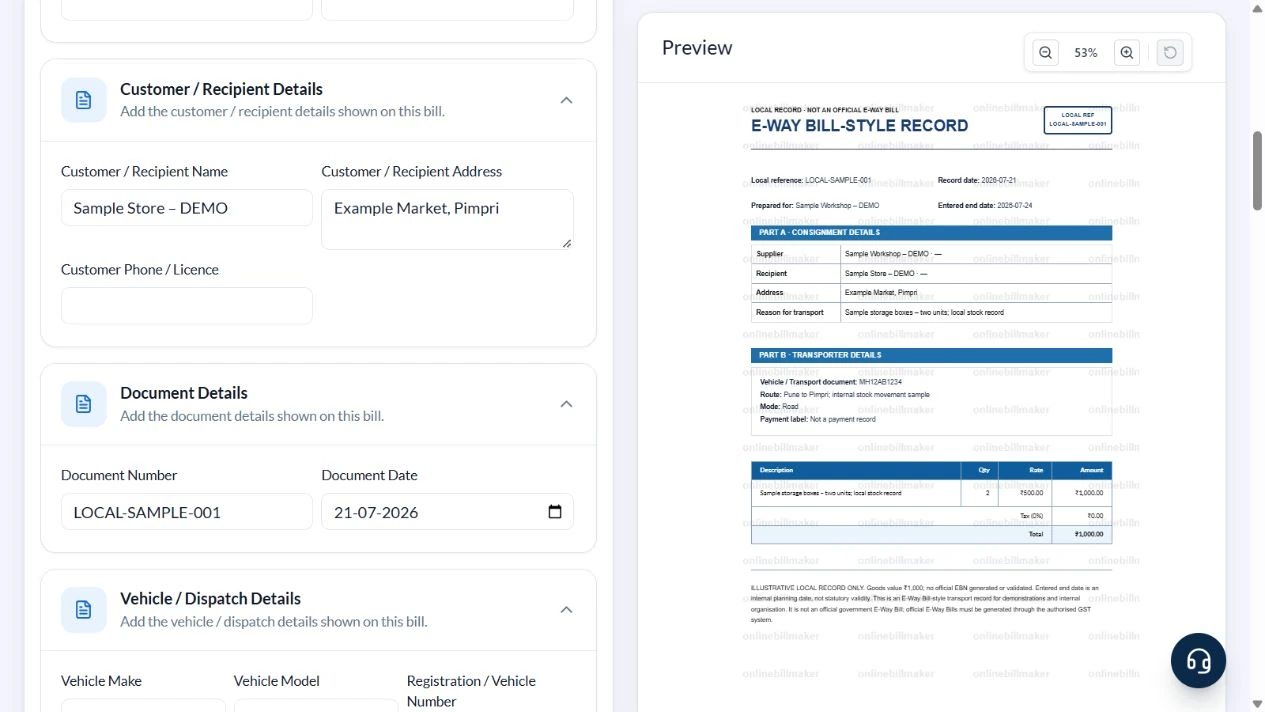
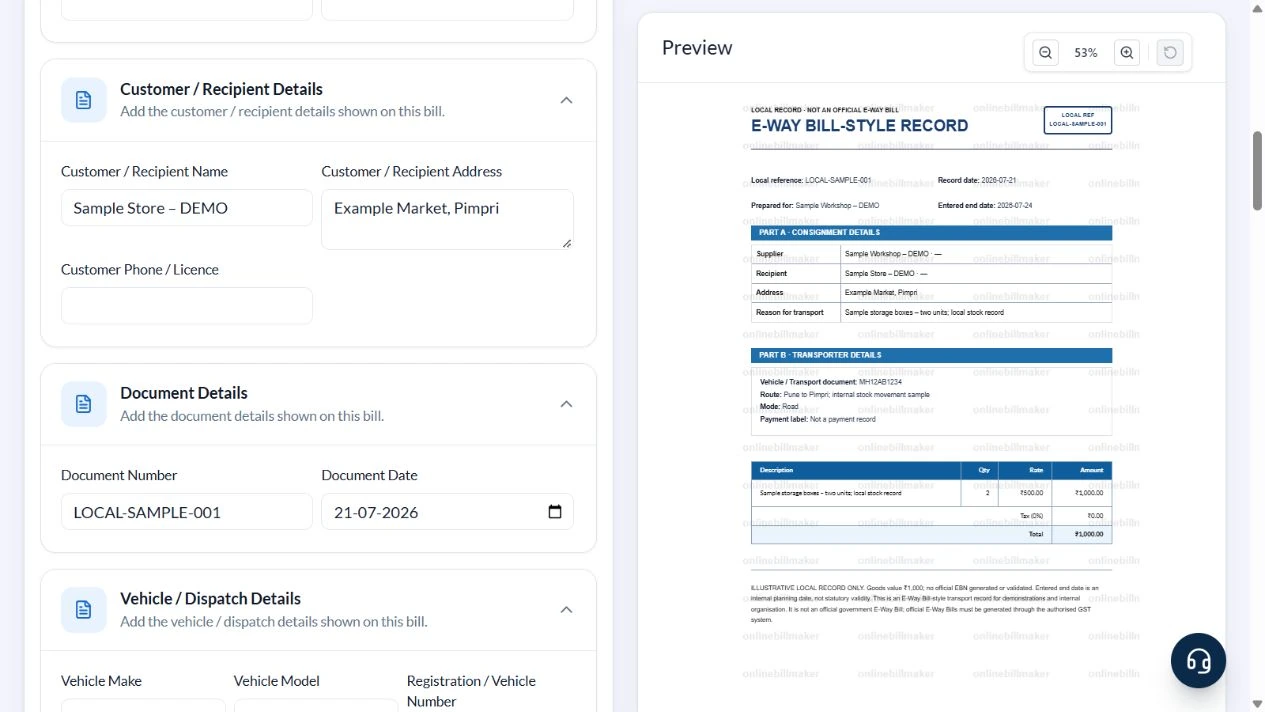
| Customer / Recipient Details | Identify the receiving party. | Sample Store – DEMO; Example Market, Pimpri | Customer Phone / Licence is a shared text field printed beside Recipient. |
| Document Number / Date | Set the local reference and record date. | LOCAL-SAMPLE-001; 21 July 2026 | Not an EBN issued by a portal. |
| Registration / Vehicle Number / Vehicle / Shipment Details | Record vehicle and route. | MH12AB1234; Pune to Pimpri | Vehicle make/model are form fields but are not printed in this layout. |
| End Date | Show an entered planning date. | 24 July 2026 | No statutory-validity calculation. |
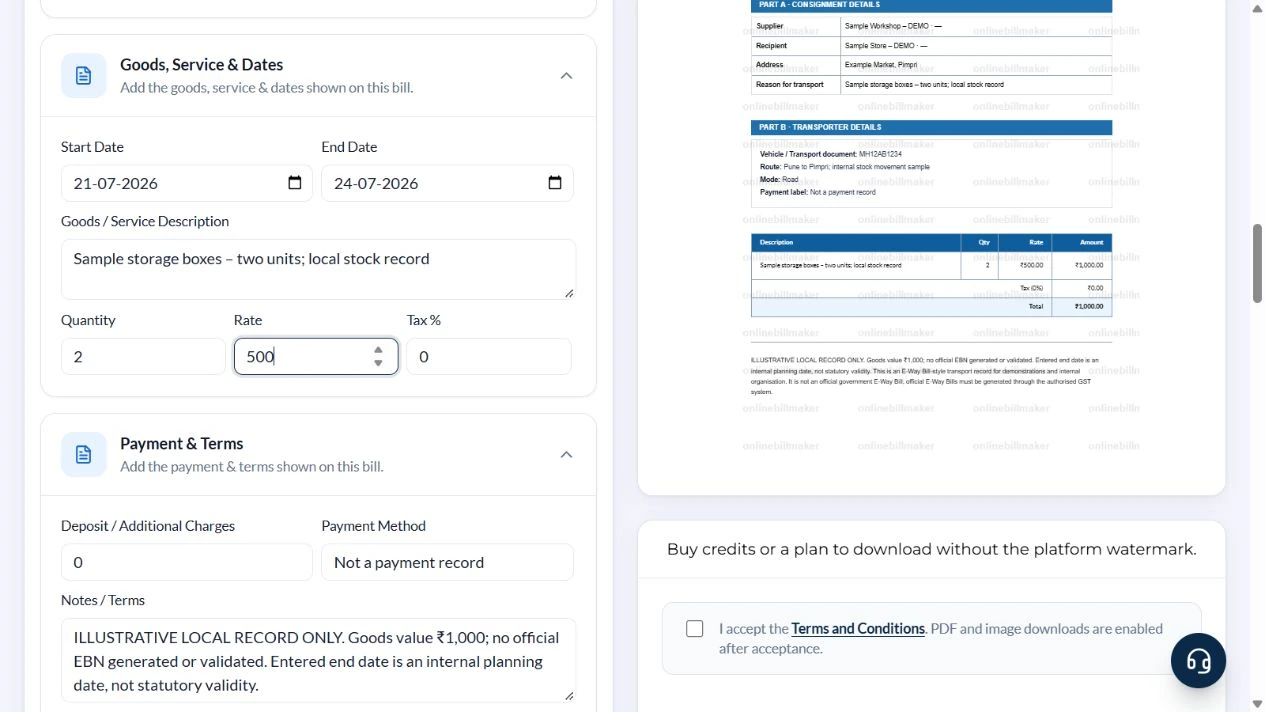
| Goods / Service Description / Quantity / Rate | Describe the goods and their value basis. | Two sample boxes; 2 × ₹500 | There is one description line and no dedicated HSN field. |
| Tax % / Deposit / Additional Charges | Adjust the local arithmetic. | 0%; ₹0 additional for this example | Do not mix freight with goods value without explaining it. |
Follow the editor step by step
Work through these stages in order. The screenshots show the actual editor running on localhost with illustrative details. Open a screenshot at full size when you need to read a field label; compare the values with your own source record.
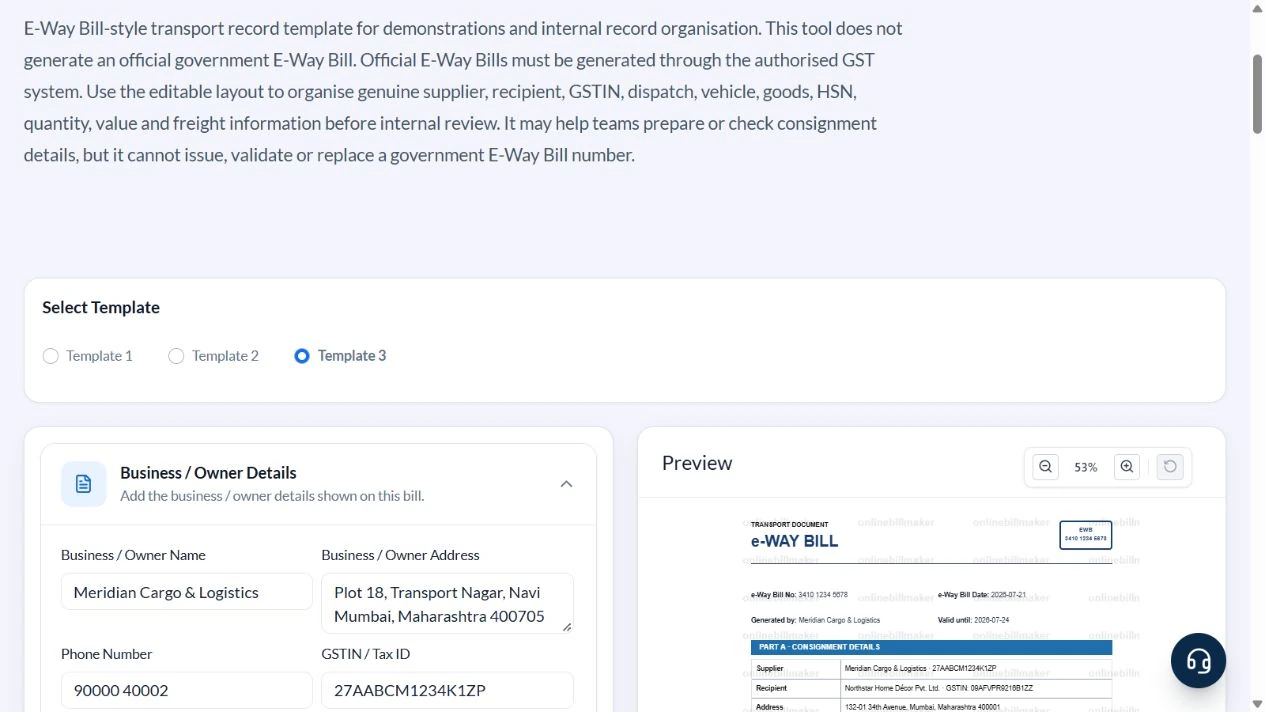
1. Select the local record layout
Choose Template 3 and expand the recipient, document, vehicle, goods and payment sections. Confirm that the preview says LOCAL RECORD · NOT AN OFFICIAL E-WAY BILL.
2. Replace supplier, recipient and reference
Use Sample Workshop – DEMO, Example Industrial Road, Pune, and Sample Store – DEMO, Example Market, Pimpri. Clear sample phone and tax identifiers. Enter LOCAL-SAMPLE-001 and Document Date 21 July 2026.
3. Describe the movement and goods value
Enter MH12AB1234 and Pune to Pimpri; internal stock movement sample. Use Sample storage boxes – two units; local stock record, Quantity 2, Rate 500, Tax % 0 and Deposit / Additional Charges 0. Keep End Date 24 July 2026 as an illustrative planning date.
4. Check the local-reference and date labels
Set Payment Method to Not a payment record. In Notes / Terms explain that this is illustrative, no EBN was generated or validated, and the entered end date is not statutory validity. Check the parties, route, quantity and ₹1,000 total.
5. Inspect export choices
PDF and image controls are available after the preview. The local walkthrough did not accept terms, buy access or inspect a downloaded file.
After downloading: inspect the file before sharing
If you complete an eligible download, open the saved PDF or image and compare it with the preview. Check the first and last lines, long addresses, amounts, dates and any acknowledgement area. Confirm that every intended page is present and readable at the size the recipient will use. Keep the source record and payment evidence with the final file so the document can be reconciled later.
If you spot an error, return to the editor and correct the source field before generating the replacement. Use a clear file name with the document reference and period so an older draft is not accidentally sent as the final copy.
Two sample boxes: ₹1,000 goods value
| Item | Basis | Result |
|---|---|---|
| Quantity | Two boxes | 2 |
| Value per box | Illustrative entered rate | ₹500 |
| Goods subtotal | 2 × ₹500 | ₹1,000 |
| Sample tax and additional amount | Both set to zero | ₹0 |
| Local record total | ₹1,000 + ₹0 | ₹1,000 |
Zero tax is an arithmetic setting, not a classification of the goods. Freight, official invoice particulars, HSN and any applicable authorised e-way-bill workflow must be checked separately. A local record does not establish exemption or compliance.
Which details need an official check?
To check e-way bill details or perform an e-way bill number check, use the appropriate official service and the actual issued record. The local editor cannot confirm a number’s existence, validity or current status. Its date field should not be treated as a calculation of official validity. Check the government process for the transaction instead of relying on the appearance of a completed sample.
How do different movement documents relate?
An e-way bill Part A format and Part B format belong to the official documentation process. The sample editor does not submit either part. Likewise, a delivery challan format for e-way bill preparation or a bill-to/ship-to arrangement needs the correct source facts and official treatment. Keep those documents linked by their real references, and use the local sample only as an organisational aid.
Troubleshooting and final checks
- Do not put a made-up government EBN in Document Number.
- Do not describe End Date as automatically calculated validity.
- Do not treat the shared payment label as a transport mode; the layout separately prints Road.
- Do not assume all shared form fields appear in the selected output.
Editing and previewing are free. Downloads require sign-in and either an active plan or enough purchased credits: 5 credits for a PDF and 1 credit for an image. There are no free download credits. Free users see the platform watermark in the preview. Signed-in users with a credit balance or an active plan can choose a download format and preview without the watermark. Compare download credits and plans.
This local record cannot replace an official e-way bill, validate an EBN or authorise movement of goods.