Prepare a gym membership bill with the member, coverage dates and separately itemised fees. State what the payment covers so a joining fee is not mistaken for a recurring monthly charge. Add the membership period, plan description, joining fee and any separately purchased services in clear lines. Keep the payment date and the access period distinct, especially for advance renewals or part payments. Review the member reference and total in the preview so the record explains both who paid and which membership charges the payment relates to. Start with the gym bill generator for membership and joining fees.
The record and the example used here
A membership bill explains the charge for a period of access; a payment acknowledgement explains how much has actually been received. Keep that distinction clear when the member pays in instalments.
This walkthrough uses Template 1 of the three gym layouts. Sample Fitness bills Aarav Sample, member MEM001, for 1–30 September 2026. Monthly membership is ₹2,000 and a one-time joining fee is ₹500. The ₹1,500 instalment and ₹1,000 balance are manually written in Remark, not calculated by an instalment ledger.
The arithmetic example uses Tax Type None and Tax % 0. This setting is illustrative, not a statement that gym services are exempt.
How do you prepare a gym membership bill?
To prepare a gym membership bill, first identify the member and the period purchased. A gym fee receipt for a renewal should not use the start date of the original membership unless that is the period being billed. Compare a monthly gym receipt with the actual package terms, then enter the customer number consistently. This prevents a correctly calculated amount from being attached to the wrong member or month.
Before you start: prepare and reconcile the details
Read the membership agreement before entering the cycle. A monthly label does not tell you whether access runs by calendar month or from one joining date to the next. Use the coverage dates that actually apply and describe additional personal-training or locker fees separately from the membership.
For instalments, retain a schedule showing the agreed fee, earlier payments and balance. This receipt should identify the particular payment without implying that all dues have been cleared. If a membership is frozen or extended, document the approved new coverage period rather than treating a changed date as automatic authorisation.
Fields and sample values
| Field | Purpose | Sample value | When it applies |
|---|---|---|---|
| Gym Name / Address | Identify the fitness centre. | Sample Fitness; Example Road, Pune | Replace the prefilled business details. |
| Invoice Number / Invoice Date | Reference for this billing event. | SAMPLE-GYM-001; 1 September 2026 | Different from the member number. |
| Customer No / Name | Identify whose membership is billed. | MEM001; Aarav Sample | Keep the member reference consistent across renewals. |
| Bill From Date / Bill To Date | Set the period used by this layout. | 1–30 September 2026 | Template 1 prints Bill To Date as Due Date; also write coverage in the service description. |
| Billing Cycle | Label the renewal interval. | Monthly | Choosing a cycle does not create future bills. |
| Name / Description / Price / Quantity | Itemise access and one-time fees. | Monthly membership; ₹2,000 × 1 | Keep joining fees on their own row. |
| Payment Method / Remark | State payment mode and any manually reconciled instalment. | UPI; paid ₹1,500, balance ₹1,000 | The displayed total remains the full ₹2,500 charge. |
Follow the editor step by step
Work through these stages in order. The screenshots show the actual editor running on localhost with illustrative details. Open a screenshot at full size when you need to read a field label; compare the values with your own source record.
1. Choose the membership layout
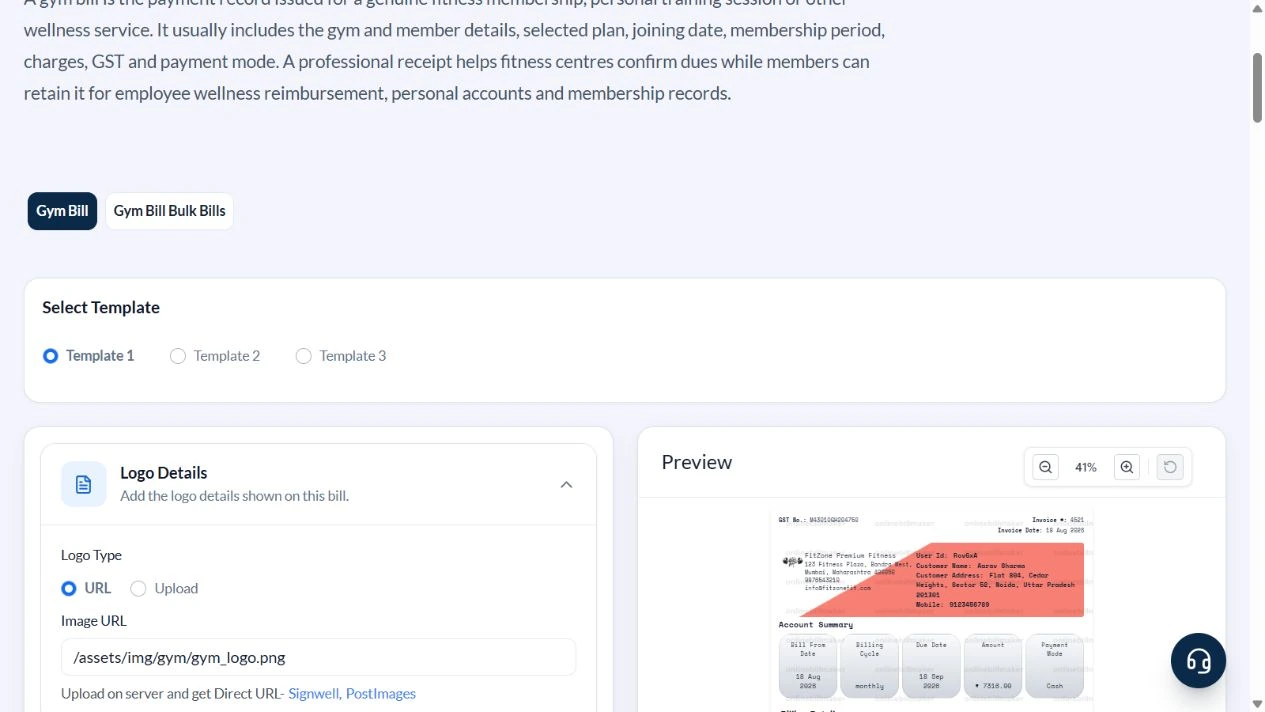
Open Gym Bill and select Template 1. The other two choices can arrange the same type of record differently; choose before completing the details.
2. Enter the billing period and member
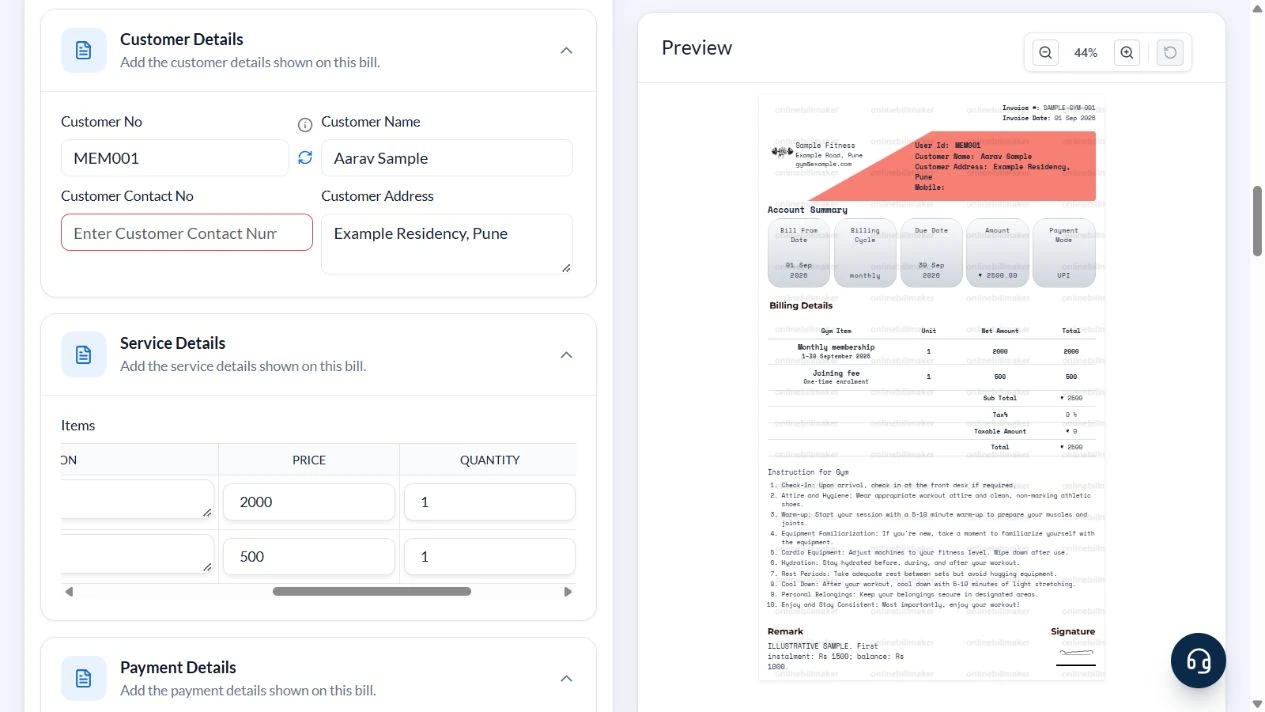
Expand Gym Details and Customer Details. Set Sample Fitness, SAMPLE-GYM-001 and invoice date 1 September 2026. Enter Bill From Date 1 September, Bill To Date 30 September, Monthly, customer MEM001 and Aarav Sample. This layout labels the end-date value Due Date in the preview, so repeat the actual coverage period in the item description.
3. Separate recurring and joining fees
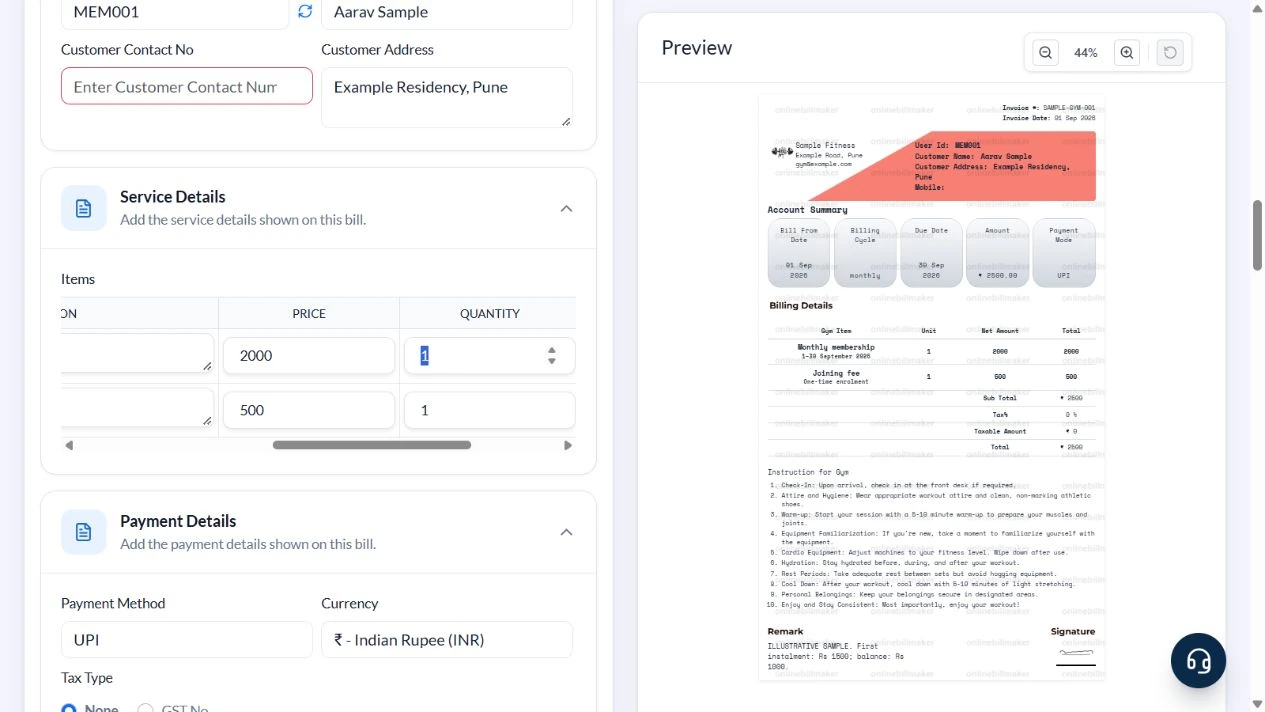
In Service Details, keep two rows. Enter Monthly membership with description 1–30 September 2026, price 2000 and quantity 1. Enter Joining fee with description One-time enrolment, price 500 and quantity 1. Remove unused default services.
4. Reconcile the charge and instalment note
Select UPI in Payment Details. For this arithmetic sample use None and Tax % 0. In Remark enter ILLUSTRATIVE SAMPLE, first instalment Rs 1500 and balance Rs 1000. Check ₹2,500 in Account Summary and Billing Details; the note does not reduce that total.
5. Check download access
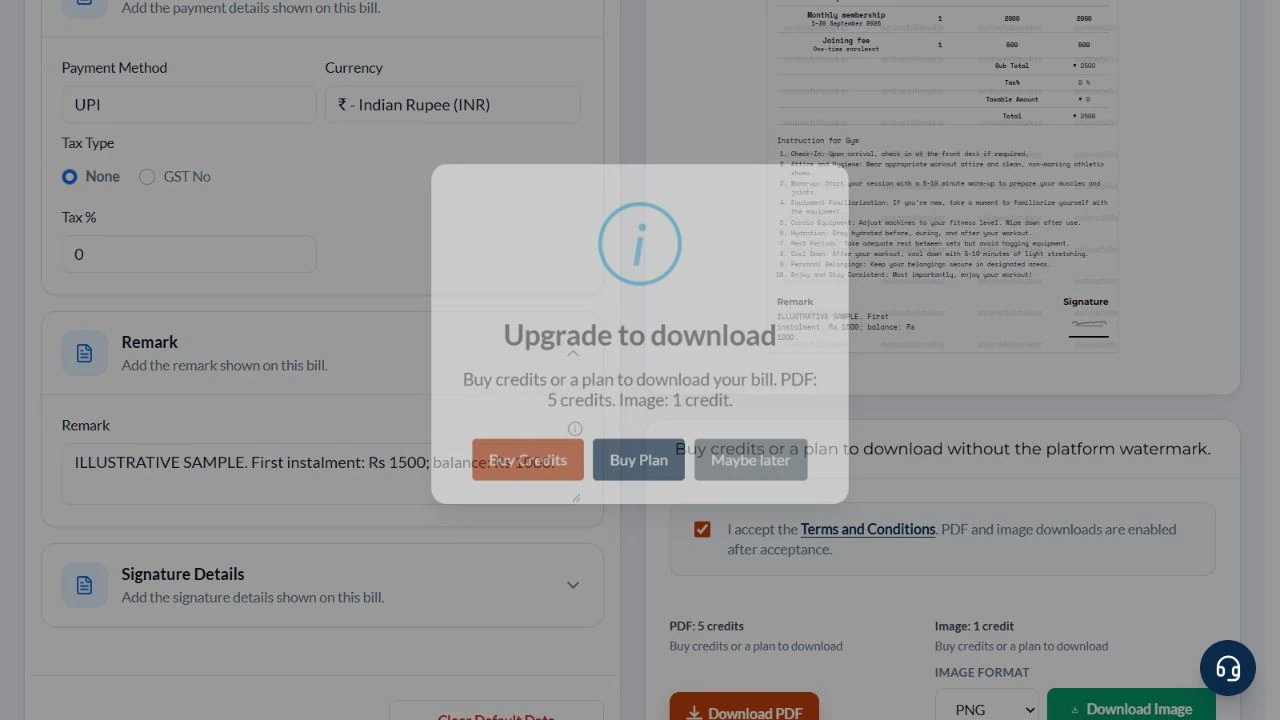
Download PDF opened Upgrade to download in this local session. Buy Credits and Buy Plan are offered when paid access is missing. No purchase or exported file was produced in this walkthrough.
After downloading: inspect the file before sharing
If you complete an eligible download, open the saved PDF or image and compare it with the preview. Check the first and last lines, long addresses, amounts, dates and any acknowledgement area. Confirm that every intended page is present and readable at the size the recipient will use. Keep the source record and payment evidence with the final file so the document can be reconciled later.
If you spot an error, return to the editor and correct the source field before generating the replacement. Use a clear file name with the document reference and period so an older draft is not accidentally sent as the final copy.
Membership, joining fee and a separate payment balance
| Item | Basis | Result |
|---|---|---|
| Monthly membership | 1 × ₹2,000 | ₹2,000 |
| Joining fee | 1 × ₹500 | ₹500 |
| Total charge | ₹2,000 + ₹500 | ₹2,500 |
| First instalment | Manual payment note | ₹1,500 |
| Balance | ₹2,500 − ₹1,500, manually checked | ₹1,000 |
The editor calculates service totals. It does not subtract a payment written in Remark or track future collections. Reconcile the note against actual payment evidence and keep the full bill amount distinct from the amount received.
How should training and membership charges be separated?
A personal training receipt needs a description that explains whether the price covers one session or a package. When preparing a gym invoice with membership fees and another service, use separate lines and verify the arithmetic independently. For a gym membership payment record, record an advance or partial payment only where the selected layout can explain it accurately; retain a separate reconciliation if it cannot.
What should you verify in the final gym receipt?
When learning how to create a gym bill online, finish by comparing the period, member name and amount with the source records. A gym receipt PDF download should remain readable at normal print size. Check an editable gym receipt again after changing the design because a long service description may wrap differently. The gym’s authorised acknowledgement and payment evidence remain important when the receipt is used as a payment record.
Troubleshooting and final checks
- Remove default training and nutrition rows if they were not supplied.
- Do not multiply a whole-month fee by the number of days unless that is the agreed pricing basis.
- Template 1 prints the Bill To Date value under Due Date; put an unambiguous membership period in the description.
- Do not call ₹2,500 paid in full when only ₹1,500 has been received.
- Replace any default logo or signature only with an authorised version.
Editing and previewing are free. Downloads require sign-in and either an active plan or enough purchased credits: 5 credits for a PDF and 1 credit for an image. There are no free download credits. Free users see the platform watermark in the preview. Signed-in users with a credit balance or an active plan can choose a download format and preview without the watermark. Compare download credits and plans.
This bill does not activate a membership, collect a payment or verify the gym’s records.