
Prepare a monthly newspaper statement from the delivery record. Count the copies actually supplied, use the agreed price and show the delivery fee separately. List each publication, the number of copies delivered and the agreed rate for the month. Keep missed days, special editions and service charges understandable, then check the customer, billing period and amount in the preview. This monthly statement should match the delivery log and explain any change from the previous month without relying on a guessed calendar-day quantity. Start with the newspaper bill generator for monthly deliveries.
The record and the example used here
A calendar month and a delivered-copy count are different things. If delivery was paused for two days in a 30-day month, one copy per delivery means 28 chargeable copies, subject to the actual agreement.
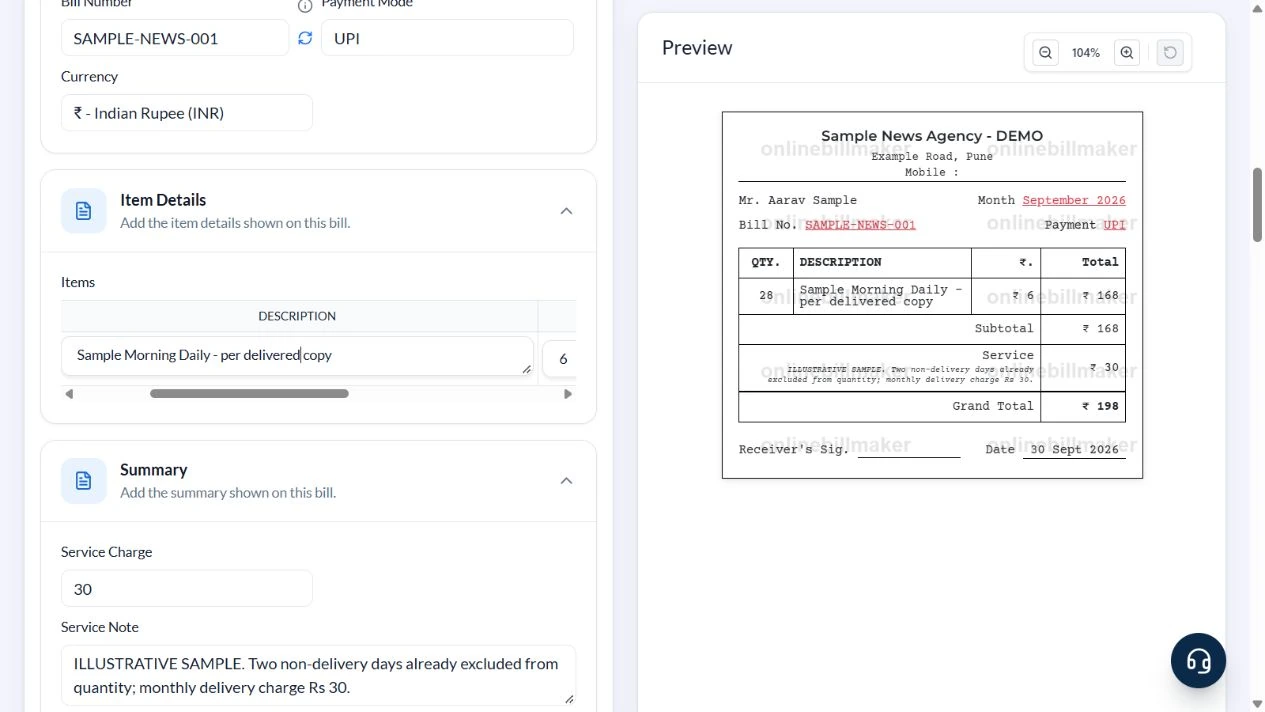
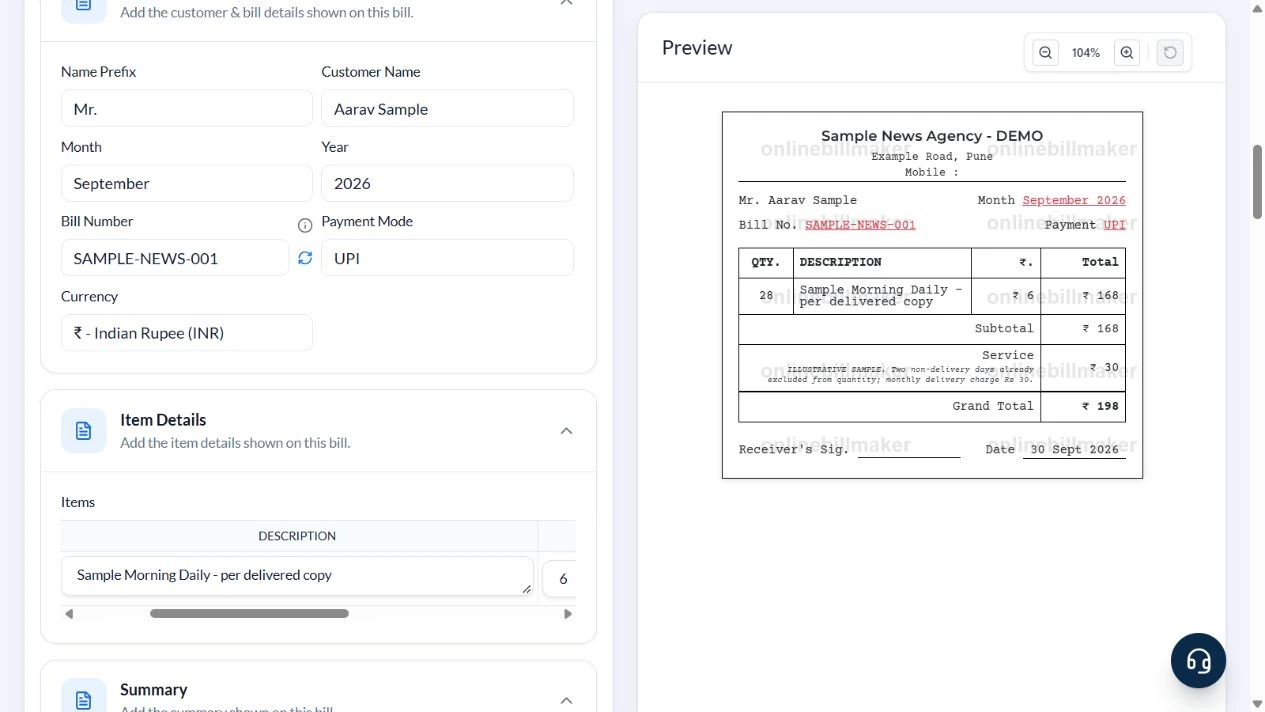
The example uses the available Template 1 for Sample News Agency – DEMO, Example Road, Pune, and Aarav Sample. September 2026 has 28 delivered copies of the fictional Sample Morning Daily at ₹6 each, plus ₹30 delivery charge. Bill SAMPLE-NEWS-001 totals ₹198, dated 30 September 2026, with UPI selected.
Different weekday, weekend or publication prices should be entered on separate rows. The form does not inspect a delivery calendar or import the publication’s current cover price.
How do you complete a newspaper bill example?
A newspaper bill example should begin with the month and the actual supplied publications. In a blank newspaper bill format, clear any sample customer or agency information before entering the quantities. A newspaper bill book format can organise repeated monthly records, but each statement still needs its own correct period and reference. Compare the completed example with the source delivery count.
Before you start: prepare and reconcile the details
Count actual deliveries before using the month’s number of days as quantity. Holidays, pauses, missed copies and different weekend editions can change the count or price. If weekday and weekend rates differ, represent them as distinct lines when the layout permits rather than using an unexplained average.
Agree the service or delivery charge separately from the publication cost. A previous outstanding balance should be identifiable and supported by the earlier statement. Keep the customer’s delivery address and publication list current, especially when a subscription starts or ends partway through a month.
Fields and sample values
| Field | Purpose | Sample value | When it applies |
|---|---|---|---|
| Agency Name / Address | Identify the delivery vendor. | Sample News Agency – DEMO; Example Road, Pune | Remove unused contact defaults. |
| Customer Name / Month / Year | Identify the subscriber and billing period. | Aarav Sample; September 2026 | Month selection does not fill delivery quantity. |
| Bill Number / Payment Mode | Reference and payment label. | SAMPLE-NEWS-001; UPI | Keep transfer proof separately. |
| QTY. / Description / Rate | Calculate publication charges. | 28 copies; Sample Morning Daily; ₹6 | Count copies, not months. |
| Service Charge / Service Note | Record and explain the delivery fee. | ₹30; two non-delivery days already excluded | The note does not calculate an adjustment. |
| Date / Signature URL | Record acknowledgement date and optional image. | 30 September 2026; blank signature URL | Choose URL before clearing the sample image. |
Follow the editor step by step
Work through these stages in order. The screenshots show the actual editor running on localhost with illustrative details. Open a screenshot at full size when you need to read a field label; compare the values with your own source record.
1. Choose the monthly newspaper format
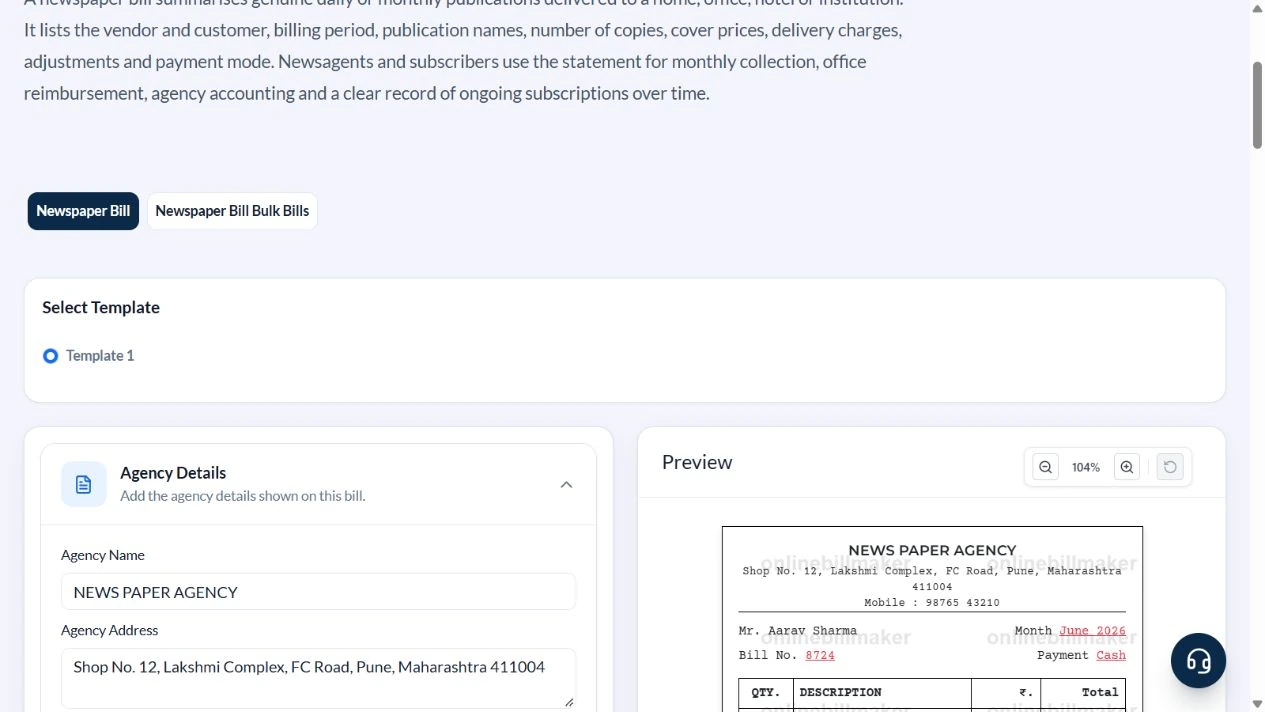
Select Template 1. Expand Customer & Bill Details, Item Details, Summary, Footer and Signature Details.
2. Set September as the billing month
Use Sample News Agency – DEMO, Example Road, Pune and Aarav Sample. Clear the mobile default. Select September, Year 2026, Bill Number SAMPLE-NEWS-001 and Payment Mode UPI.
3. Count delivered copies and add delivery
Enter QTY. 28, Description Sample Morning Daily – per delivered copy and Rate 6. Set Service Charge to 30. In Service Note explain that two non-delivery days are already excluded from quantity and the monthly delivery charge is ₹30.
4. Review the ₹198 statement
Set Date to 30 September 2026. Choose URL under Signature Type and clear Signature URL. Check publication subtotal ₹168, Service ₹30 and Grand Total ₹198, with September 2026 and the correct reference.
5. Inspect output choices
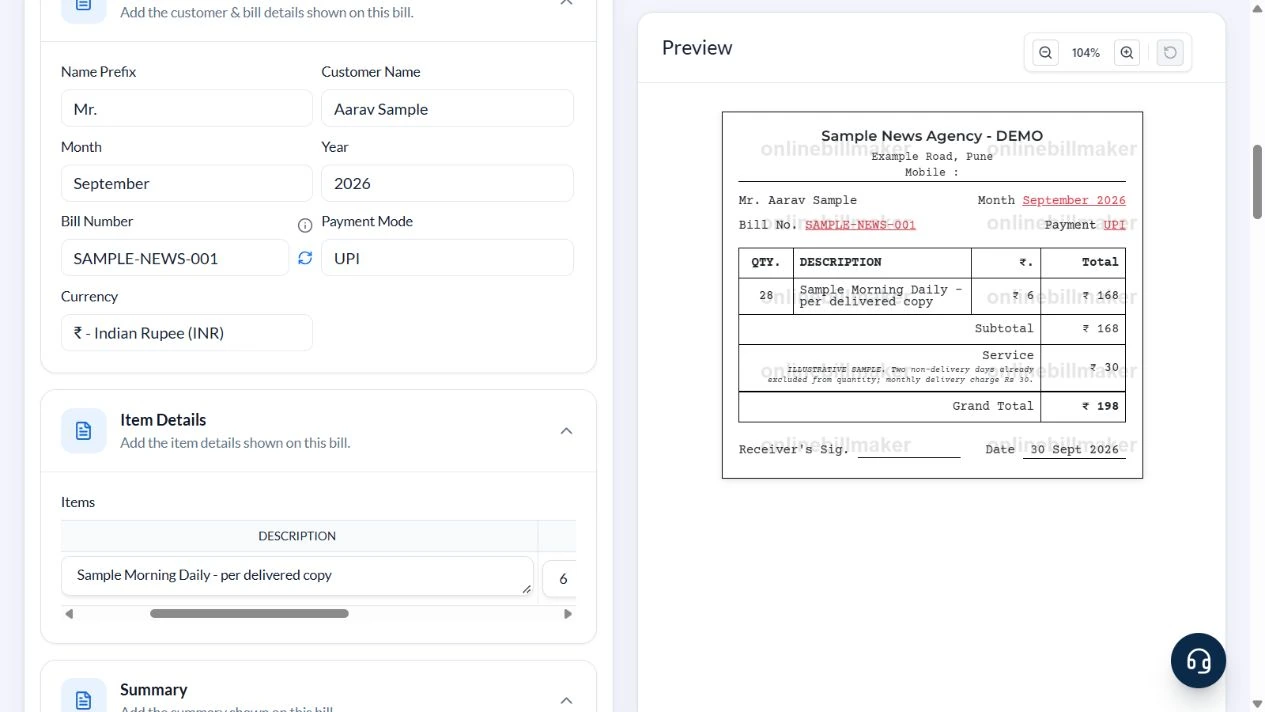
The PDF and image controls follow the statement. This walkthrough did not buy access or inspect an exported file.
After downloading: inspect the file before sharing
If you complete an eligible download, open the saved PDF or image and compare it with the preview. Check the first and last lines, long addresses, amounts, dates and any acknowledgement area. Confirm that every intended page is present and readable at the size the recipient will use. Keep the source record and payment evidence with the final file so the document can be reconciled later.
If you spot an error, return to the editor and correct the source field before generating the replacement. Use a clear file name with the document reference and period so an older draft is not accidentally sent as the final copy.
September deliveries: ₹198
| Item | Basis | Result |
|---|---|---|
| Calendar days | September 2026 | 30 |
| Non-delivery days | Excluded from the copy count | 2 |
| Copies billed | 30 − 2, one copy per day | 28 |
| Publication amount | 28 × ₹6 | ₹168 |
| Monthly delivery charge | Entered Service Charge | ₹30 |
| Grand total | ₹168 + ₹30 | ₹198 |
Do not deduct another ₹12 after using quantity 28; that would account for the same missed deliveries twice. If the vendor charges a fixed subscription instead, use the actual subscription basis rather than this per-copy example.
How do you reconcile missed deliveries or different rates?
For a newspaper bill calculation, multiply each charged quantity by its corresponding rate, then add any agreed service charge. A newspaper delivery record may contain missed days or publications with different prices, so do not use one unexplained monthly quantity when it hides those differences. Record the supported quantities clearly and keep the detailed delivery reconciliation separately where the layout does not print it.
What does a reimbursement copy need?
A newspaper reimbursement bill should remain consistent with the delivery and payment evidence. If an employer specifies a newspaper reimbursement form, use that required process rather than assuming a generated statement replaces it. When learning how to make a newspaper bill, review the final PDF and retain the agency’s authorised acknowledgement. The editor does not determine an allowance limit or approve a claim.
Troubleshooting and final checks
- Do not assume the month dropdown calculates the number of deliveries.
- Split rows when different days have different cover prices.
- Keep delivery charges separate from publication cost.
- Check the footer date independently from Month and Year.
Editing and previewing are free. Downloads require sign-in and either an active plan or enough purchased credits: 5 credits for a PDF and 1 credit for an image. There are no free download credits. Free users see the platform watermark in the preview. Signed-in users with a credit balance or an active plan can choose a download format and preview without the watermark. Compare download credits and plans.
The statement does not verify delivery days or retrieve a publication’s current price.