Record a parking payment with the facility, space and paid amount. This compact layout has one date and time; use the footer to explain vehicle and duration details when needed. Add the parking facility, date, space reference and payment amount, then use the available note area to clarify the vehicle and covered duration. Confirm the charge against the facility’s tariff before entering it. The preview provides a concise acknowledgement, while the actual entry and exit record remains the source for calculating time-based charges. Start with the parking receipt generator for space and payment records.
The record and the example used here
The parking layout is a short payment slip, with business details, one receipt date and time, space number and Paid Amount. It does not contain separate entry and exit controls or calculate a tariff.
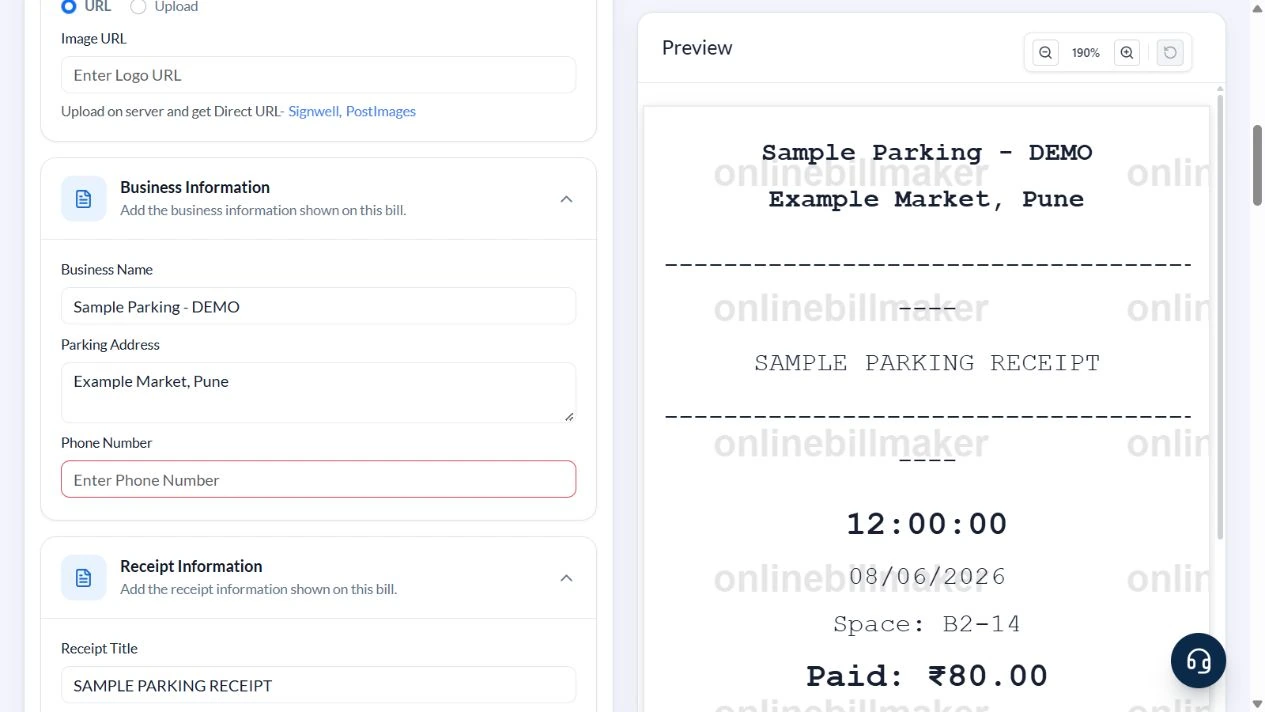
Sample Parking – DEMO at Example Market, Pune records space B2-14 on 8 June 2026 at 12:00. The footer describes sample vehicle MH12AB1234, entry 10:00, exit 12:00, two hours at ₹40 per hour and UPI. Paid Amount is manually entered as ₹80.
The flat hourly rate is an illustrative agreement. It is not a claim about airport slabs, minimum charges, grace periods, overnight rules or a particular facility’s tariff.
What should a parking receipt sample show?
A parking receipt sample helps explain how the facility, time, space and amount fit on the slip. A monthly parking receipt may need a period that a short-stay layout does not provide, so review the supported fields before choosing it. The printed reference should identify the actual parking record rather than a sample space number. Retain the facility’s source acknowledgement where required.
Before you start: prepare and reconcile the details
Establish the tariff before calculating the payment: a flat entry charge, hourly charge and day pass have different meanings. The compact editor does not calculate elapsed time from separate entry and exit fields. Keep the time calculation in the parking record and enter the resulting supported amount.
Use the footer carefully when adding a vehicle number or covered duration. Read the preview at its actual receipt size to make sure important details fit. A space number helps identify a parking location but is not a reservation or proof that the vehicle occupied it. Keep the actual payment and facility records when an expense claim requires them.
Fields and sample values
| Field | Purpose | Sample value | When it applies |
|---|---|---|---|
| Business Name / Parking Address | Identify the facility. | Sample Parking – DEMO; Example Market, Pune | Use the operator and location from the parking record. |
| Receipt Title | Label the slip. | SAMPLE PARKING RECEIPT | A title does not prove operator issuance. |
| Date / Time | State when the receipt was recorded. | 8 June 2026; 12:00 | Only one date and one time are available. |
| Space Number | Identify the parking position. | B2-14 | This is not a vehicle-number input. |
| Paid Amount / Currency | Record the reconciled payment. | 80; INR | The amount is entered manually. |
| Footer Message | Add vehicle, duration and payment context. | MH12AB1234; 10:00–12:00; UPI | Text in the footer does not trigger calculations. |
Follow the editor step by step
Work through these stages in order. The screenshots show the actual editor running on localhost with illustrative details. Open a screenshot at full size when you need to read a field label; compare the values with your own source record.
1. Open the compact parking layout
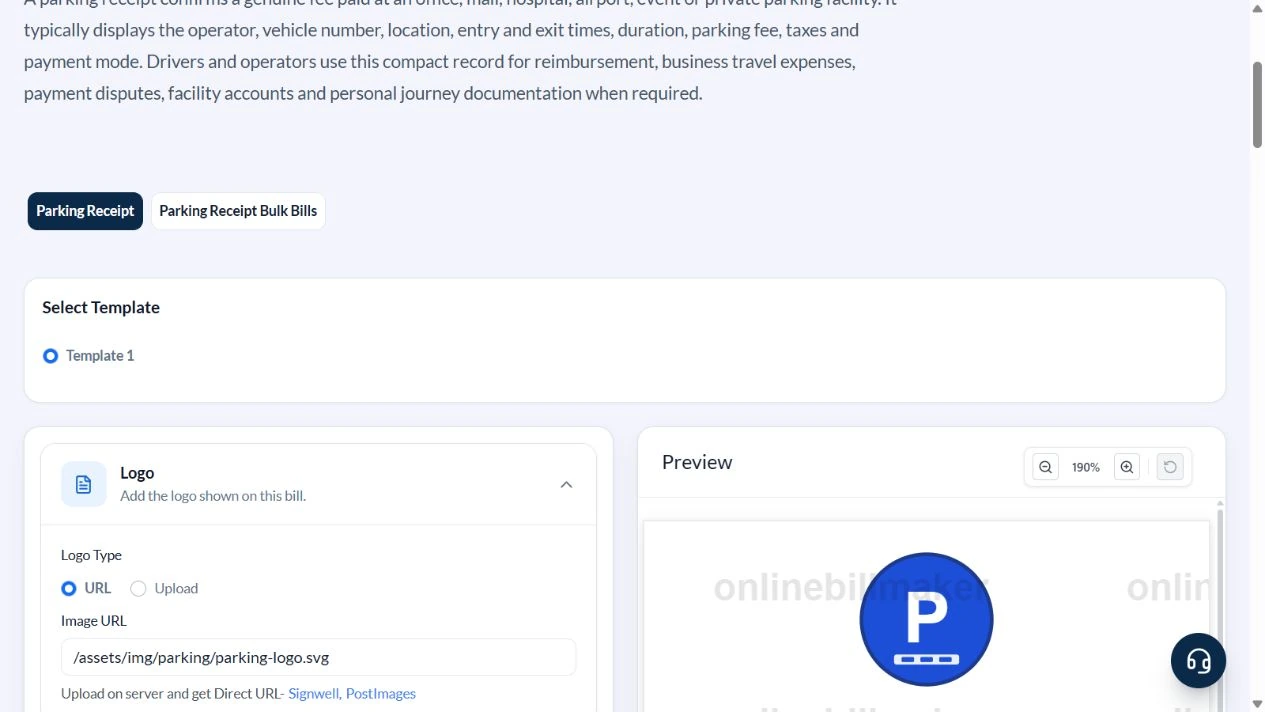
Select Template 1, the available parking layout. Expand Business Information, Receipt Information and Footer.
2. Identify the facility and space
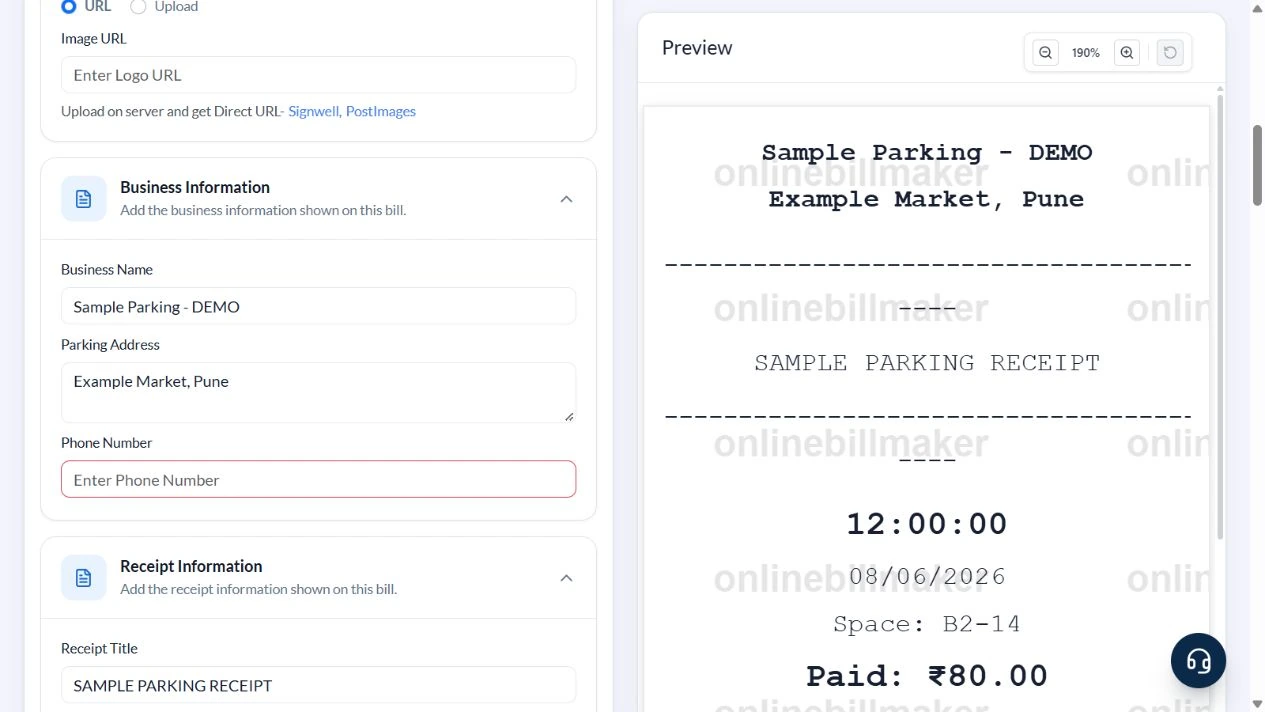
Enter Sample Parking – DEMO and Example Market, Pune. Clear the sample logo and phone. Use SAMPLE PARKING RECEIPT as the title, Space Number B2-14, Date 8 June 2026 and Time 12:00.
3. Enter the checked amount and tariff note
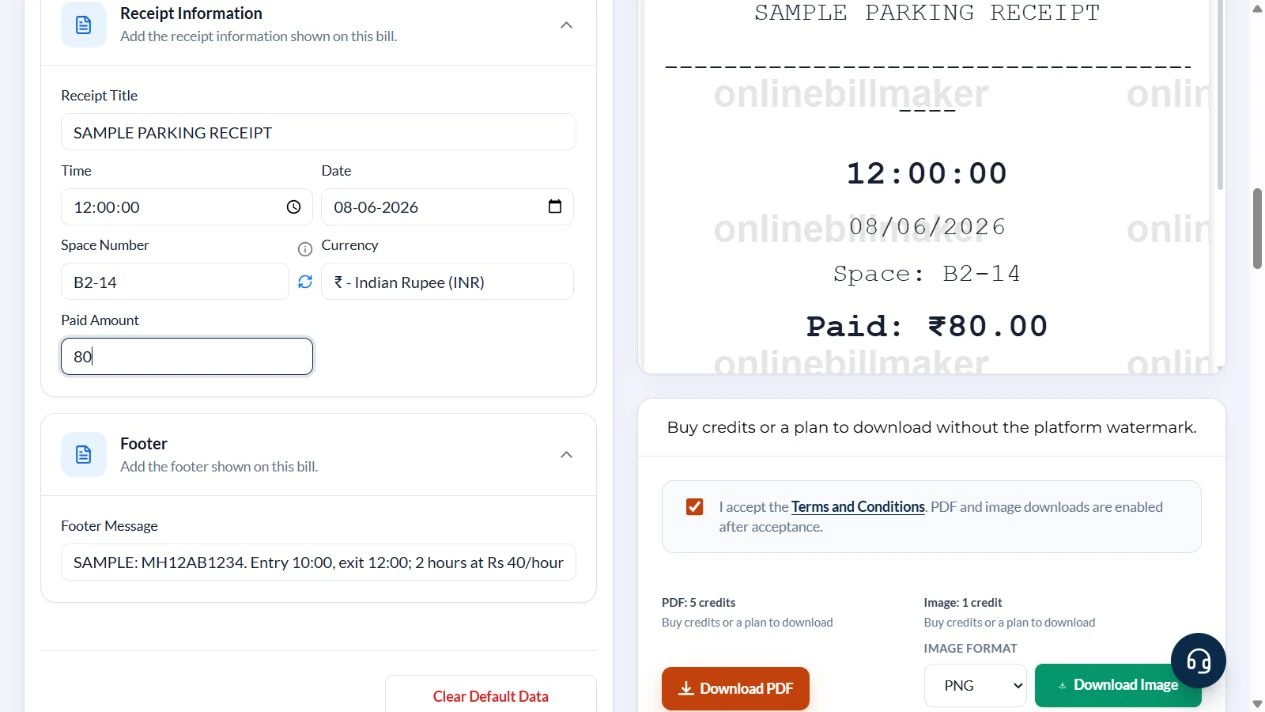
Calculate two hours at ₹40 per hour separately, then enter 80 in Paid Amount. Put SAMPLE: MH12AB1234. Entry 10:00, exit 12:00; 2 hours at Rs 40/hour. UPI. in Footer Message.
4. Read the complete parking slip
Check the facility, 12:00 time, 08/06/2026 date, B2-14 space and Paid ₹80.00. Confirm the footer stays readable and the vehicle number is correct.
5. Review the output controls
PDF and image options appear below the slip. This walkthrough captured the controls without purchasing access or opening an exported file.
After downloading: inspect the file before sharing
If you complete an eligible download, open the saved PDF or image and compare it with the preview. Check the first and last lines, long addresses, amounts, dates and any acknowledgement area. Confirm that every intended page is present and readable at the size the recipient will use. Keep the source record and payment evidence with the final file so the document can be reconciled later.
If you spot an error, return to the editor and correct the source field before generating the replacement. Use a clear file name with the document reference and period so an older draft is not accidentally sent as the final copy.
Manual parking calculation: two hours for ₹80
| Item | Basis | Result |
|---|---|---|
| Entry | 8 June 2026, 10:00 | Start |
| Exit | 8 June 2026, 12:00 | End |
| Elapsed duration | 12:00 − 10:00 | 2 hours |
| Assumed flat tariff | 2 hours × ₹40/hour | ₹80 |
| Paid Amount input | Manual entry after checking | ₹80 |
The form does not apply ceiling rules or parking slabs. For a stay across midnight, include both dates in the note and reconcile the operator’s actual tariff before entering the total.
How do you check the fee without a tariff calculator?
For a parking fee receipt, first obtain the amount from the facility’s actual transaction record. The parking receipt amount is an input here, not a calculation of elapsed time or tariff bands. Compare the date and time with the original and keep any entry or exit evidence separately. A parking space receipt should not be interpreted as proof of a reserved space simply because a number is printed.
What should you review before filing the expense?
When learning how to create a parking receipt, check the source record and final preview together. A parking receipt PDF download should remain readable and clearly associated with one parking event. Keep the original facility acknowledgement for a parking reimbursement receipt when an employer requires it. If a correction is needed, preserve the underlying evidence and identify the revised copy clearly.
Troubleshooting and final checks
- Do not mistake the single Time field for a duration calculator.
- Keep the bay number and vehicle registration distinct.
- Do not copy a flat sample rate when the facility uses slabs or minimum charges.
- Long notes must be checked at the printed slip size.
Editing and previewing are free. Downloads require sign-in and either an active plan or enough purchased credits: 5 credits for a PDF and 1 credit for an image. There are no free download credits. Free users see the platform watermark in the preview. Signed-in users with a credit balance or an active plan can choose a download format and preview without the watermark. Compare download credits and plans.
The slip does not calculate facility tariffs, validate entry or prove a payment occurred.