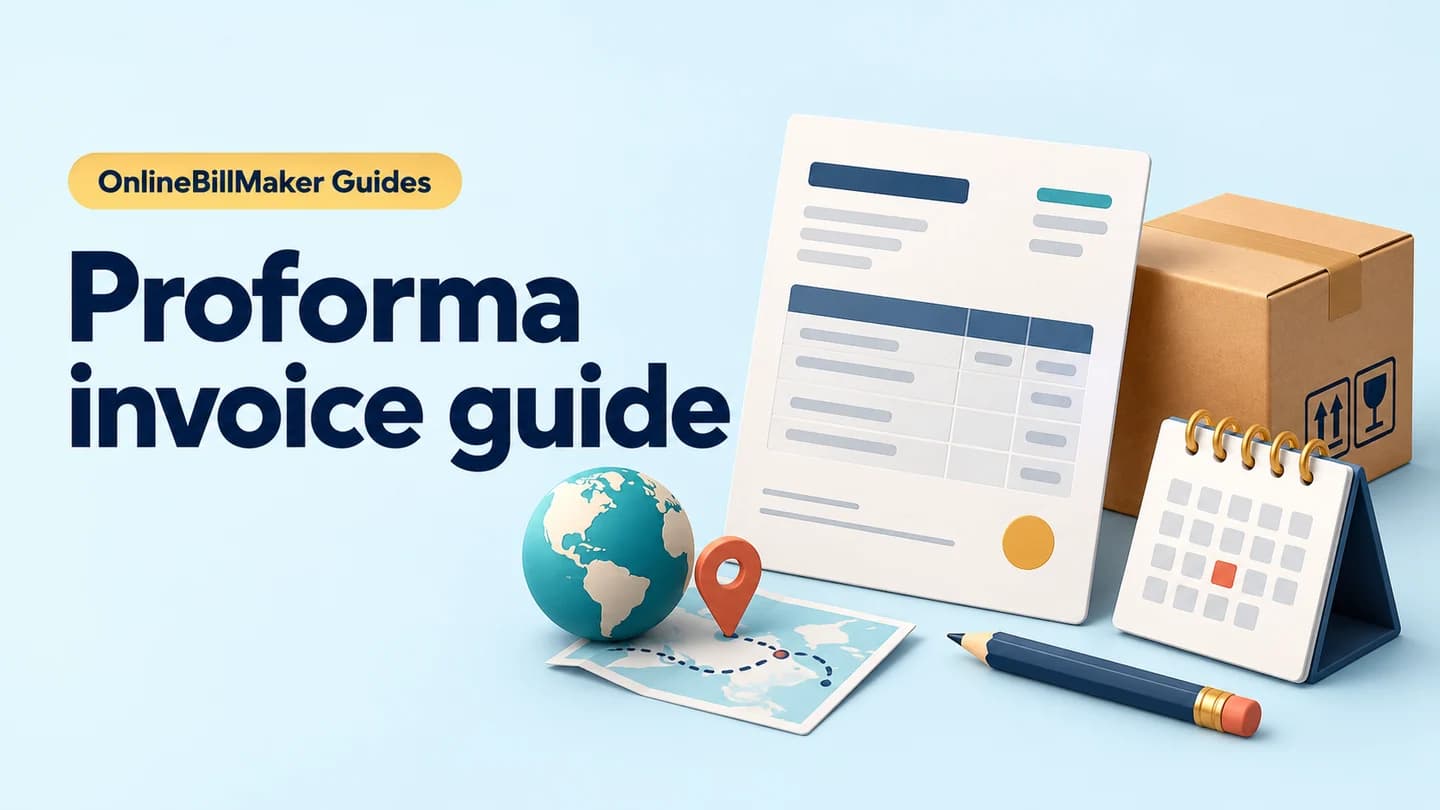
Prepare a preliminary statement of proposed goods and charges. State the offer validity, delivery conditions and payment terms clearly; a proforma is not proof of supply or payment. Identify the proposed customer, goods or service, quantities and prices before adding supported taxes or charges. Explain the validity period, expected delivery and any advance terms in the available notes. Review the total as a proposed amount and keep later acceptance, supply, invoicing and payment records distinct so a preliminary document is not mistaken for a completed transaction. Start with the proforma invoice generator for proposed orders.
The record and the example used here
A proforma sets out a proposed transaction before the final invoice. It can support a purchase discussion or advance request, but it is not a final tax invoice or evidence that the customer paid.
The single available layout is used for Sample Supply Studio – DEMO and Sample Retail Desk – DEMO in Pune. SAMPLE-PI-001 is dated 21 July 2026. Ten storage trays at ₹300 each produce ₹3,000, with illustrative 18% tax of ₹540 and ₹200 packing: ₹3,740 proposed total.
Validity, advance conditions and delivery timing are entered as text. The form does not schedule dispatch, collect an advance or deduct an advance from the displayed total.
What is the meaning of a proforma invoice?
A proforma invoice is a preliminary statement of proposed goods or services and charges. It helps the parties review a transaction before the appropriate final invoice is issued. To define proforma invoice correctly in your own workflow, keep its purpose distinct from a receipt acknowledging money received. A completed preview here does not confirm acceptance, supply or payment.
Before you start: prepare and reconcile the details
Start with the proposed scope and the customer’s requested quantities. A proforma helps a buyer review an expected transaction, but it should remain clearly labelled preliminary. State the period for which the offer applies and identify conditions that could change the amount, such as delivery scope or an agreed optional service.
If an advance is requested, distinguish the request from proof that the advance was received. Retain any later payment acknowledgement separately. When the supply proceeds, create the appropriate final invoice through your business process and link it to the agreed proposal. Reusing the same reference without clarifying document type can confuse the buyer’s accounts team.
Fields and sample values
| Field | Purpose | Sample value | When it applies |
|---|---|---|---|
| Business / Owner Details | Identify the proposed supplier. | Sample Supply Studio – DEMO; Example Trade Road, Pune | The output labels this Supplier / Exporter. |
| Customer / Recipient Details | Identify the intended buyer. | Sample Retail Desk – DEMO; Example Market, Pune | The output labels this Consignee. |
| Document Number / Date | Reference the proposal. | SAMPLE-PI-001; 21 July 2026 | Keep it distinct from the later final invoice. |
| Goods / Service Description / Quantity / Rate | Price the proposed line. | Storage trays; 10 × ₹300 | One service/goods line is available. |
| Tax % | Calculate an entered percentage on goods subtotal. | 18% illustrative assumption | No automatic GST classification or CGST/SGST split. |
| Deposit / Additional Charges | Add an extra amount to the proposed total. | ₹200 packing | This is an addition, not an advance deduction. |
| Vehicle / Shipment Details / Notes / Terms | Explain delivery, validity and payment conditions. | 7 days after acceptance; valid through 31 July; 50% advance | The shared Start/End Date and Payment Method fields do not print here; put important terms in these visible notes. |
Follow the editor step by step
Work through these stages in order. The screenshots show the actual editor running on localhost with illustrative details. Open a screenshot at full size when you need to read a field label; compare the values with your own source record.
1. Select the proforma format
Choose Template 1. Expand customer, document, vehicle/dispatch, goods and payment sections.
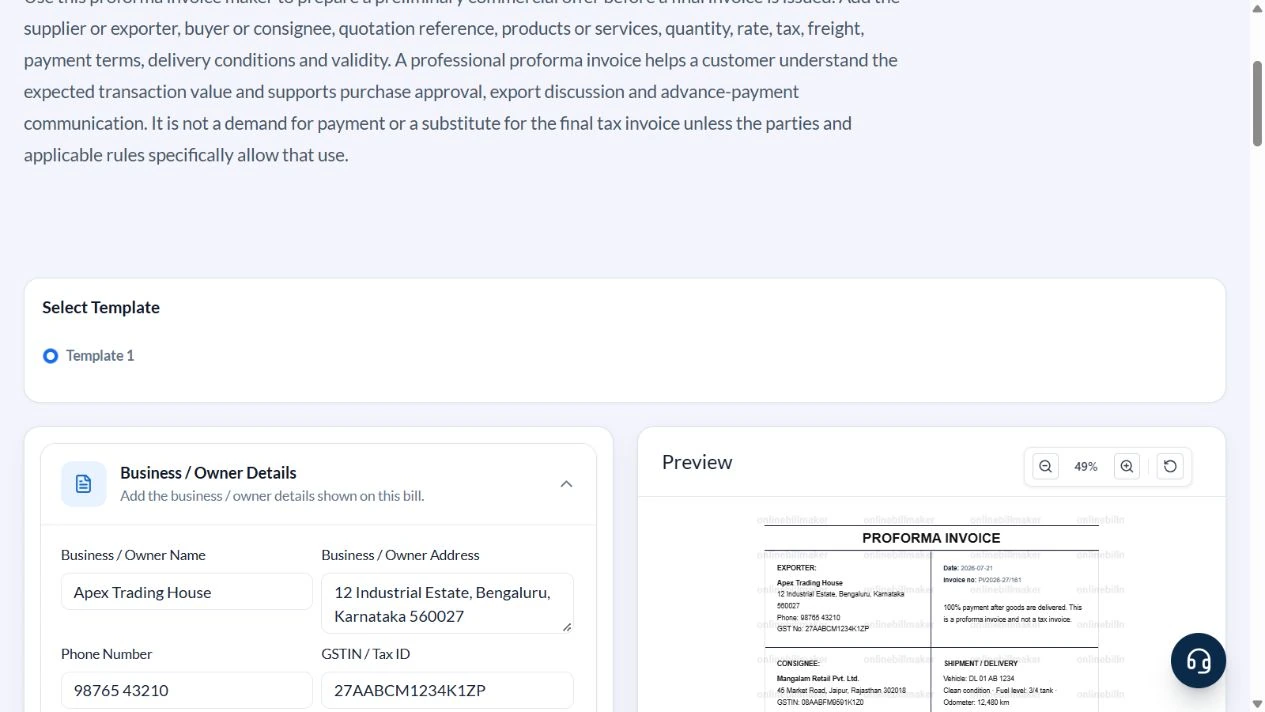
2. Enter the proposed parties and reference
Use Sample Supply Studio – DEMO, Example Trade Road, Pune, and Sample Retail Desk – DEMO, Example Market, Pune. Clear the sample phone and tax identifiers. Enter SAMPLE-PI-001, dated 21 July 2026. The deliberately incomplete sample is not a tax invoice.
3. Price ten trays and packing
Enter Proposed storage trays – 10 units, Quantity 10, Rate 300, Tax % 18 and Deposit / Additional Charges 200. The extra ₹200 is packing, explained in Notes / Terms.
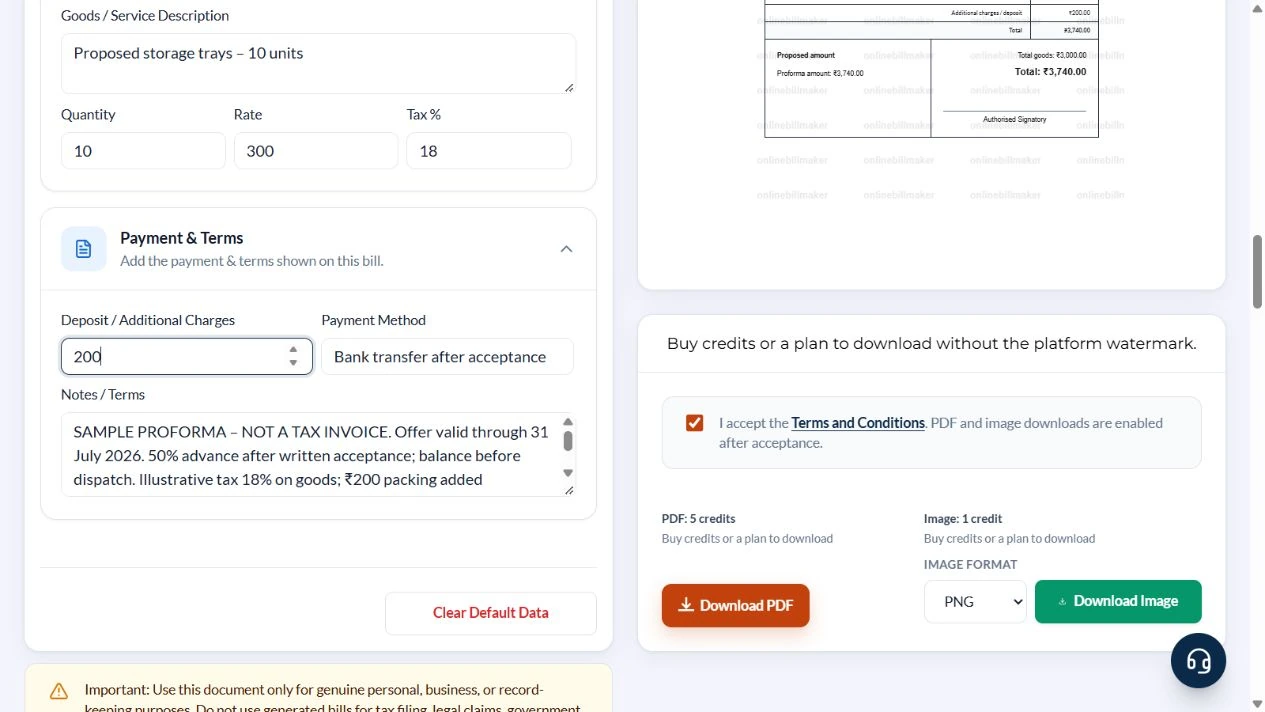
4. Write validity and payment conditions
Set Registration / Vehicle Number to Not assigned. In Vehicle / Shipment Details enter proposed local delivery within seven days after written acceptance. In Notes / Terms state SAMPLE PROFORMA – NOT A TAX INVOICE, valid through 31 July 2026, 50% advance after acceptance and balance before dispatch. Explain that tax and delivery terms require confirmation and no payment is acknowledged.
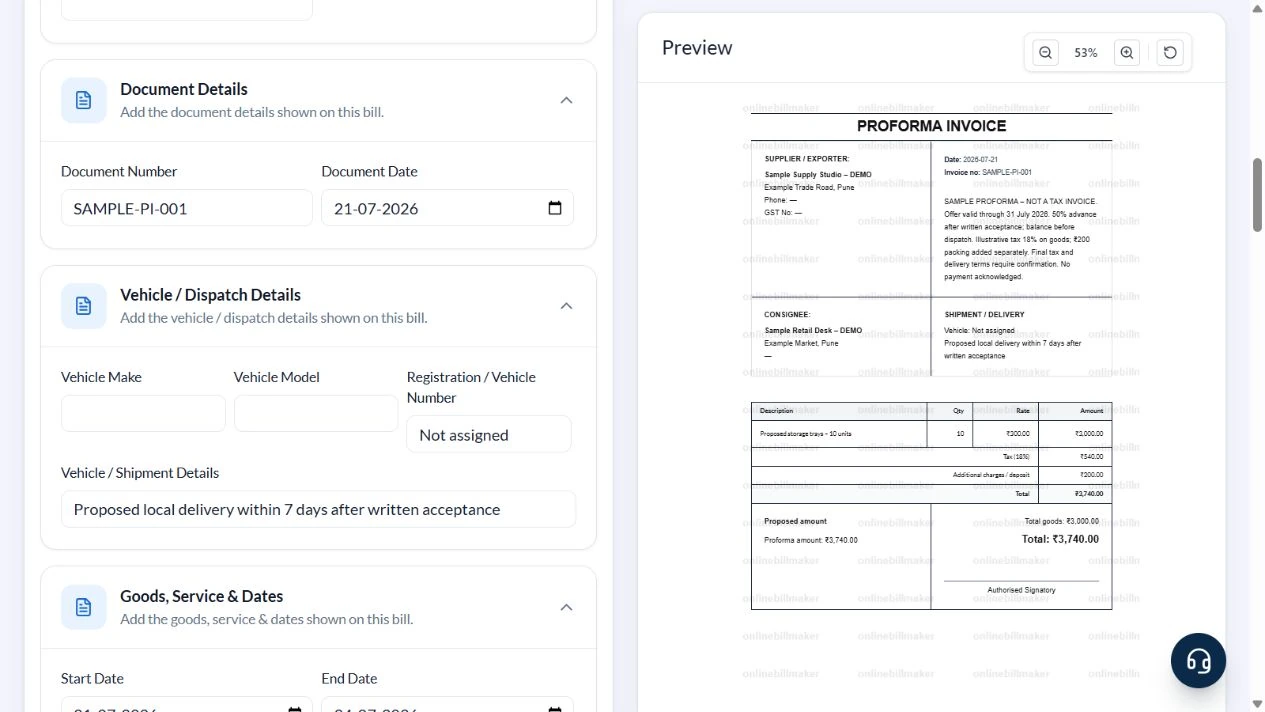
5. Inspect the export stage
Check the PDF and image options only after reviewing the proposed terms. This walkthrough inspected the controls but did not purchase access or examine an exported file.
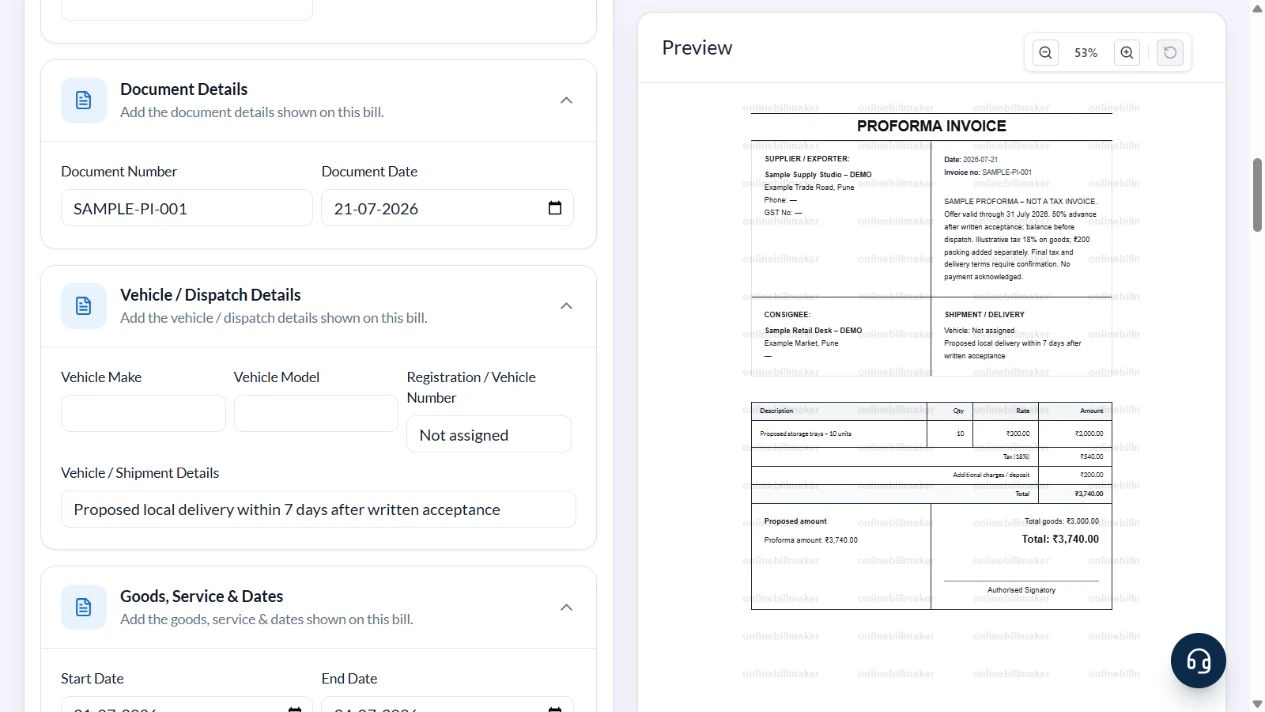
After downloading: inspect the file before sharing
If you complete an eligible download, open the saved PDF or image and compare it with the preview. Check the first and last lines, long addresses, amounts, dates and any acknowledgement area. Confirm that every intended page is present and readable at the size the recipient will use. Keep the source record and payment evidence with the final file so the document can be reconciled later.
If you spot an error, return to the editor and correct the source field before generating the replacement. Use a clear file name with the document reference and period so an older draft is not accidentally sent as the final copy.
Proposed total: ₹3,740
| Item | Basis | Result |
|---|---|---|
| Goods | 10 × ₹300 | ₹3,000 |
| Illustrative tax | ₹3,000 × 18% | ₹540 |
| Packing | Entered additional amount | ₹200 |
| Proposed total | ₹3,000 + ₹540 + ₹200 | ₹3,740 |
| Example 50% advance | ₹3,740 × 50%, calculated outside the form | ₹1,870 |
| Remaining after that advance | ₹3,740 − ₹1,870, if actually paid | ₹1,870 |
The calculator applies the entered tax rate only to the goods subtotal, then adds the additional amount. It does not determine the correct tax treatment of packing or advances. The advance example is explanatory; no payment or balance is automatically recorded.
How do you check a proforma invoice sample?
A proforma invoice sample should connect the proposed description, quantity and rate to the stated amount. Compare the recipient and document reference before reviewing tax assumptions or additional charges. An example of proforma invoice preparation is useful for learning the layout, but the actual offer should use your agreed terms. Keep the proposed delivery and payment conditions consistent with the figures shown.
What happens after the customer agrees?
A proforma invoice sample PDF can support discussion, but agreement and payment need their own records. Once the transaction progresses, issue the appropriate final documents through your normal process rather than assuming the preliminary copy becomes a tax invoice automatically. An export proforma invoice template may need specialised commercial information that this local layout does not provide; confirm those requirements separately before using it for an export workflow.
Troubleshooting and final checks
- Do not enter an advance in Deposit / Additional Charges expecting it to reduce the total.
- Do not rely on shared Start/End Date fields for visible offer validity; write it in Notes / Terms.
- Remove unrelated vehicle-condition defaults from Shipment / Delivery.
- Do not use the proforma number as proof of a completed taxable supply.
Editing and previewing are free. Downloads require sign-in and either an active plan or enough purchased credits: 5 credits for a PDF and 1 credit for an image. There are no free download credits. Free users see the platform watermark in the preview. Signed-in users with a credit balance or an active plan can choose a download format and preview without the watermark. Compare download credits and plans.
The proforma does not confirm an order, collect an advance, create a final tax invoice or establish export compliance.