Create an itemised meal record with the outlet, table, dishes, quantities and payment mode. Check each line and any applicable charges against the order before sharing the receipt. Add each dish or beverage on its own line with its quantity and unit price, then review the subtotal, tax treatment and payment details. Include a table or order reference when it helps identify the meal. A clear restaurant receipt makes it easier to spot duplicate items, explain a shared expense and retain a readable record of what was actually ordered. Start with the restaurant bill generator for itemised food receipts.
The record and the example used here
The demonstrated Template 5 is a compact receipt with restaurant details, customer, invoice reference, table and item lines. Choose the layout before completing the form because the ten available restaurant layouts do not all expose the same fields.
Sample Kitchen on Example Road, Pune bills Aarav Sample for table 4 on 15 September 2026. Two veg meals at ₹150 each and two fresh lime sodas at ₹50 each total ₹400, recorded with UPI. These are illustrative entries, not an actual restaurant purchase.
This sample selects Tax Type None and Tax % 0 to isolate item arithmetic. It does not classify restaurant supplies as exempt. Use the actual applicable treatment for a real transaction.
How should a food invoice show quantities?
In a food invoice format, the unit is as important as the number. A quantity of two could mean two meals, two drinks or two portions, so describe the item clearly. A dinner bill format can include separate rows for the main course, beverages and dessert. Compare the food receipt template with the source order line by line before reviewing the total; a correct sum can still hide a missing item or the wrong quantity.
Before you start: prepare and reconcile the details
Start with the completed order, including changes made after the first order was taken. A repeated dish may mean two portions, or it may be a duplicate entry. Resolve that difference before changing the quantity. Describe size or variant in the item name when the same dish has more than one price.
Check whether the source menu or bill presents prices before or after tax. Copying a tax-inclusive price into an exclusive calculation can overstate the total. Keep service charges and discounts separate where the selected layout allows them. If a layout has no dedicated adjustment field, choose a suitable layout rather than concealing the adjustment inside an unrelated dish price.
Fields and sample values
| Field | Purpose | Sample value | When it applies |
|---|---|---|---|
| Restaurant Name / Address | Identify the outlet. | Sample Kitchen; Example Road, Pune | Use the outlet that supplied the food. |
| Invoice Number / Table No | Connect the receipt to the order. | SAMPLE-MEAL-001; table 4 | A generated number is not an order lookup. |
| Bill Date / Bill Time | Record when the meal was billed. | 15 September 2026; 14:41 | Review both values in the receipt. |
| Customer Name | Name shown on the customer copy. | Aarav Sample | Include only the information needed for the record. |
| Description / Item Price / Quantity | Describe and price each dish. | Veg meal; ₹150; 2 | Line total is unit price multiplied by quantity. |
| Payment Method / Currency | Label the payment and unit of money. | UPI; INR | The label does not verify a transfer. |
| Tax Type / Tax % | Configure the displayed tax treatment. | None; 0 in this arithmetic sample | Do not copy the sample setting as tax advice. |
| Comment 1 | Short note printed beneath the total. | ILLUSTRATIVE SAMPLE - two food items | Review long text at the intended receipt size. |
Follow the editor step by step
Work through these stages in order. The screenshots show the actual editor running on localhost with illustrative details. Open a screenshot at full size when you need to read a field label; compare the values with your own source record.
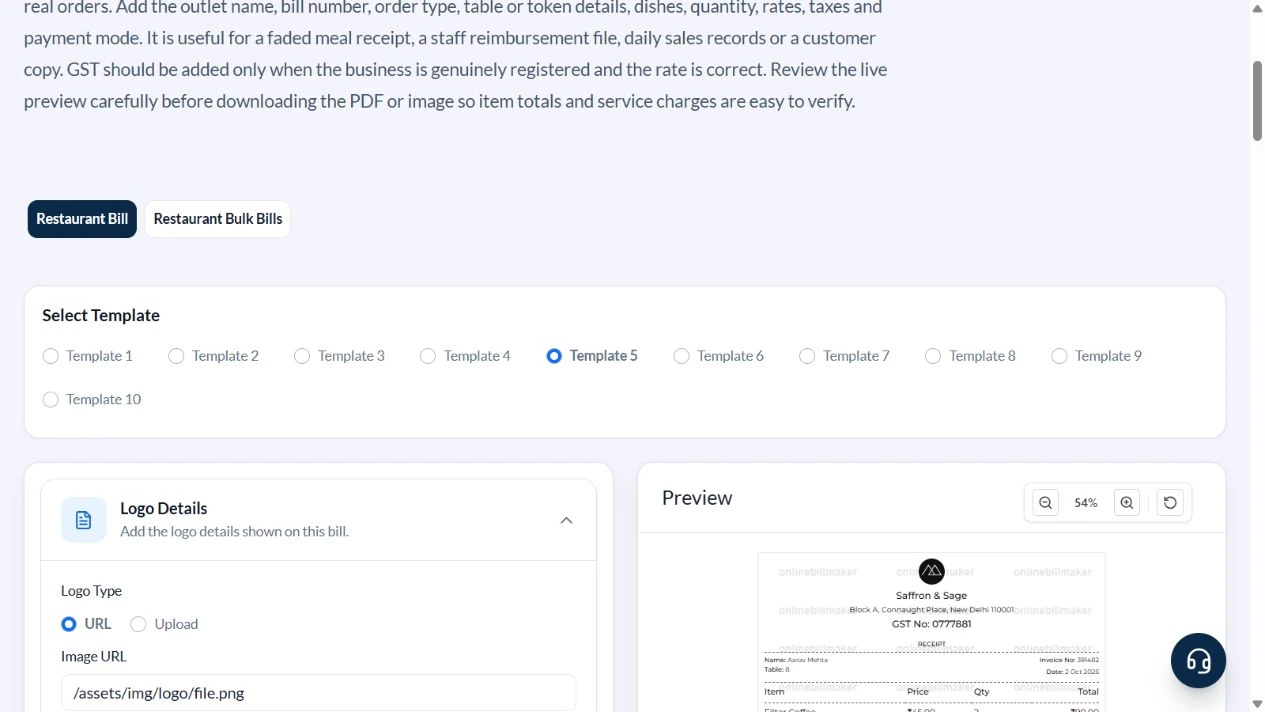
1. Select Template 5
Open Restaurant Bill and select Template 5. The compact itemised layout exposes Restaurant Details, Customer Details, Item Details, Payment Details and Comment Details.
2. Set the outlet and order reference
In Restaurant Details, enter Sample Kitchen, Example Road, Pune, table 4 and SAMPLE-MEAL-001. Set Bill Date to 15 September 2026 and check the displayed time. In Customer Details, enter Aarav Sample.
3. Replace the sample menu rows
Open Item Details. Keep two rows and remove the remaining defaults with Remove row. Enter Veg meal at 150 with quantity 2 and Fresh lime soda at 50 with quantity 2. Their line totals become 300 and 100.
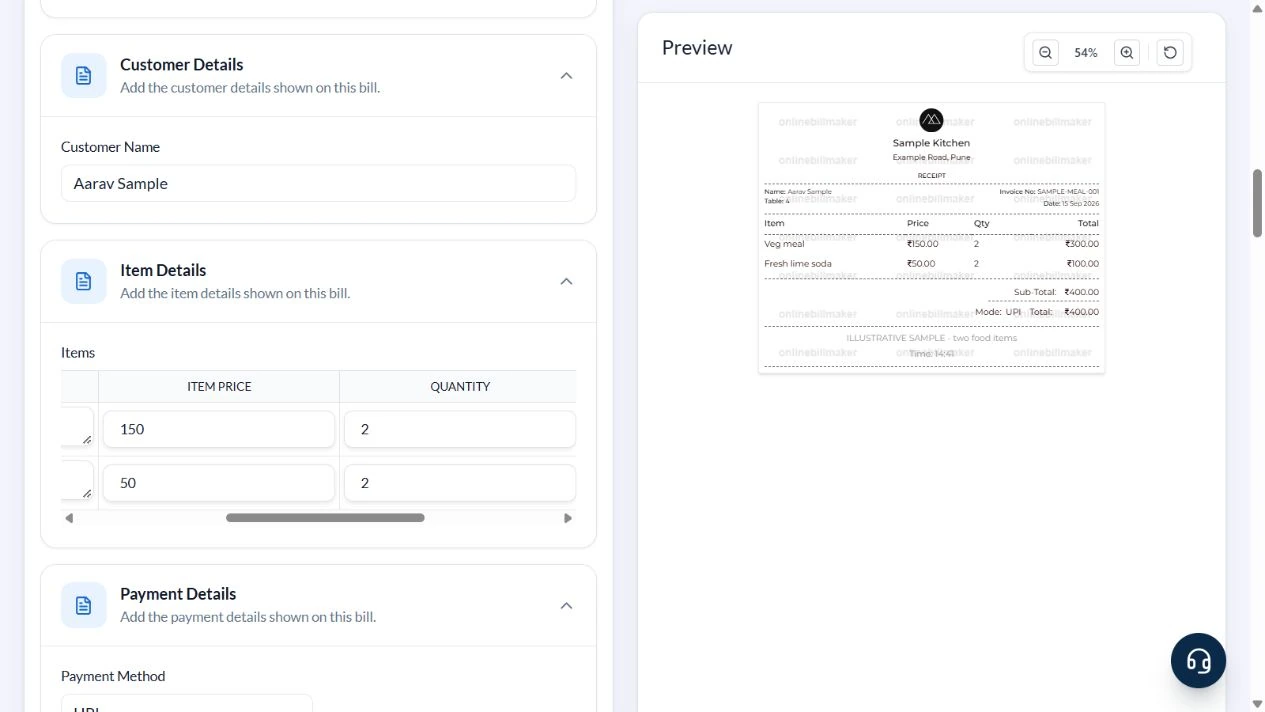
4. Check payment settings and total
In Payment Details, keep INR and UPI. The demonstration uses Tax Type None and Tax % 0. Add the illustrative note in Comment 1. Check that the preview subtotal and total are both ₹400 and that the receipt carries the correct reference and customer.
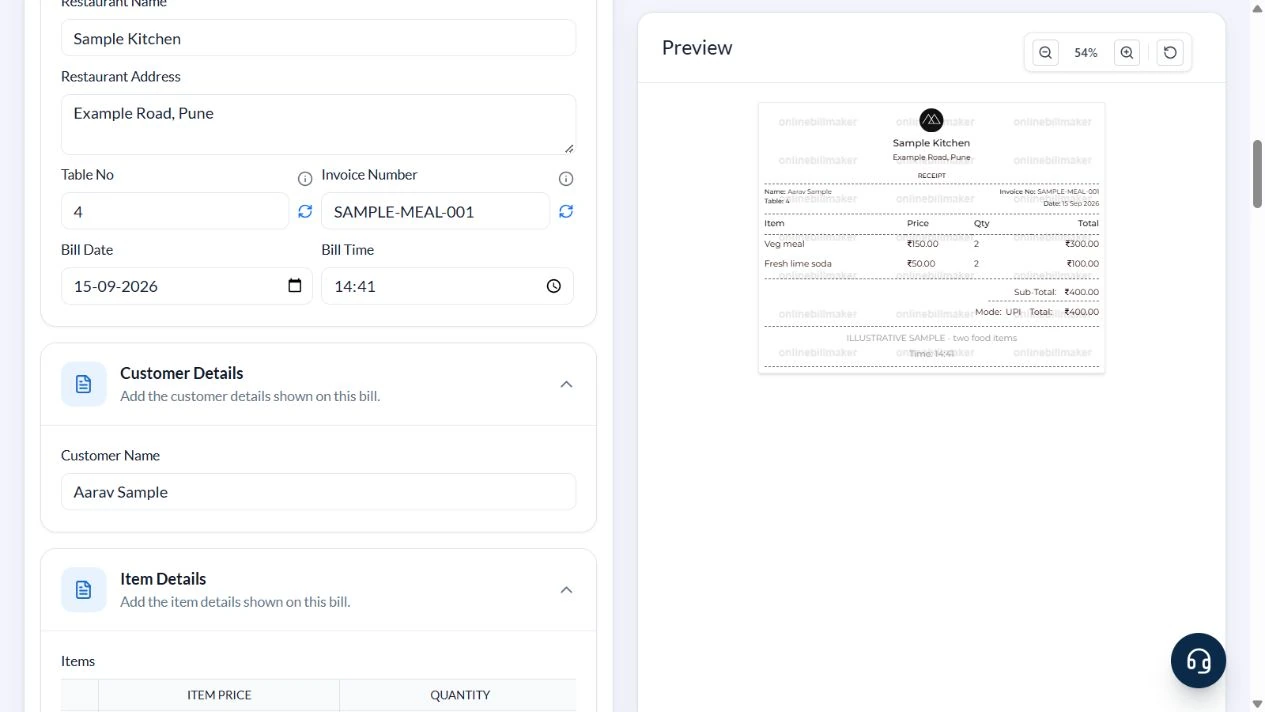
5. Review output access
The PDF and image controls show their credit costs below the receipt. In this walkthrough they remained disabled before terms acceptance. No paid access was purchased and no exported file was inspected.
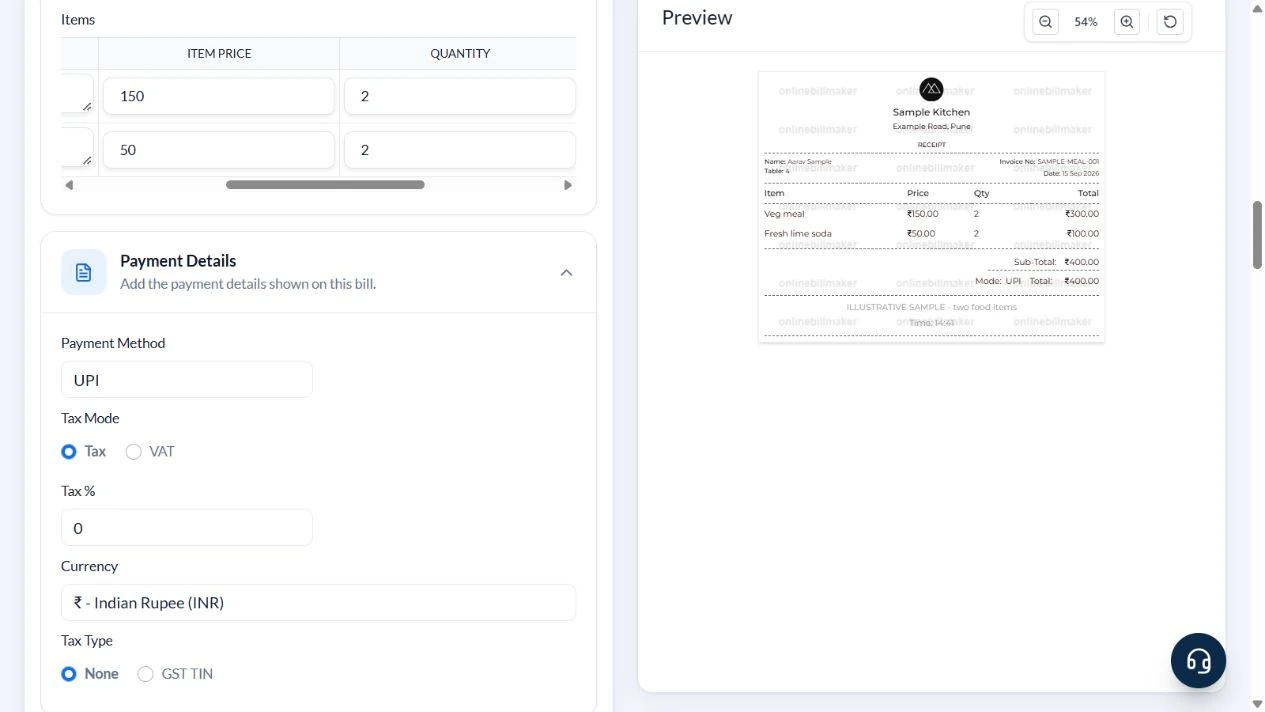
After downloading: inspect the file before sharing
If you complete an eligible download, open the saved PDF or image and compare it with the preview. Check the first and last lines, long addresses, amounts, dates and any acknowledgement area. Confirm that every intended page is present and readable at the size the recipient will use. Keep the source record and payment evidence with the final file so the document can be reconciled later.
If you spot an error, return to the editor and correct the source field before generating the replacement. Use a clear file name with the document reference and period so an older draft is not accidentally sent as the final copy.
Two meals and two drinks: ₹400
| Item | Basis | Result |
|---|---|---|
| Veg meal | 2 × ₹150 | ₹300 |
| Fresh lime soda | 2 × ₹50 | ₹100 |
| Subtotal | ₹300 + ₹100 | ₹400 |
| Sample adjustments | No discount, service charge or tax entered | ₹0 |
| Total | ₹400 + ₹0 | ₹400 |
The demonstrated layout has no dedicated discount or service-charge input. Do not claim that it automatically calculates either. Use a layout that can state the real adjustment clearly, or keep an agreed adjustment explanation with the underlying order. A service charge and a tax are different charges and should not be relabelled as each other.
How do cafe and takeaway receipts differ?
A cafe receipt template may contain several short items, while a fast food receipt template often needs clear meal or combo descriptions. Both should distinguish the amount charged for each line from the final amount collected. A cash memo format for restaurant use should identify the payment accurately; selecting cash in a form is not evidence that cash changed hands. Keep any packaging or delivery charge consistent with the restaurant-issued record.
How do you review a restaurant receipt example?
Use the worked example below to compare the arithmetic and the printed order. An example restaurant receipt is a teaching aid, so replace every sample name, amount and reference before preparing your own record. For a printable restaurant receipt, check the smallest text, the longest dish name and the final total at normal size. If the meal took place inside a hotel, keep the food record separate from the room bill unless the original explicitly combines them.
Troubleshooting and final checks
- Remove unwanted default dishes; changing the customer name does not clear them.
- Enter the unit price, not the full line total, in Item Price.
- A table number is different from the invoice reference; keep both consistent with the source order.
- Do not assume the default tax percentage applies to every outlet or supply.
- Check that added charges are described separately and that the final amount matches the transaction.
Editing and previewing are free. Downloads require sign-in and either an active plan or enough purchased credits: 5 credits for a PDF and 1 credit for an image. There are no free download credits. Free users see the platform watermark in the preview. Signed-in users with a credit balance or an active plan can choose a download format and preview without the watermark. Compare download credits and plans.
A manually prepared meal record does not retrieve restaurant orders or establish tax treatment. Retain the restaurant-issued receipt when it is required.