Choose a rental agreement, deposit receipt or car rental receipt. Match the charged days and agreed rate to the hire record, and distinguish refundable security from rental income. Identify the vehicle, renter and hire period, then enter the agreed quantity and rate rather than assuming the dates determine the charge. Explain deposits, additional charges and payment terms separately. Review the selected agreement or receipt layout so the document clearly distinguishes the rental cost, money collected as security and any amount still to be settled. Start with the vehicle rental receipt and agreement templates.
The record and the example used here
The three layouts serve different purposes: Template 1 is a bike rental agreement, Template 2 a deposit receipt, and Template 3 a car rental receipt. Choose the document needed for the actual stage of the hire.
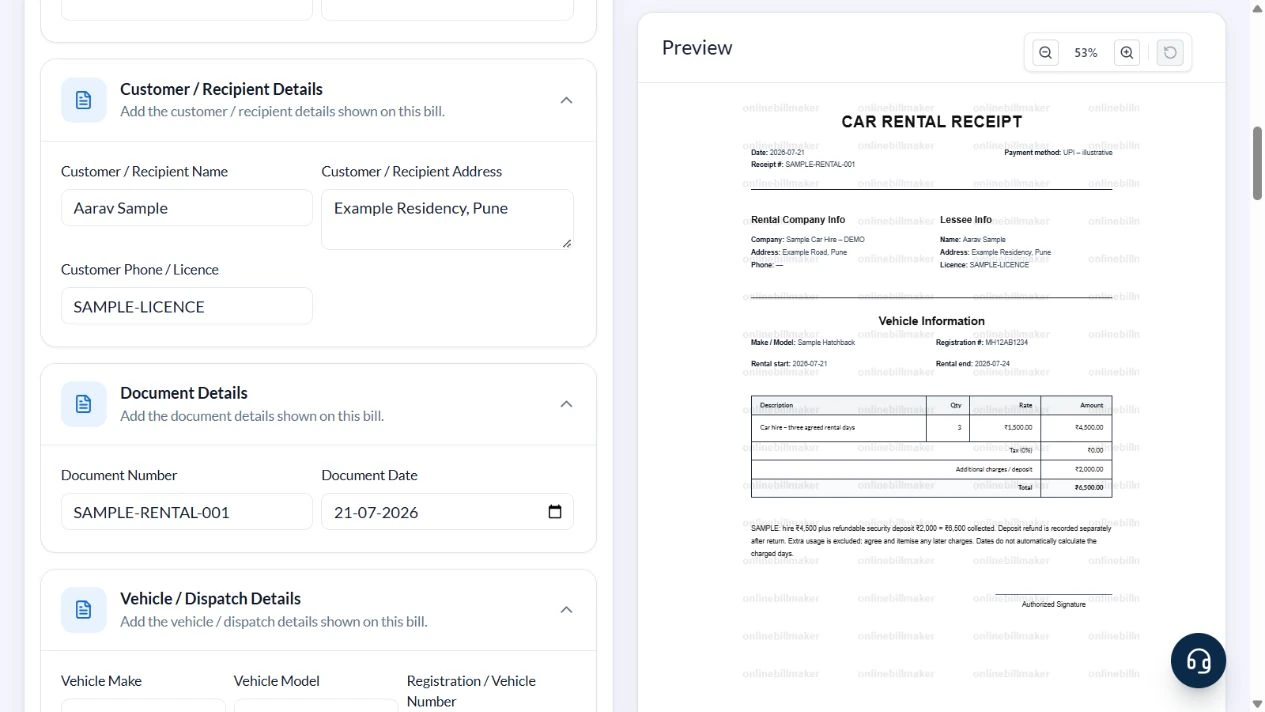
The walkthrough uses Template 3 for Sample Car Hire – DEMO and Aarav Sample, dated 21 July 2026. The hire runs from 21 to 24 July with three agreed chargeable days at ₹1,500. A ₹2,000 refundable deposit brings the amount collected to ₹6,500.
Start and End Date do not calculate Quantity. The charging basis may be calendar days, 24-hour periods or another agreement. Resolve that basis before entering a quantity.
How do you read a rental car invoice sample?
A rental car invoice sample should explain both the hire period and the quantity charged. In the worked example, compare the start and end dates with the agreed number of rental days. A car hire invoice sample may include security money, so check whether the displayed total means rental income, money collected or a combined amount. The example below explicitly separates those ideas.
Before you start: prepare and reconcile the details
Read the hire agreement for the charging unit and return conditions. A calendar-day rate, 24-hour rental and hourly booking can produce different quantities for the same dates. Enter the agreed billable quantity and record any supported extra charge instead of relying on the displayed date range to decide the price.
A refundable deposit is held as security rather than automatically earned as hire income. Track collection, any authorised deduction and the amount returned separately. The selected layout may show a deposit in the payment summary; review its wording carefully so the customer can distinguish a security receipt from the charge for using the vehicle.
Fields and sample values
| Field | Purpose | Sample value | When it applies |
|---|---|---|---|
| Business / Owner Details | Identify the hire business. | Sample Car Hire – DEMO; Example Road, Pune | Clear unused phone and tax defaults. |
| Customer / Recipient Details | Identify the renter and relevant licence record. | Aarav Sample; SAMPLE-LICENCE | Use an illustrative identifier in demonstrations. |
| Document Number / Date | Reference the receipt. | SAMPLE-RENTAL-001; 21 July 2026 | Keep it consistent with the payment record. |
| Vehicle Make / Model / Registration | Identify the vehicle covered. | Sample Hatchback; MH12AB1234 | Template 3 displays these fields. |
| Start Date / End Date / Quantity / Rate | Record the hire period and charge. | 21–24 July; 3 days × ₹1,500 | Quantity is manual. |
| Tax % / Deposit / Additional Charges | Add the entered tax and combined additional amount. | 0% illustrative tax; ₹2,000 deposit | The combined field is added to Total; explain its nature in Notes. |
| Payment Method / Notes / Terms | Explain payment, deposit refund and exclusions. | UPI; deposit refunded separately after return | Extra usage is not calculated from an odometer. |
Follow the editor step by step
Work through these stages in order. The screenshots show the actual editor running on localhost with illustrative details. Open a screenshot at full size when you need to read a field label; compare the values with your own source record.
1. Choose the car rental receipt
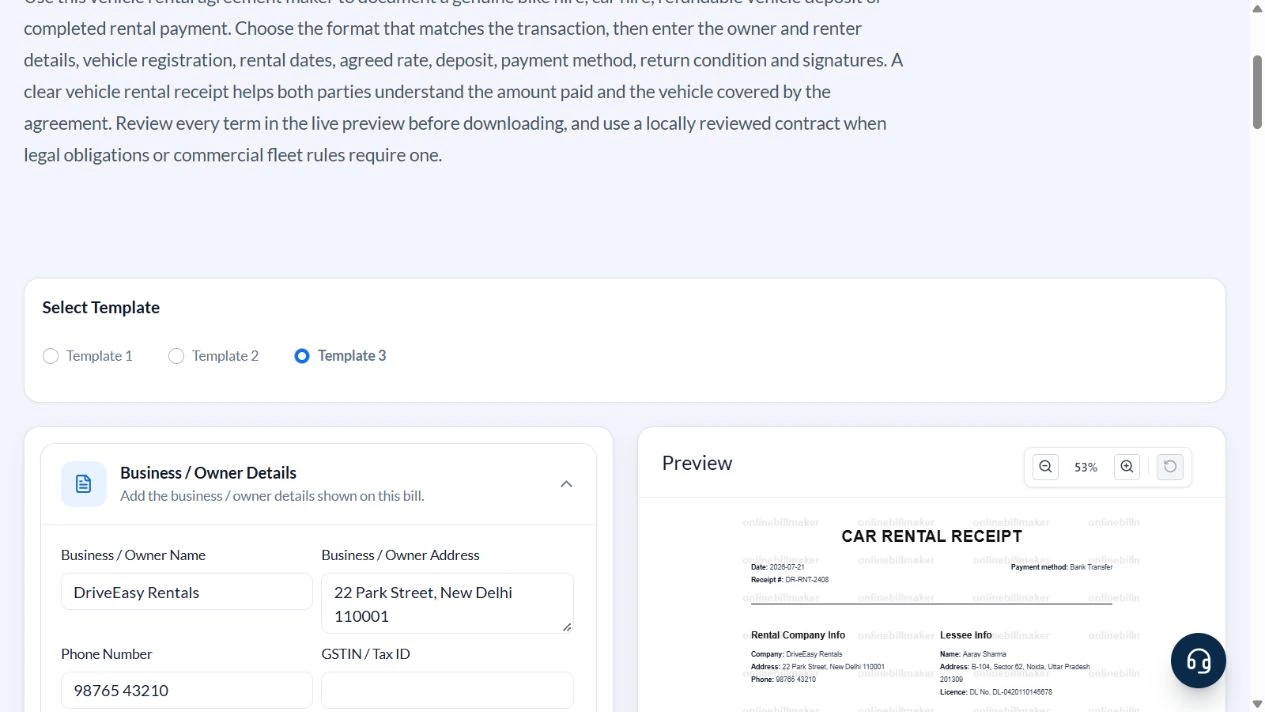
Select Template 3. Expand the owner, customer, document, vehicle, dates and payment sections.
2. Replace the parties and vehicle defaults
Enter Sample Car Hire – DEMO, Example Road, Pune, Aarav Sample and Example Residency, Pune. Use SAMPLE-LICENCE for the illustrative licence. Clear the phone default. Set reference SAMPLE-RENTAL-001, date 21 July 2026 and Sample Hatchback, MH12AB1234.
3. Enter three chargeable days and the deposit
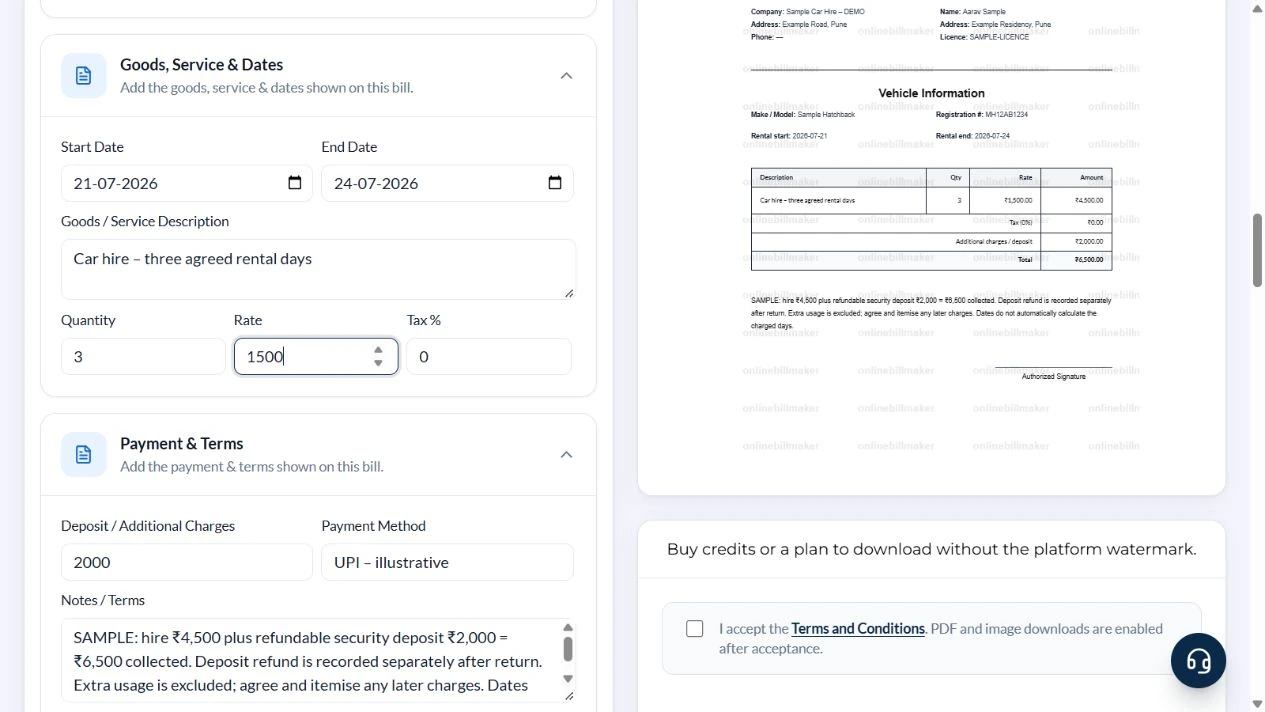
Use Start Date 21 July and End Date 24 July 2026. Enter Car hire – three agreed rental days, Quantity 3, Rate 1500, Tax % 0 and Deposit / Additional Charges 2000. Set Payment Method to UPI – illustrative.
4. Explain the collected total
In Notes / Terms, state hire ₹4,500 plus refundable deposit ₹2,000 equals ₹6,500 collected. Explain that the deposit refund is recorded separately and extra usage is excluded. Verify the dates, renter, vehicle and all three amounts in the preview.
5. Review output controls
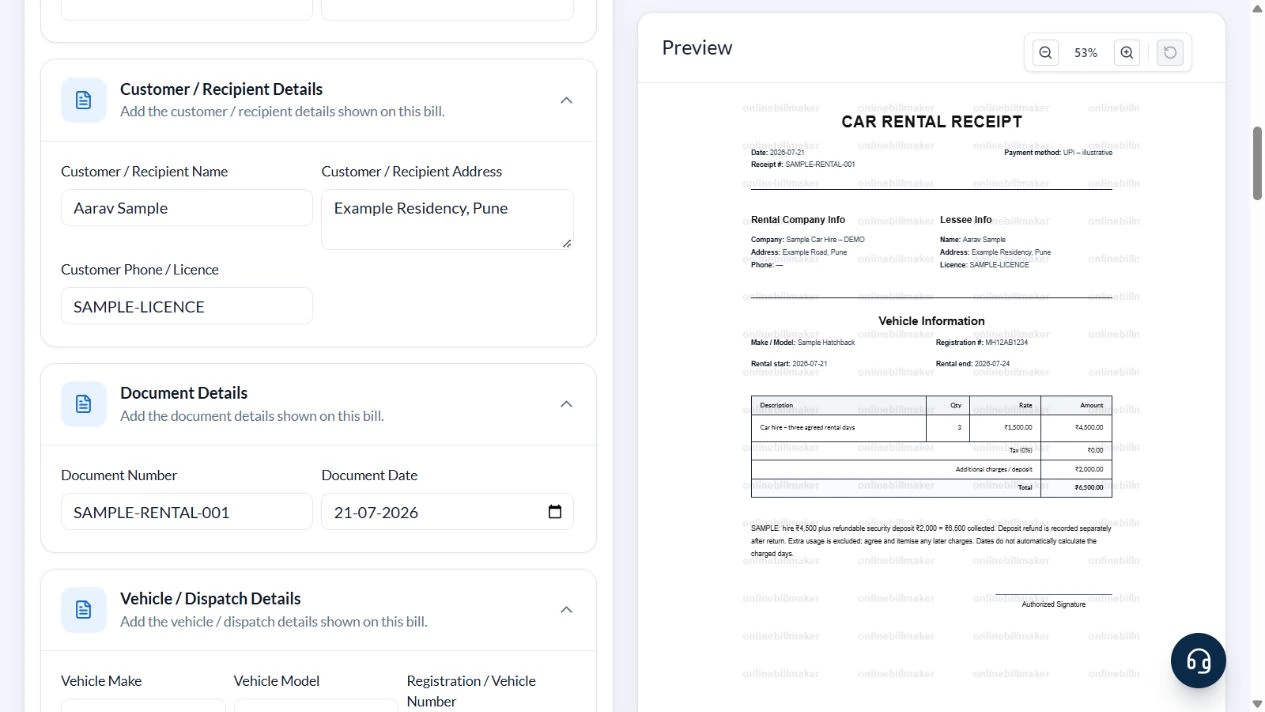
The receipt offers PDF and image controls. This walkthrough left the terms checkbox unchecked and did not purchase access or export a file.
After downloading: inspect the file before sharing
If you complete an eligible download, open the saved PDF or image and compare it with the preview. Check the first and last lines, long addresses, amounts, dates and any acknowledgement area. Confirm that every intended page is present and readable at the size the recipient will use. Keep the source record and payment evidence with the final file so the document can be reconciled later.
If you spot an error, return to the editor and correct the source field before generating the replacement. Use a clear file name with the document reference and period so an older draft is not accidentally sent as the final copy.
Three-day hire and security: ₹6,500 collected
| Item | Basis | Result |
|---|---|---|
| Hire charge | 3 agreed days × ₹1,500 | ₹4,500 |
| Sample tax | 0% entered for arithmetic only | ₹0 |
| Refundable deposit | Separate security amount | ₹2,000 |
| Total collected | ₹4,500 + ₹2,000 | ₹6,500 |
| Later deposit refund | Recorded outside this receipt | Not automatically deducted |
The combined additional-charge/deposit field is added after tax on the hire subtotal. Do not use this arithmetic to decide tax treatment of a deposit or extra usage. The receipt has one service line and no automatic excess-kilometre, refund or balance calculation.
What belongs in rental terms and notes?
A monthly car rental bill format needs the same care as a short hire: specify the period, agreed rate and what the charge includes. Where the form has a single service line, use a clear description and keep detailed usage schedules separately. A car rental duty slip format serves a different purpose and should not be implied by a simple receipt. The editor does not calculate excess kilometres or determine a deposit refund.
What should you check when saving or correcting a copy?
Before you download a car rental invoice, inspect how the registration, dates and notes appear on the page. A car rent bill format PDF should make a refundable deposit understandable even when read without the rental agreement. If a later adjustment changes the collected amount, retain the relevant evidence and issue a clearly identified correction through your normal process instead of overwriting the original acknowledgement.
Troubleshooting and final checks
- Do not count four calendar dates as four rental days without checking the hire agreement.
- Do not treat a refundable deposit as earned rent.
- Explain a combined additional amount instead of silently mixing deposit and usage charges.
- Vehicle / Shipment Details is available in the form, but this receipt does not print that condition note; keep inspection records separately.
Editing and previewing are free. Downloads require sign-in and either an active plan or enough purchased credits: 5 credits for a PDF and 1 credit for an image. There are no free download credits. Free users see the platform watermark in the preview. Signed-in users with a credit balance or an active plan can choose a download format and preview without the watermark. Compare download credits and plans.
The template does not validate a licence, create a booking, process a deposit or replace an appropriately reviewed rental contract.